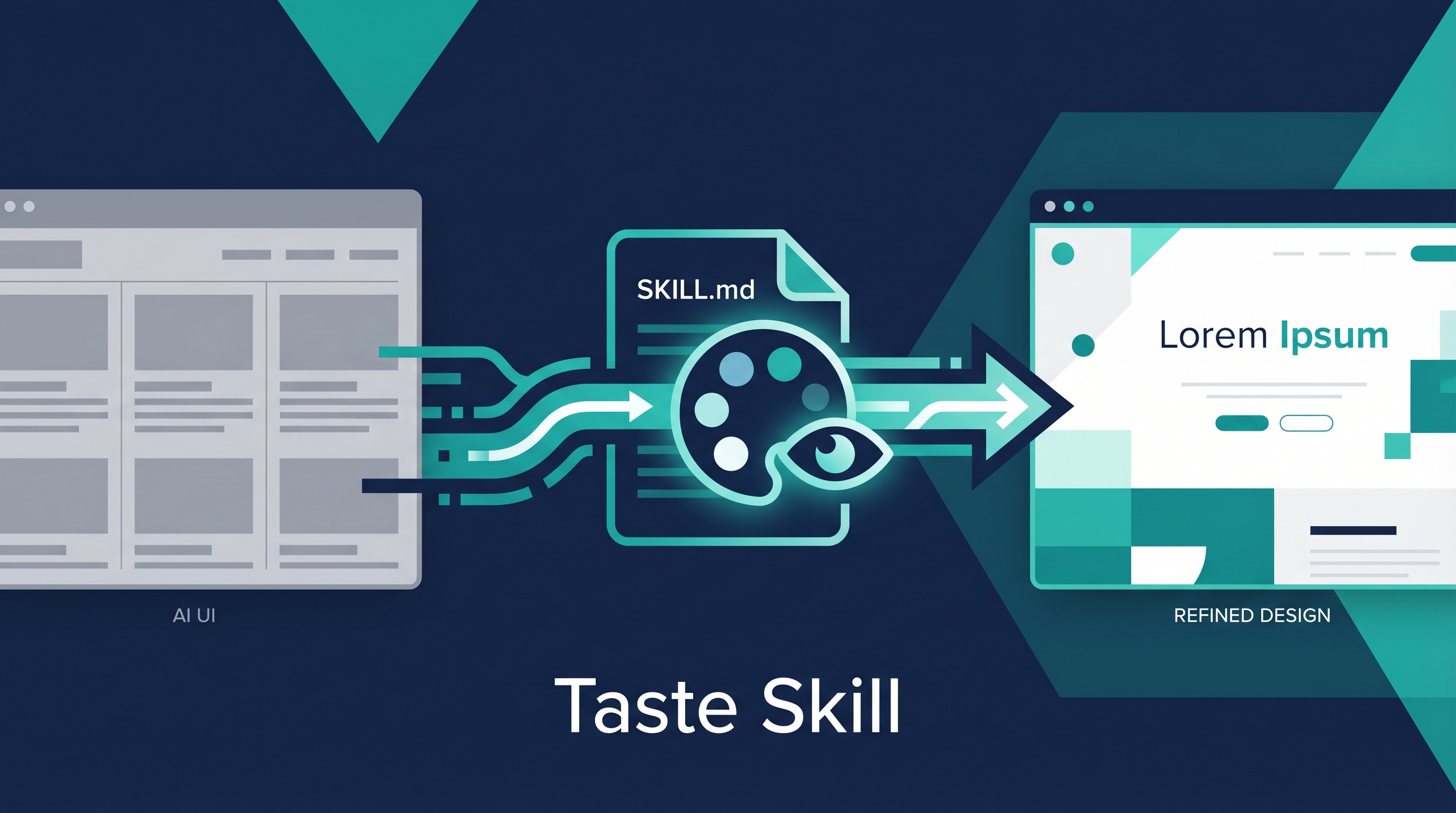
AI coding agents write functional frontend code fast, but the output looks generic — the same 3-column icon grid, the same gradient buttons, the same Material Design “clean” that every AI generates. Taste Skill is a collection of SKILL.md files that inject opinionated design rules into any AI coding agent, replacing “AI slop” with premium, intentional design. One npx command, no configuration, works with Claude Code, Cursor, Codex, Gemini CLI, and more.
| *Source: GitHub — Leonxlnx/taste-skill (8.3k stars) | tasteskill.dev | Snyk: Top Claude Skills for UI/UX* |
The Problem It Solves
WITHOUT taste-skill              WITH taste-skill
┌─────────────────────┐         ┌─────────────────────┐
│ 🎯  📊  🔧          │         │                     │
│ Feature Feature Feat │         │  One bold statement  │
│                     │         │  with breathing room │
│ [Gradient Button]   │         │                     │
│                     │         │  Subtle motion ──→   │
│ Generic. Forgettable│         │  Premium. Memorable  │
└─────────────────────┘         └─────────────────────┘
     "AI Slop"                      "Has Taste"
Every AI model defaults to safe, generic UI. Taste Skill overrides that with rules for layout, typography, color, spacing, and motion — the same things a senior frontend engineer would catch in code review.
The 7 Sub-Skills
| Skill | What It Does | When to Use |
|---|---|---|
| taste-skill | Core design rules — layout, typography, color, spacing, motion. Dark OLED aesthetic (#0e1011). 3 tunable dials. | Default for all new projects |
| redesign-skill | Audits existing projects via 6-category diagnostic, then fixes | Upgrading legacy or AI-generated UI |
| soft-skill | Premium fonts, whitespace, depth, spring animations | When you want “expensive” feel |
| output-skill | Prevents lazy AI: no // ...rest, no placeholder comments, no skipped code |
Always — prevents incomplete outputs |
| minimalist-skill | Notion/Linear editorial style — monochrome, crisp borders | Content-heavy apps, dashboards |
| brutalist-skill | (Beta) Swiss typography + CRT terminal aesthetics | Creative/experimental projects |
| stitch-skill | Google Stitch DESIGN.md compatibility | When using Google Stitch design system |
The Three Dials (taste-skill core)
| Parameter | Low (1-3) | High (7-10) |
|---|---|---|
| DESIGN_VARIANCE | Conservative layouts | Experimental, asymmetric |
| MOTION_INTENSITY | Subtle fades | Spring animations, parallax |
| VISUAL_DENSITY | Spacious, minimal | Dense, information-rich |
Installation
# One command, any project
npx skills add Leonxlnx/taste-skill

# That's it. SKILL.md appears in your project.
# Claude Code, Cursor, Codex all auto-detect it.
The Google Stitch Connection
Google Stitch is Google’s free AI UI design tool — describe an app in natural language, get high-fidelity screens. It exports a DESIGN.md file capturing your entire design system.
Google Stitch (design)  →  exports DESIGN.md  →  stitch-skill reads it
     ↓                                                ↓
 Visual prototype                          Claude Code generates
                                          matching code automatically
The workflow: design in Stitch → export DESIGN.md → drop in project root → reference in CLAUDE.md → every AI-generated component follows your exact design tokens. No more re-describing specs.
How LearnAI Team Could Use This
For Teaching
- CS course project UIs — Students using Claude Code for assignments get professional-looking output instead of generic Bootstrap. The
output-skillalso prevents lazy code submissions. - Demo applications — When building teaching demos or interactive slides, taste-skill ensures the output looks polished enough for classroom presentation.
For Research
- Prototype tools — Research tools (visualization dashboards, analysis interfaces) often look rough. Drop taste-skill in and the AI generates presentable UI from the start.
- Paper figures — Web-based interactive figures for papers benefit from the minimalist-skill (clean, Notion-like aesthetic).
For the LAI Project
- Wiki frontend — If the LearnAI wiki ever gets a custom frontend, taste-skill + stitch-skill would ensure consistent design language.
- Student-facing tools — Any AI-powered learning tools built for students get professional UI without hiring a designer.
Real-World Use Cases
- Startup MVPs — Solo founders using Claude Code to build full-stack apps. Taste-skill is the difference between “looks like a hackathon project” and “looks like a funded startup.”
- Design system enforcement — Teams with existing design systems export to DESIGN.md, then every AI-generated component automatically matches.
- Portfolio sites — Developers using AI to build personal sites get unique, premium results instead of cookie-cutter templates.
- Internal tools — Enterprise teams building admin dashboards get clean, usable UI without designer involvement.
Related Tools
| Tool | Relationship |
|---|---|
| Awesome DESIGN.md | 30+ design system files — pairs perfectly with stitch-skill |
| Google Stitch | Visual design → DESIGN.md export → stitch-skill consumes |
| Anthropic frontend-design skill | Built-in Claude Code skill that taste-skill improves upon |
| ui-ux-pro-max skill | Another design skill — more structured, less opinionated |