What It Is
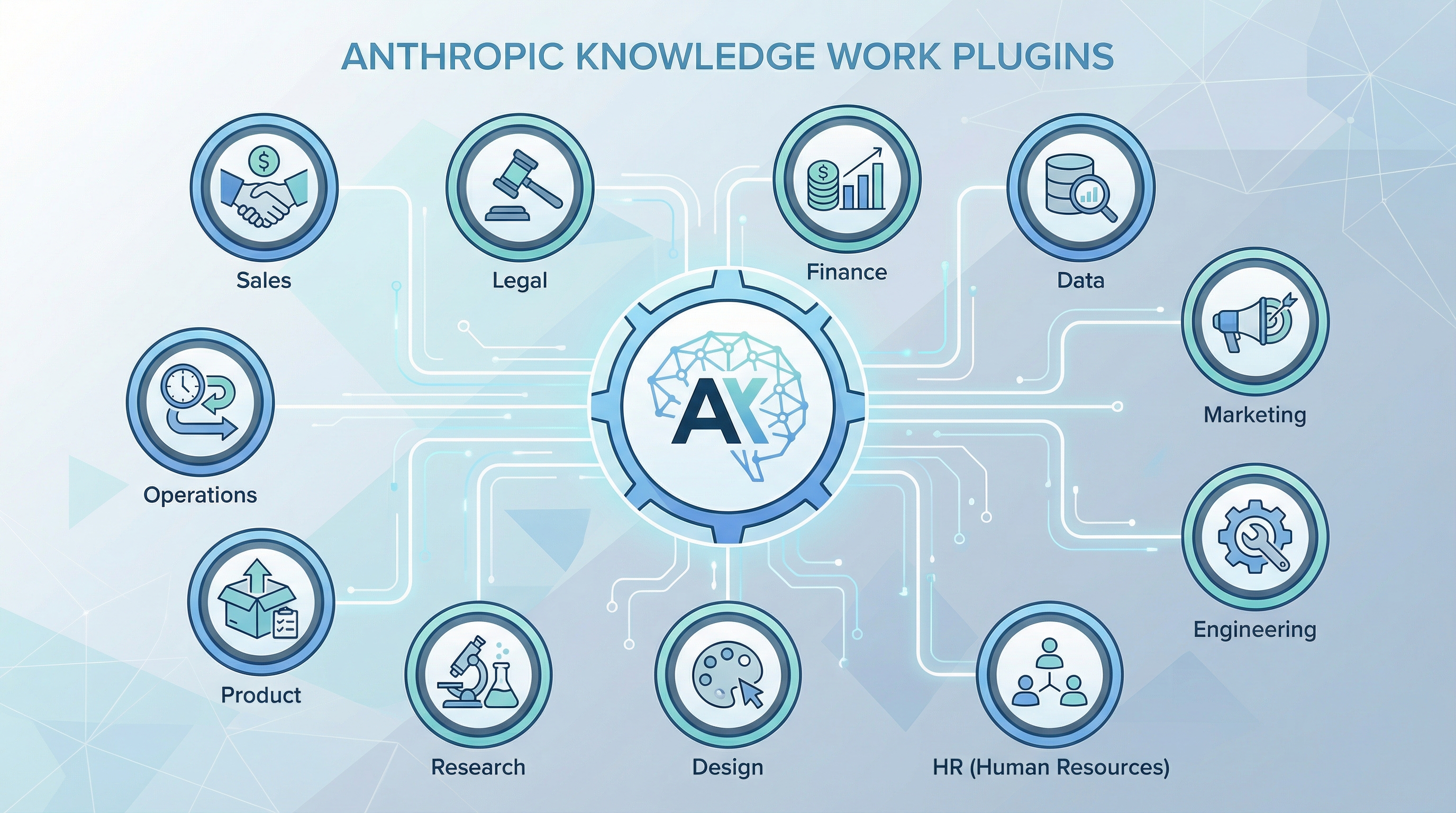
Anthropic released Knowledge Work Plugins, an open-source repository of professional role-based plugins that transform Claude from a general-purpose assistant into a role-specific coworker. The official repository lives at github.com/anthropics/knowledge-work-plugins.
The core idea: instead of Claude being “can talk about anything,” these plugins make it “work like someone in your role.” Each plugin packages together a persona, domain knowledge, tool connections, and workflows tailored to a specific professional function. The official product name is Claude Cowork, but the plugin format is fully compatible with Claude Code.
The key insight, as the source commentary puts it:
“以前大家在调 prompt,现在开始调组织结构” Before everyone was tuning prompts, now they’re tuning organizational structure.
| Source: Anthropic knowledge-work-plugins GitHub repository | Weibo post by Simon的白日梦 (2026-03-31) |
The 11 Plugins
The first batch covers eleven professional roles:
| # | Plugin | What It Does |
|---|---|---|
| 1 | Productivity | Task management, scheduling, daily planning, meeting prep |
| 2 | Sales | Lead research, call preparation, outbound copy, pipeline management |
| 3 | Customer Support | Ticket triage, response drafting, escalation workflows, knowledge base |
| 4 | Product Management | Spec writing, roadmap planning, research synthesis, feature prioritization |
| 5 | Marketing | Campaign planning, content strategy, audience analysis, copy generation |
| 6 | Legal | Contract review, compliance checks, legal research, document drafting |
| 7 | Finance | Financial analysis, reporting, forecasting, budget review |
| 8 | Data | SQL queries, statistical analysis, dashboard creation, data exploration |
| 9 | Enterprise Search | Cross-system search, knowledge retrieval, document discovery |
| 10 | Bio Research | Literature review, experiment planning, data analysis for life sciences |
| 11 | Cowork Plugin Management | Create, install, configure, and manage other plugins |
Plugin Architecture
Every plugin follows the same file-based structure. There is no extra code or build step — it is ALL files, mainly markdown and JSON:
.claude-plugin/
├── plugin.json          # Manifest — name, version, description, role persona
├── .mcp.json            # Tool connections — which external services to wire up
├── commands/            # Slash commands — explicit actions the user can trigger
│   ├── research.md
│   ├── draft-spec.md
│   └── ...
└── skills/              # Auto-triggered knowledge and workflows
    ├── terminology.md
    ├── process-guide.md
    └── ...
plugin.json — The manifest file defines the plugin identity: name, version, role description, and persona instructions. This is what turns Claude into “a sales rep who knows your pipeline” instead of “a chatbot that can discuss sales.”
.mcp.json — The connector layer. Each plugin declares which MCP (Model Context Protocol) servers it needs. Connectors bridge Claude to real workplace tools:
- Slack — team communication, channel monitoring
- Notion — docs, wikis, project databases
- HubSpot — CRM, deals, contacts
- Linear — issue tracking, sprint management
- Snowflake — data warehouse queries
- Figma — design files, component libraries
- Amplitude — product analytics, user behavior
- Benchling — biotech lab notebooks, experiments
commands/ — Markdown files that define explicit slash commands. Each command is a structured prompt with context, instructions, and output format.
skills/ — Markdown files that Claude auto-loads when relevant. These encode company terminology, standard processes, decision frameworks, and workflow patterns. Skills fire automatically based on context rather than requiring explicit invocation.
The low customization cost is the key design decision. Teams can fork a plugin, edit the markdown files to match their company’s terminology, processes, and tool permissions, and deploy it without writing any code.
Why It Matters: Organizational Structure Over Prompt Tuning
The real value of Knowledge Work Plugins is not “what can Claude do” but “how does Claude act like someone at your company.” The shift is from capability to context:
-
Role context — Not just “write marketing copy” but “write marketing copy in our brand voice, using our approved messaging framework, targeting our ICP segments.”
-
Tool permissions — Not just “Claude can access Slack” but “the sales plugin can read deal channels and CRM data; the support plugin can read ticket queues and knowledge bases; neither can access the other’s tools.”
-
Org workflows — Not just “draft a spec” but “draft a spec using our template, tag the right reviewers, link to the roadmap item in Linear, and post a summary to the product channel in Slack.”
This signals the next phase of AI product competition. The frontier is no longer just about smarter models. It is about who can package role context + tool permissions + org workflows into real on-the-job work units. The companies that win will be the ones that treat AI deployment as an organizational design problem, not a prompting problem.
How to Install and Use
Claude Cowork (claude.com)
Browse and install plugins directly from the plugin marketplace:
claude.com/plugins → Search "knowledge-work" → Install
Claude Code (CLI)
Install from the marketplace:
claude plugin marketplace add anthropics/knowledge-work-plugins
This pulls all eleven plugins. You can also install individual plugins by specifying the sub-path.
Customizing for Your Team
- Fork the repository
- Edit the markdown files in
skills/to match your company’s terminology and processes - Update
.mcp.jsonto point to your team’s actual tool instances - Add custom
commands/for your team’s specific workflows - Distribute via your org’s plugin registry or direct Git URL
The entire customization process is editing text files. No compilation, no deployment pipeline, no infrastructure changes.
How LearnAI Team Could Use This
- Role-specific teaching assistants — Build plugins for course design, student support, research help, and content review so Claude follows LearnAI workflows instead of generic assistant behavior.
- Internal knowledge workflows — Encode LearnAI terminology, wiki standards, review checklists, and publishing steps as skills and slash commands.
- Tool-connected operations — Use MCP connectors to let role plugins work across docs, issue trackers, calendars, and team communication tools with scoped permissions.
- Student-facing examples — Use the plugin structure as a concrete lesson on how AI systems move from prompt engineering to organizational design.
Real-World Use Cases
- Enterprise teams — Customize role plugins for sales, support, finance, legal, marketing, and product workflows.
- Education teams — Create reusable plugins for curriculum planning, assignment review, student advising, and knowledge-base maintenance.
- Research organizations — Package literature review, experiment planning, data analysis, and reporting workflows into repeatable Claude roles.
- Operations teams — Standardize recurring work such as meeting prep, task triage, status updates, and cross-system search.