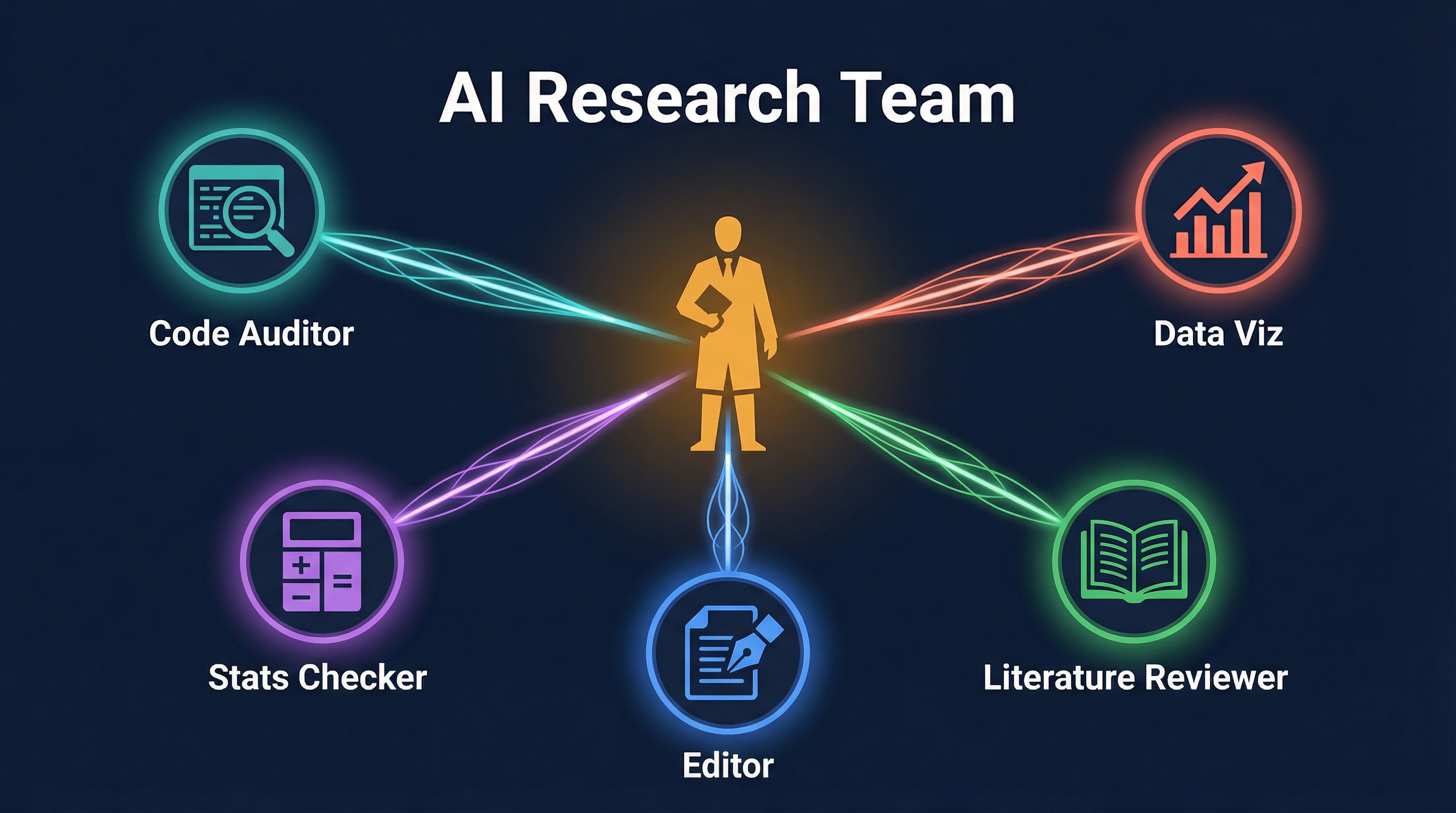
Stop using AI as a chatbot. Start building it into your research infrastructure. A presentation from a researcher showed how Claude Code transforms from a conversation partner into a persistent, multi-agent research system: CLAUDE.md as project memory, Skills as domain expert specializations, and parallel AI agent teams that turn a single researcher into the coordinator of an AI intelligence squad.
| *Source: ClaudeCodeTools Presentation (PDF) | Claude Code docs: memory, skills, subagents* |
The Three Layers
Layer 3: AI Intelligence Team
  Multiple agents working in parallel
  Researcher = coordinator, not executor
         ↑
Layer 2: Domain Expert Personas
  Skills, Commands, Personas
  "Reviewer #2", "Editor", "Stats Checker"
         ↑
Layer 1: Persistent Project Memory
  CLAUDE.md = project manual
  Goals, decisions, data locations, code standards
Layer 1: CLAUDE.md as Research Memory
Every time Claude Code starts, it reads CLAUDE.md — your project’s persistent, editable memory:
| What CLAUDE.md Stores | Why It Matters |
|---|---|
| Project goals & hypotheses | AI understands why, not just what |
| Key decisions made | No re-explaining past choices |
| Data file locations | Direct access to your datasets |
| Code standards & conventions | Consistent output across sessions |
| Current progress & open questions | Picks up where you left off |
Without CLAUDE.md, AI is a forgetful goldfish — brilliant but amnesiac. With it, AI becomes a colleague who remembers everything about your project.
Layer 2: Domain Expert Personas
Through Skills, Commands, and Personas, you can weaponize Claude as different specialists:
| Persona | What It Does |
|---|---|
| “Reviewer #2” | The harshest, most meticulous critic — scrutinizes your code, logic, and methodology with the rigor of a hostile peer reviewer |
| “Editor” | Polishes awkward prose into flowing, readable academic writing |
| “Stats Checker” | Validates statistical methods, checks assumptions, flags p-hacking risks |
| “Literature Scout” | Finds related work, identifies gaps, suggests citations |
| “Viz Designer” | Creates publication-quality figures from your data |
You’re not asking Claude to “be” these people — you’re loading specific instruction sets that activate different reasoning modes and quality standards.
Layer 3: AI Intelligence Team
The most powerful concept: launch multiple independent AI agents simultaneously, each handling a different research task:
                 ┌─────────────┐
                 │ Researcher  │
                 │(Coordinator)│
                 └──────┬──────┘
          ┌──────┬──────┼──────┬──────┐
          ▼      ▼      ▼      ▼      ▼
       ┌─────┐┌─────┐┌─────┐┌─────┐┌─────┐
       │Code ││Data ││Stats││Lit  ││Result│
       │Audit││ Viz ││Check││Review││Report│
       └─────┘└─────┘└─────┘└─────┘└─────┘
          │      │      │      │      │
          └──────┴──────┼──────┴──────┘
                        ▼
                 Consolidated Output
Each agent works in its own context (isolated worktree), produces results, and the researcher consolidates. Humans shift from executors to managers of AI teams.
The Research Workflow Revolution
| Traditional Research | AI-Augmented Research |
|---|---|
| Manually clean data | Agent reads data directly, runs cleanup scripts |
| Print-statement debugging | Agent runs code by your rules, finds bugs |
| Half a day on one slide | Viz agent generates publication figures |
| Week-long literature review | Literature agent scans and synthesizes in hours |
| Solo peer-review prep | “Reviewer #2” attacks your paper before submission |
The Uncomfortable Question
The article ends with a provocation:
“If experimental validation costs, data visualization costs, and literature review costs all approach zero — how much meaning is left in our 8-hour daily ‘brick-laying’?”
This isn’t about replacement. It’s about reallocation: when AI handles the mechanical research tasks, what do researchers spend their freed time on? The answer should be: thinking harder, asking better questions, and doing the creative work that AI can’t.
Case Study: Building This for Real
I actually built this 3-layer infrastructure for my own research — a formal verification project (relational cell morphing with CHC constraint solving). Here’s exactly what I set up and how it works in practice.
What I Built
Layer 1 — Research CLAUDE.md Template
Instead of writing a CLAUDE.md from scratch for each project, I created a reusable template at ~/.claude/templates/research-CLAUDE.md with pre-structured sections:
# Research Project:
> PI: ... | Started: ... | Status: ...

## Project Goal         ← 1 sentence
## Research Questions   ← numbered RQs
## Key Hypotheses       ← with predictions
## Decisions Log        ← date | decision | rationale
## Data & Artifacts     ← what | location | format
## Code Standards       ← language, build, test commands
## Current Progress     ← done / in progress / next
## Open Questions       ← things that need answering
## Key References       ← with why-it-matters annotations
## Persona Activation   ← which commands to use
## Parallel Agent Workflow ← copy-paste recipes
For my cell morphing project, the CLAUDE.md includes solver-specific instructions: “always use pcsat_tbq_ar.json config”, “never use integer division in goal constraints”, “run non-vacuity check after every sat”. These rules get enforced automatically across every session.
Layer 2 — Five Persona Commands
I created these as global slash commands (in ~/.claude/commands/), so they work in any project:
| Command | What It Actually Contains |
|---|---|
/reviewer2 |
Full review checklist (correctness, soundness, completeness for code; claims vs evidence, methodology, related work for papers). Outputs structured report with REJECT/MAJOR/MINOR/ACCEPT verdict. |
/editor |
4-pass editing pipeline: Structure → Clarity → Precision → Polish. Knows CS/PL/security writing conventions. Shows before→after quality score. |
/stats-checker |
Validates assumptions (normality, independence, homogeneity), checks test selection, flags missing effect sizes. CS-specific: benchmark fairness, warmup runs, timing variance. |
/lit-scout |
Searches multiple databases, organizes into must-cite / directly related / methodologically related / recent. Drafts a related work paragraph. Prioritizes PL/security venues (PLDI, POPL, CAV, S&P). |
/viz-designer |
Decision tree for choosing visualization type. Defaults to colorblind-safe palettes, vector formats for papers. Generates LaTeX/TikZ for publication figures. |
Each command is ~80 lines of specific instructions — not a vague “be a reviewer”, but a checklist-driven workflow that produces consistent, structured output.
Layer 3 — Parallel Agent Recipes
Built into the CLAUDE.md as copy-paste workflows:
## Pre-submission Review Sprint
Agent 1: /reviewer2 paper/        — hostile review
Agent 2: /stats-checker paper/    — validate methods
Agent 3: /editor paper/intro.tex  — polish introduction

## Literature + Writing Sprint
Agent 1: /lit-scout "relational cost verification CHC"
Agent 2: /editor paper/related.tex
Agent 3: /viz-designer "benchmark comparison chart"
The Bootstrap Command
The key insight: make setup frictionless. I created /research-setup — a command you run inside any existing project folder:
cd ~/my-research-project
# Then in Claude Code:
/research-setup
It scans the directory, infers the project type from existing files (.clp → formal methods, .py → Python, .tex → paper), and adds only what’s missing. Never overwrites, never creates unwanted directories, asks before changing anything.
What Changed in Practice
| Before | After |
|---|---|
| Re-explain project context every session | CLAUDE.md remembers everything |
| Generic “review my code” prompts | /reviewer2 with structured checklist |
| Manual literature searches | /lit-scout with database integration |
| One task at a time | Three agents running in parallel |
| 30 min setting up each new project | /research-setup in 2 minutes |
The biggest win isn’t any single persona — it’s the compound effect. When CLAUDE.md remembers your project state, personas know how to review your specific domain, and you can run three agents while thinking about the next experiment — you’re operating at a fundamentally different pace.
How LearnAI Team Could Use This
- Adapt this model into a reusable research and documentation infrastructure: CLAUDE.md files for project memory, persona commands for review/editing/literature work.
- Run parallel sessions for audits, synthesis, and publishing workflows.
- Bootstrap new research projects with repeatable templates and commands.
Real-World Use Cases
- Maintain project-specific CLAUDE.md files for LearnAI research, docs, and course repos.
- Use reviewer/editor/lit-scout personas to improve articles before publication.
- Run parallel Claude Code sessions for code audit, source verification, and summary drafting.
Getting Started
- Create a CLAUDE.md for your research project — or use
/research-setupto bootstrap one from a template - Build 2-3 personas — start with “Reviewer #2” and “Editor” as slash commands in
~/.claude/commands/ - Try one parallel session — run a literature search agent while you work on analysis
- Iterate — update CLAUDE.md as your project evolves
- Make it reusable — create a
/research-setupcommand so every new project gets the infrastructure automatically
Resources: ClaudeCodeTools Presentation (PDF)