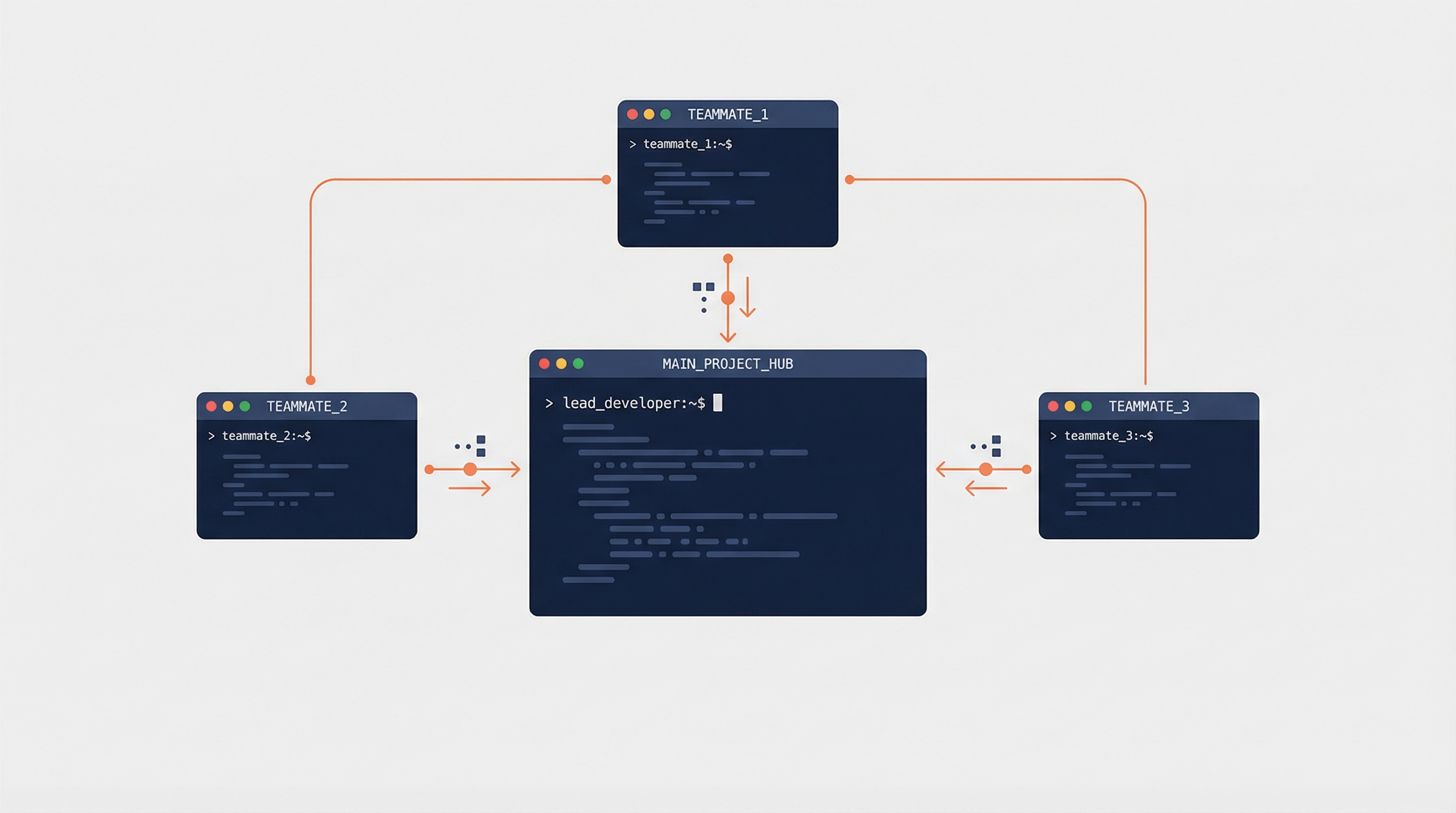
Today I learned Claude Code has two different ways to delegate work: subagents (built-in, production-ready) and agent teams (experimental, multi-session). They solve different problems and have very different cost/complexity tradeoffs.
Subagents (The Task Tool)
Subagents are lightweight agents that run inside your current session. Claude automatically delegates to them when a task matches, or you can trigger them manually.
How they work:
- Claude spawns a subagent with its own context window and system prompt
- The subagent does the work, then returns a summarized result to the main conversation
- Communication is one-way — subagents report back, they don’t talk to each other
Built-in subagent types:
| Type | Model | Purpose |
|---|---|---|
| Explore | Haiku (fast/cheap) | Read-only codebase search and analysis |
| Plan | Inherited | Research and gather context for planning |
| General-purpose | Inherited | Complex multi-step tasks needing all tools |
| Bash | Inherited | Isolated terminal operations |
Key traits:
- Lower token cost (results are summarized before returning)
- Cannot spawn other subagents (no nesting)
- No inter-subagent communication
- Tool access is configurable per subagent (allowlist/denylist)
- Can run in the background for concurrent work
Agent Teams (Experimental)
Agent teams are multiple independent Claude Code sessions working together. One acts as a lead that coordinates; the others are teammates that work in parallel.
How they work:
- The lead spawns teammates as full, separate Claude instances
- Teammates coordinate via a shared task list and direct messaging
- Communication is two-way — teammates message each other and the lead
- Each teammate gets its own full context window
Key traits:
- True parallelism across independent sessions
- Teammates can debate, challenge, and build on each other’s work
- Significantly higher token cost (each teammate = separate Claude instance)
- Teammates can use subagents, but cannot spawn nested teams
How to Enable Agent Teams
Agent teams are disabled by default. Enable in your settings.json:
{
  "env": {
    "CLAUDE_CODE_EXPERIMENTAL_AGENT_TEAMS": "1"
  }
}
Or set the environment variable before launching:
export CLAUDE_CODE_EXPERIMENTAL_AGENT_TEAMS=1
claude
Then just ask naturally:
Create an agent team: one teammate on frontend, one on backend, one on tests.
Display Modes
- In-process (default) — all teammates in one terminal. Use
Shift+Up/Downto switch between them. - Split-pane — each teammate in its own pane. Requires tmux or iTerm2.
Side-by-Side Comparison
| Subagents | Agent Teams | |
|---|---|---|
| Status | Production-ready | Experimental |
| Sessions | Single (shared) | Multiple (independent) |
| Communication | One-way (report back) | Two-way (direct messaging) |
| Context | Summarized results returned | Each agent has full context |
| Token cost | Lower | Much higher |
| Parallelism | Within one session | True parallel sessions |
| Nesting | Cannot spawn subagents | Can use subagents, not teams |
| Autonomy | Controlled — main agent reviews | High — teammates decide independently |
| Coordination | Main agent manages all | Shared task list + messaging |
When to Use Which
Use subagents when:
- The task is focused and returns a result (search, review, single-file work)
- Cost matters — subagents are much cheaper
- You want isolation without complexity
- Background execution is useful
Use agent teams when:
- Teammates need to communicate and challenge each other (e.g., competing debugging hypotheses)
- Work is truly parallel and independent (frontend + backend + tests)
- You want multi-perspective review (security + performance + testing lenses)
- The coordination overhead is justified by speed/quality gains
Use neither when:
- The task is quick and iterative
- Frequent back-and-forth with you is needed
- Work is sequential and shares a lot of context
How LearnAI Team Could Use This
- Use subagents for focused documentation review, source checking, and single-entry cleanup.
- Reserve agent teams for parallel work across docs, examples, and QA when coordination overhead is justified.
- Teach the tradeoff: subagents = cheap isolation, teams = expensive parallelism with communication.
Real-World Use Cases
- Split a large docs update into research, editing, and QA tracks using agent teams.
- Run security, performance, and test-review perspectives in parallel on a complex PR.
- Use a subagent to inspect related wiki entries before editing the current page.
Limitations
Subagents:
- No inter-subagent communication
- MCP tools unavailable in background mode
- Cannot nest (subagent can’t spawn subagent)
Agent teams:
/resumeand/rewinddo not restore in-process teammates- Teammates sometimes fail to mark tasks complete, blocking dependents
- One team per session only
- Split-pane mode doesn’t work in VS Code terminal, Windows Terminal, or Ghostty
- All teammates inherit the lead’s permissions at spawn (no per-teammate overrides at creation time)