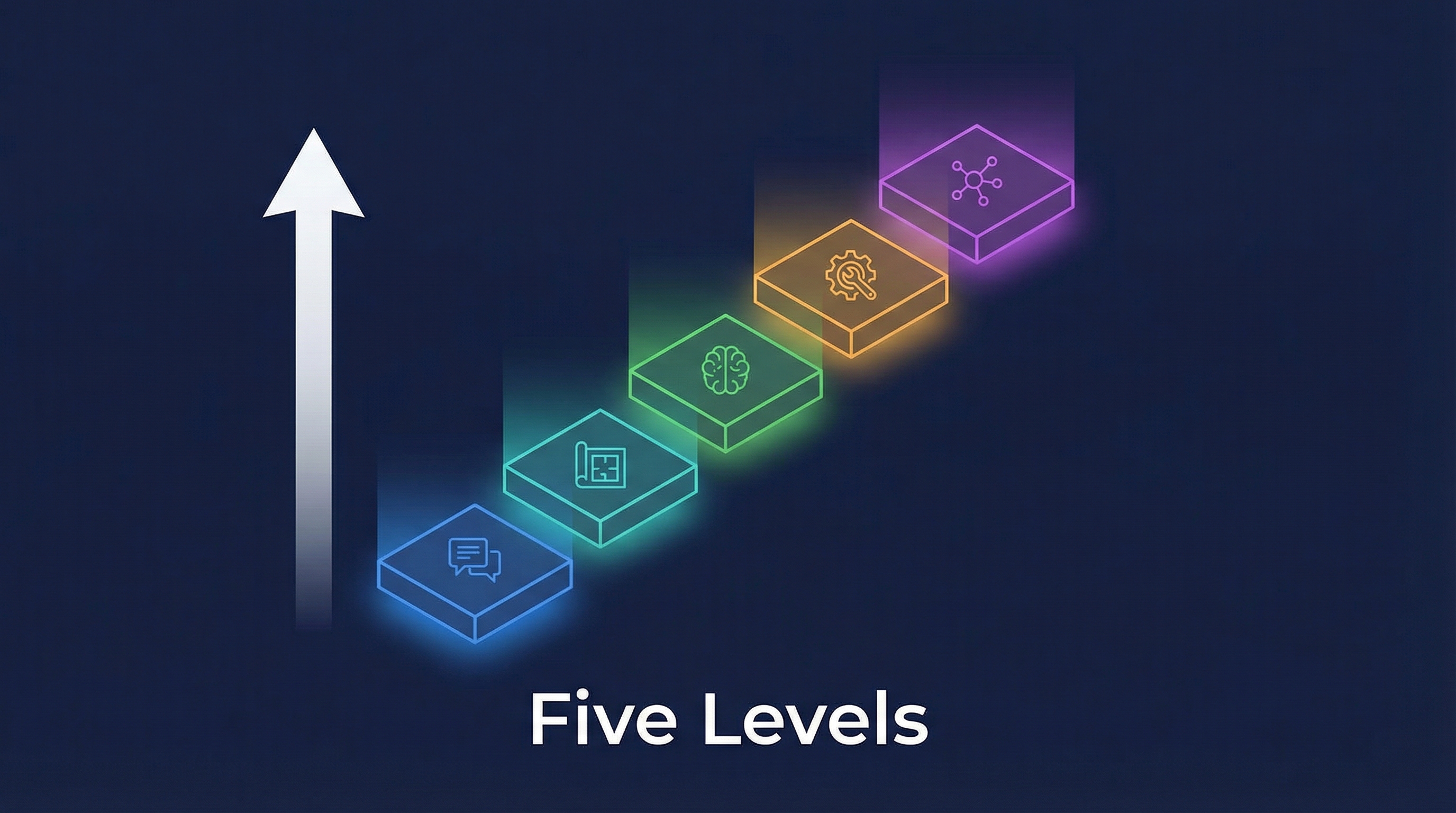
A Reddit discussion mapped the progression from Claude Code beginner to expert into five distinct levels, each requiring a fundamental mindset shift. The most memorable line: “你不是决定升级的,你是被逼上去的” — you don’t decide to level up; you’re forced up. Each level isn’t a choice — it’s what happens when the previous level stops working.
The Five Levels
Level 5: Orchestrator     ┃ Multi-agent worktrees, parallel dev
Level 4: Infrastructure   ┃ Hooks, auto-verification, quality gates
Level 3: Context Engineer ┃ CLAUDE.md, /compact, progressive disclosure
Level 2: Planner          ┃ Plan mode, collaboration
Level 1: Prompter         ┃ Command → receive output
━━━━━━━━━━━━━━━━━━━━━━━━━━┛
Each level: forced by the failure of the previous one
Level 1: The Prompter
| What you do |
Command Claude, receive output |
| Mindset |
“AI writes code for me” |
| Tools |
Basic prompts |
| Output quality |
Generic, “AI slop,” inconsistent with codebase |
| When you leave |
When output quality frustrates you enough |
Level 2: The Planner
| What you do |
Collaborate through Plan Mode before coding |
| Mindset |
“Let’s think before coding” |
| Tools |
Plan Mode, clarifying questions |
| Key shift |
Commander → collaborator |
| When you leave |
When plans are good but execution drifts |
Level 3: The Context Engineer
| What you do |
Curate what Claude sees and when |
| Mindset |
“Right context → right output” |
| Tools |
CLAUDE.md, /compact, /clear, sub-folder configs |
| Key shift |
Input quality matters more than prompt quality |
| When you leave |
When manual context management becomes the bottleneck |
Level 4: The Infrastructure Builder
| What you do |
Turn verification into infrastructure, not instructions |
| Mindset |
“Don’t ask Claude to check — make checking automatic” |
| Tools |
Hooks, MCP servers, Skills, auto-type-checking, quality gates |
| Key shift |
Prompt suggestions → code enforcement |
| When you leave |
When single-agent sessions can’t handle project scope |
This is the most overlooked transition. The community notes:
“Level 3 to Level 4 is most easily ignored — Skills let Claude know what to do, but nobody auto-checks if it did it right. Skip this layer and jump straight to orchestration, and you’re building on sand.”
Level 5: The Orchestrator
| What you do |
Run multiple agents in isolated worktrees simultaneously |
| Mindset |
“Parallel agents, persistent state, managed merging” |
| Tools |
Git worktrees, agent teams, persistent state files, JSONL mailboxes |
| Key shift |
Single session → multi-session campaigns |
| Evidence |
One author ran 198 agents with only 3.1% merge conflict rate |
Where Non-Developers Fit
| Level |
Accessible on Claude.ai? |
| 1-3 |
Yes — basic prompting, planning, and context are all possible in the web app |
| 4 |
Partially — can approximate with stricter prompt rules, but no real hooks/MCP |
| 5 |
No — this is still a developer-only capability |
Claude’s Real Moat
A key community observation from comparing CodeX and Claude Code:
“Model capabilities are close. Claude’s real moat is Hooks, Skills, and Worktrees — the infrastructure. The model gap is less important than the system architecture gap.”
This echoes the harness engineering thesis: the bottleneck isn’t the model, it’s the system around it. Claude Code’s advantage isn’t that Opus is smarter than GPT-5.4 — it’s that Claude Code’s infrastructure (Levels 3-5) is more developed.
The CLAUDE.md Compliance Problem
The discussion surfaced an enterprise-level concern: CLAUDE.md compliance issues aren’t just about length — they’re about rule quality:
| Rule Type |
Durability |
| Soft style suggestions (“maintain natural tone”) |
Low — easily overridden, vague |
| Mandatory architectural boundaries (“never modify /core without tests”) |
High — enforceable, specific |
The key: mandatory architectural boundaries are more durable than soft style suggestions. This applies at every level — from Level 3 (writing good CLAUDE.md) to Level 4 (enforcing rules through hooks).
Mapping Levels to Harness Engineering Pillars
| Level |
Harness Pillar |
| Level 2 (Planning) |
Pillar 3: Reasoning Phases |
| Level 3 (Context) |
Pillar 1: Context Architecture |
| Level 4 (Infrastructure) |
Pillar 2: Architectural Constraints |
| Level 5 (Orchestration) |
Pillar 4: Subagent Firewalls + Pillar 6: Modular Middleware |
How LearnAI Team Could Use This
- Skill progression framework — Use the five levels as a rubric for teaching Claude Code from basic prompting through orchestration.
- Curriculum diagnostics — Map learners to a level based on failure modes: weak prompts, drifting execution, context overload, missing verification, or orchestration complexity.
- Team operating model — Turn Level 4 and 5 practices into internal standards for hooks, quality gates, worktrees, and multi-agent coordination.
Real-World Use Cases
- Student assessment — Identify whether a learner needs prompt practice, planning habits, context engineering, or infrastructure automation.
- Engineering onboarding — Teach new team members how Claude Code usage matures from single-session prompting to managed multi-agent workflows.
- Workflow audits — Use the levels to find where a team is overusing prompts when it needs automated checks or orchestration.