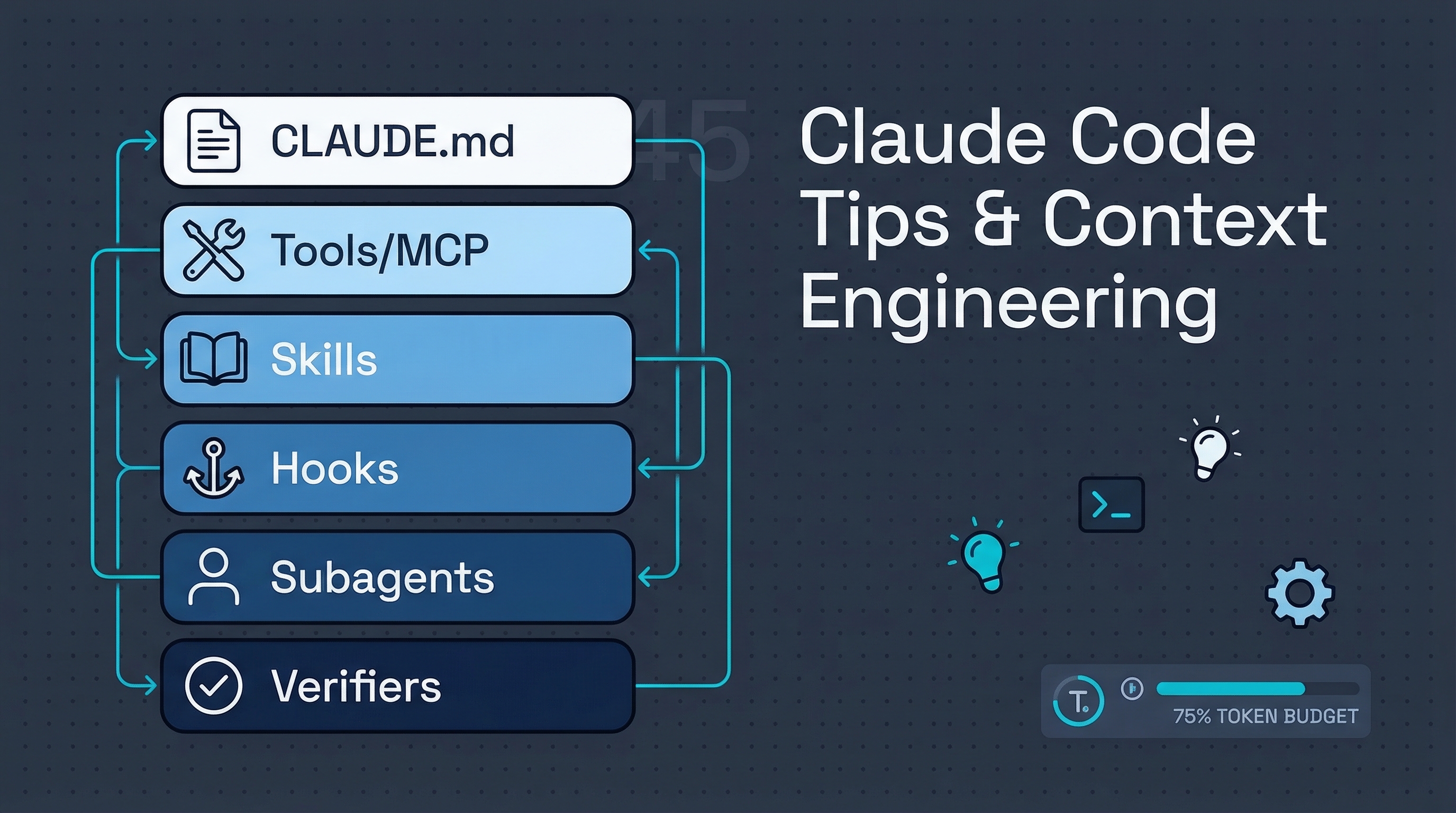
Two essential resources for mastering Claude Code: a 45-tip practical guide (ykdojo) covering everything from custom status lines to containerized agents, and a deep engineering article (tw93) dissecting Claude Code’s six-layer architecture, context management, and why most problems aren’t about the model being dumb — they’re about feeding it the wrong context.
| *Source: 45 Claude Code Tips - ykdojo | Claude Code Architecture & Engineering - tw93 | BrightCoding: 45 Tricks for Terminal AI Mastery* |
The Six-Layer Architecture (tw93)
Most people treat Claude Code as a chatbot. It’s actually a six-layer system — and strengthening only one layer while ignoring others causes the system to fail:
| Layer | Role | What It Controls |
|---|---|---|
CLAUDE.md / rules / memory |
Long-term context | “What Claude is” — constraints, boundaries, project rules |
Tools / MCP |
Action capabilities | “What Claude can do” — read files, run commands, access APIs |
Skills |
On-demand workflows | “How Claude does it” — loaded only when needed |
Hooks |
Forced execution | Deterministic rules that don’t depend on Claude’s judgment |
Subagents |
Isolated workers | Separate context windows for contained tasks |
Verifiers |
Validation loop | Tests, lint, screenshots, CI — making output trustworthy |
Collect Context → Take Action → Verify Result → [Done or Loop Back]
      ↑                    ↓
  CLAUDE.md            Hooks / Permissions
  Skills               Tools / MCP
  Memory               Subagents
Context Engineering — The Most Important Skill
The #1 insight from both resources: context problems are usually noise, not capacity. Your 200K window isn’t all available:
200K Total Context
├── Fixed Overhead (~15-20K)
│   ├── System prompt: ~2K
│   ├── Skill descriptors: ~1-5K
│   ├── MCP tool definitions: ~10-20K  ← BIGGEST HIDDEN COST
│   └── LSP state: ~2-5K
├── Semi-fixed (~5-10K)
│   ├── CLAUDE.md: ~2-5K
│   └── Memory: ~1-2K
└── Dynamic (what you actually get: ~160-180K)
    ├── Conversation history
    ├── File contents
    └── Tool call results
Eye-opener: every MCP server and plugin adds fixed context before your task starts. Treat tool access as a budgeted design choice, not a free upgrade.
Context Best Practices
| Practice | Why |
|---|---|
| Keep CLAUDE.md short, hard, executable | Anthropic’s own is ~2.5K tokens |
Use .claude/rules/ for path-specific rules |
Don’t bloat root CLAUDE.md |
| Write Compact Instructions in CLAUDE.md | Control what survives compression |
Use /clear on task switch, /compact within a task |
Fresh context > stale context |
| HANDOFF.md pattern for session transfers | Don’t rely on auto-compression quality |
Limit tool output with \| head -30 or RTK |
Tool output is a hidden context killer |
Top Practical Tips (from 45 Tips)
For Beginners
| Tip | What It Does |
|---|---|
| Custom status line | Shows model, git branch, token usage at bottom of terminal |
| Voice input | 2-3x faster than typing — use superwhisper or built-in voice mode |
| Break down problems | A → A1 → A2 → A3 → B instead of A → B directly |
| Git & GitHub CLI | Let Claude handle commits, branches, draft PRs |
/clear and /compact |
Fresh context performs better than long stale sessions |
For Intermediate Users
| Tip | What It Does |
|---|---|
| HANDOFF.md pattern | Write progress doc before switching sessions — next agent reads only this |
| Plan Mode | Separate exploration (read-only) from execution (changes) |
| Git worktrees | Parallel branch work — different features, different directories |
| TDD with Claude | Write tests first, then implementation — Claude excels at this |
| Containers | Run risky/long tasks in Docker — safe sandbox for experiments |
For Advanced Users
| Tip | What It Does |
|---|---|
| Slim system prompt | Cut system prompt by ~45% to free context for actual work |
| Subagents for isolation | Exploration tasks in subagents keep main context clean |
| Hooks for governance | Auto-format on edit, block protected files, notify on completion |
| Skill design patterns | Checklist, workflow, and domain-expert types with supporting files |
| Prompt caching awareness | Understand prefix-match caching to avoid breaking cache hits |
| dx plugin | Install with claude plugin install dx@ykdojo — adds /handoff, /clone, /gha |
Three-Layer Governance: CLAUDE.md + Skills + Hooks
This pattern from tw93 is critical — using only one layer leaves gaps:
CLAUDE.md  →  "Commits must pass tests and lint"     (declaration)
     ↓
Skill      →  "Run tests in this order, read         (workflow)
               failures, fix, re-run"
     ↓
Hook       →  "After every Edit on *.rs,              (enforcement)
               run cargo check | head -30"
- CLAUDE.md alone: Claude often ignores rules
- Hooks alone: Can’t handle complex judgment calls
- All three together: Declarations + workflows + enforcement = stable system
Operational Features to Teach Together
The small standalone feature notes have been folded here because students need the relationships more than twelve separate pages. The durable mental model is: permissions decide whether Claude may act, sandboxing bounds where commands can act, hooks add deterministic workflow behavior, and status lines make the session state visible.
Consolidated sources: Claude Code permission modes, Claude Code status line docs, Claude Code plugins docs, Claude Code subagents docs.
| Feature | Student-friendly use | Main caution |
|---|---|---|
| Default approvals | Use for new repos, credentials-adjacent work, and assignments where every file write should be visible. | Slow, but intentionally slow. |
| Auto mode | Let routine edits and shell commands proceed while risky actions are filtered. | It reduces prompt fatigue; it is not a substitute for isolation or review. |
| Sandboxing | Restrict what generated commands can read, write, or contact over the network. | Still review commands and keep secrets out of project folders. |
| Skip permissions | Use only inside an intentionally disposable environment. | Dangerous on a normal laptop or shared project. |
Hooks, status lines, plugins, and custom agents are best taught as workflow infrastructure:
| Mechanism | What it adds | Good first exercise |
|---|---|---|
| Hooks | Event-triggered scripts for logging, checks, notifications, or blocking unsafe operations. | Log every bash command or run a formatter after edits. |
| Status line | A compact display for model, directory, branch, cost, or context usage. | Show model + git branch + context usage during a demo. |
| Plugins | Bundled skills, agents, MCP servers, hooks, or LSPs from a marketplace. | Inspect what a plugin adds before installing it. |
| Custom agents | A default behavior profile or specialized worker for a task family. | Create a read-only researcher agent before creating writer agents. |
For cost and context control, prefer read-only subagents for search, summarization, and codebase reconnaissance. Give those agents only read tools, then reserve the stronger main session for planning, editing, and final judgment. Avoid teaching exact price ratios as durable facts; model pricing and routing options change faster than the workflow pattern.
Concept Boundaries — What Goes Where
| Concept | Use When | Common Mistake |
|---|---|---|
CLAUDE.md |
Project-level permanent rules | Writing a knowledge base instead of constraints |
.claude/rules/* |
Path/language-specific rules | Dumping everything in root CLAUDE.md |
Tools / MCP |
Need new action capability | Connecting too many servers (context bloat) |
Skills |
Need on-demand workflow/knowledge | Making skills that are encyclopedias |
Hooks |
Need deterministic enforcement | Using hooks for complex semantic judgment |
Subagents |
Need isolated context for a task | No boundary constraints (fan-out chaos) |
Plugins |
Need to distribute skills/hooks/MCP | Treating plugins as runtime primitives |
Real-World Use Cases
- Teaching students how to manage Claude Code context budgets during multi-file projects.
- Building class demos around hooks, skills, subagents, and verification loops.
- Creating team workflows for agent-assisted software engineering assignments.
How LearnAI Team Could Use This
These two resources are a masterclass in understanding how AI agent systems actually work — not just using them, but understanding the engineering behind them:
- Context engineering teaches resource management — understanding token budgets is like understanding memory management in systems programming
- The six-layer architecture maps directly to software architecture courses — separation of concerns, layered design, isolation patterns
- Hooks and verification teach the same principles as formal verification and program analysis — ensuring correctness through systematic enforcement rather than hoping the system behaves
- The HANDOFF.md pattern teaches documentation and knowledge transfer — a skill every engineer needs
- TDD with Claude (Tip 34) reinforces test-driven development in a context where students can see immediate results
- Skill design patterns (checklist, workflow, domain-expert) are the same design pattern thinking taught in software engineering courses
For AI education research: these resources demonstrate that effective AI tool usage requires engineering discipline, not just prompt writing. The gap between “using Claude Code as a chatbot” and “building a governed AI development system” is exactly the kind of skill gap LAI research can help bridge.
Install the dx Plugin
claude plugin marketplace update ykdojo
claude plugin install dx@ykdojo
Adds /handoff, /clone, /half-clone, and /gha commands. See dx plugin details.