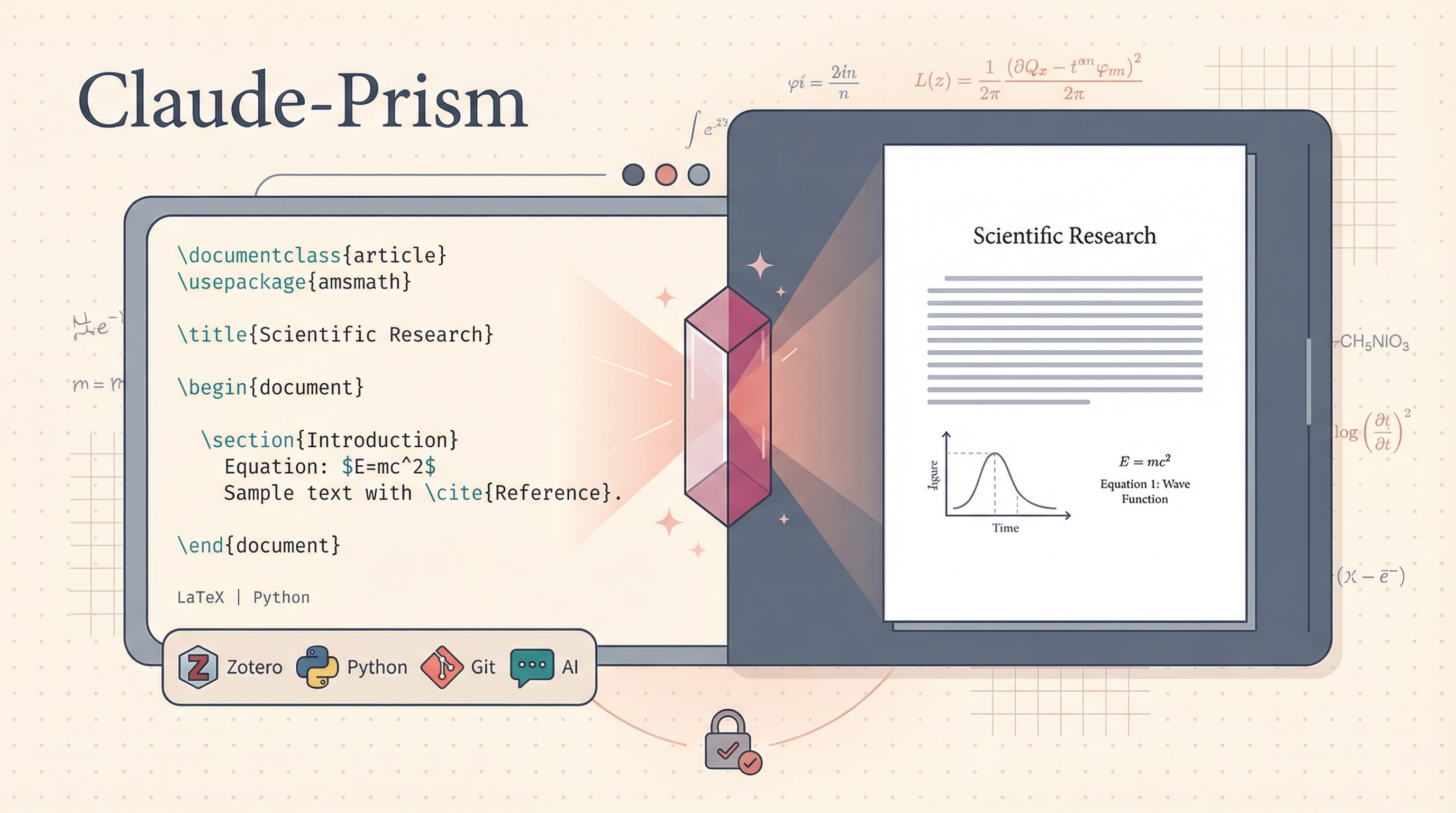
Claude-Prism is an open-source, offline-first scientific writing workspace that puts LaTeX, Python, Zotero, and Claude AI in a single native desktop app. Unlike OpenAI’s Prism (cloud-based, proprietary), Claude-Prism keeps your files local — nothing is uploaded for storage. AI features send prompts to Anthropic’s API for inference, but your documents stay on your disk. 100+ scientific domain skills, Git-based history, and a “Capture & Ask” feature that lets you select any region of a PDF and ask Claude about it.
| *Source: GitHub - delibae/claude-prism | ClaudePrism Website | K-Dense Scientific Skills | Reddit Discussion* |
Is It Good? — Honest Assessment
Strengths:
- Privacy-first for academia — files stay local, which matters for unpublished research. Institutions with upload restrictions can still use it
- All-in-one — LaTeX editor, PDF preview, Python environment, Zotero, AI chat in one window instead of switching between 6 apps
- Capture & Ask (
⌘X) — select any region in PDF (equation, figure, table) and ask Claude about it. Excellent for paper review and learning - Git history built-in — every save is a snapshot, label checkpoints, browse diffs, restore versions
- 100+ scientific skills — domain-specific knowledge from K-Dense covering bioinformatics, ML, chemistry, clinical research, and more
- Template gallery — paper, thesis, presentation, poster, letter templates with AI-generated initial content
Limitations:
- The Weibo post notes a valid concern: Claude Code itself may send data to Anthropic for inference — “documents don’t leave your machine” is partially true (files stay local, but content in AI prompts is sent to API)
- Early-stage project — may need community support to sustain long-term
- Some questioned whether it fits humanities research. The claude-scientific-skills library has 100+ domains but focuses on quantitative/health sciences and empiricist methods
- Project name uses “Claude” — multiple developers suggested renaming since Anthropic protects the trademark strictly
Verdict: Very good for STEM academics who want a local LaTeX+AI workspace. The Capture & Ask and Zotero integration alone make it worth trying. For CS/security/PL research, it’s directly applicable.
How To Use It
Step 1: Install
Download from GitHub Releases:
Step 2: Create a Project
Open the app → pick a template (paper, thesis, poster) → name it → optionally describe what you’re writing. Claude generates initial content and sets up the LaTeX structure.
Drag & drop reference files (PDF, BIB, images) into the project.
Step 3: Connect Zotero
Settings → Zotero → OAuth login → browse collections, search references, insert citations directly into your manuscript.
Step 4: Write with AI
- Chat with Claude in the sidebar (choose Sonnet/Opus/Haiku)
- Use
/reviewfor paper review - Use
/initto initialize project structure - Select PDF regions with
⌘X→ ask Claude about equations, figures, tables - Accept/reject Claude’s proposed changes per chunk (
⌘Y/⌘N)
Step 5: Install Scientific Skills
Browse the K-Dense Scientific Skills library → install relevant domains:
| Your Research Area | Relevant Skills |
|---|---|
| Program analysis / PL | Data Analysis, ML/AI, Scientific Communication |
| Security education | Clinical Research patterns (for study design), Data Viz |
| AI education (LAI) | ML/AI, Scientific Communication, Grant Writing |
| Formal verification | Data Analysis, Matplotlib/Plotly for visualizations |
Step 6: Version Control & Export
- Every save creates a Git snapshot automatically
- Label important checkpoints (e.g., “submission draft”, “camera-ready”)
- Browse diffs between any two snapshots
- Compile LaTeX offline → export PDF
Claude-Prism vs OpenAI Prism vs Overleaf
| Feature | Claude-Prism | OpenAI Prism | Overleaf |
|---|---|---|---|
| AI Model | Claude (Opus/Sonnet/Haiku) | GPT-5.2 | None built-in |
| Runtime | Native desktop (Tauri + Rust) | Browser (cloud) | Browser (cloud) |
| File Storage | Local disk | OpenAI servers | Overleaf servers |
| LaTeX Engine | Tectonic (embedded, offline) | Cloud | Cloud (TeX Live) |
| Python | Built-in uv + venv | — | — |
| Scientific Skills | 100+ domains | — | — |
| Zotero | OAuth integration | — | Plugin |
| Version Control | Git-based (built-in) | — | Git (limited) |
| Collaboration | External editors (VS Code, etc.) | Built-in | Built-in (real-time) |
| Source Code | Open source (MIT) | Proprietary | Proprietary |
| Price | Free | Free | Free (limited) / $$$ |
Key tradeoff: Claude-Prism lacks real-time collaboration (Overleaf’s killer feature). For solo writing and research, Claude-Prism is superior. For co-authoring with students or colleagues, you’d still need Overleaf.
How LearnAI Team Could Use This
- Thesis writing tool — students get AI assistance, templates, and Zotero integration in one app
- Capture & Ask for paper reading — students can screenshot any part of a paper and ask Claude to explain it. Perfect for literature review courses
- Scientific skills as learning scaffolds — domain-specific skills teach students the vocabulary and methods of their field
- Version history teaches git thinking — automatic snapshots introduce version control concepts without the git CLI learning curve
- Free and open source — no cost barrier for students
Real-World Use Cases
- Solo manuscript drafting — Researchers write LaTeX papers locally with AI help while keeping project files on disk.
- Literature review workflows — Students use Capture & Ask to inspect equations, figures, and methods while reading PDFs.
- Thesis project organization — Graduate students combine Zotero, templates, Git snapshots, and exports in one writing workspace.
- STEM course writing labs — Instructors introduce reproducible academic writing with local files, citations, and version history.
Further Reading
- Claude-Prism GitHub
- ClaudePrism Website
- K-Dense Scientific Skills Library
- OpenAI Prism (competitor)
- Reddit Discussion on Academic Use
- Zotero MCP for Claude — alternative Zotero integration via MCP