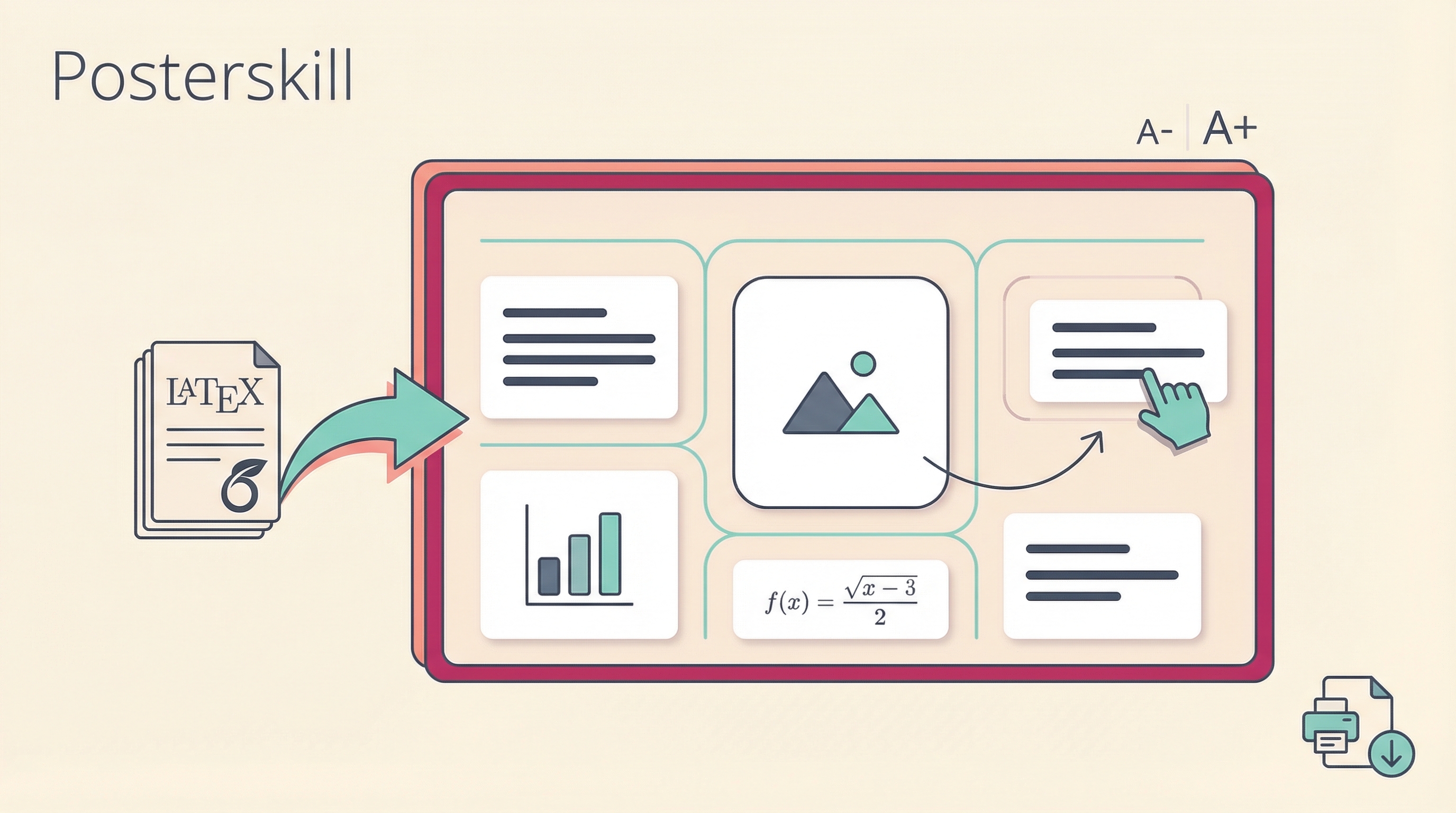
Posterskill is a Claude Code skill that generates print-ready conference posters from your paper. Point it at your Overleaf source and project website — it extracts content, downloads figures, fetches logos, and builds an interactive poster you can edit in your browser. Single HTML file, no build step, no dependencies.
| *Source: GitHub - ethanweber/posterskill | Claude Code Skills Docs* |
The Problem It Solves
Making conference posters is tedious. You’ve already written the paper — why manually re-layout the content into PowerPoint or a LaTeX poster template? Posterskill reads your paper directly and generates a structured, visually coherent poster draft that you then refine interactively.
How It Works
Your Overleaf Paper     Project Website URL
       ↓                       ↓
   /make-poster (Claude Code skill)
       ↓
   Extracts text, figures, tables, logos
       ↓
   Generates poster/index.html
       ↓
   Open in browser → drag, swap, resize
       ↓
   Copy Config JSON → paste back to Claude
       ↓
   Claude refines → repeat until perfect
       ↓
   Print to PDF (margins: none, background graphics: on)
Quick Start
# Clone the skill and your paper
git clone git@github.com:ethanweber/posterskill.git poster && cd poster
git clone https://git.overleaf.com/YOUR_PROJECT_ID overleaf

# Optionally add reference posters for style matching
cp ~/some_poster.pdf references/

# Start Claude Code and run the skill
claude
/make-poster
Interactive Editing Features
The poster is a self-contained HTML file with a built-in visual editor:
| Feature | How |
|---|---|
| Resize columns | Drag column dividers |
| Resize cards | Drag row dividers within columns |
| Swap cards | Click one diamond handle, then another |
| Move cards | Click handle, then click a drop zone |
| Adjust font size | A-/A+ buttons (global control) |
| Print preview | Preview mode shows exact print layout |
| Save layout | Export as JSON, reload later |
| Load layout | Paste JSON back to Claude for refinement |
Programmatic API
Available in browser console or via Playwright automation:
posterAPI.swapCards('method', 'results')   // swap two cards
posterAPI.moveCard('quant', 'col1', 2)     // move card to position
posterAPI.setColumnWidth('col1', 280)      // resize column (mm)
posterAPI.setFontScale(1.5)                // adjust text size
posterAPI.getWaste()                       // measure whitespace
posterAPI.getConfig()                      // get full config JSON
Claude uses Playwright under the hood to measure image aspect ratios, auto-optimize column widths, take screenshots for verification, and generate PDFs at full print resolution.
Inputs
| Input | Source | Required |
|---|---|---|
| Paper | overleaf/ directory |
Yes |
| Project website | URL (asked at runtime) | Yes |
| Reference posters | references/ directory |
No — for style matching |
| Author website | URL for brand/style matching | No |
| Formatting specs | Conference instructions URL | Asked if missing |
| Logos | Auto-downloaded from your website | Auto |
How LearnAI Team Could Use This
- Research methods courses — have students generate and refine posters from papers they are already writing.
- Poster design workshops — teach visual hierarchy, column proportions, whitespace, and figure selection through hands-on editing.
- AI collaboration studies — observe the loop of AI-generated draft, human layout edits, JSON feedback, and Claude refinement.
- Conference prep support — help students and researchers move from paper draft to poster draft faster.
Real-World Use Cases
- Researchers — turn a completed paper into a print-ready poster draft before a deadline.
- Graduate students — get a professional starting point for first-time poster presentations.
- Course instructors — integrate poster creation into project-based research classes.
- Academic labs — standardize poster workflows while preserving manual control over final content and layout.
Further Reading
- Posterskill GitHub
- Claude Code Skills Documentation
- Playwright Automation
- Other academic poster skills — LaTeX-based alternatives