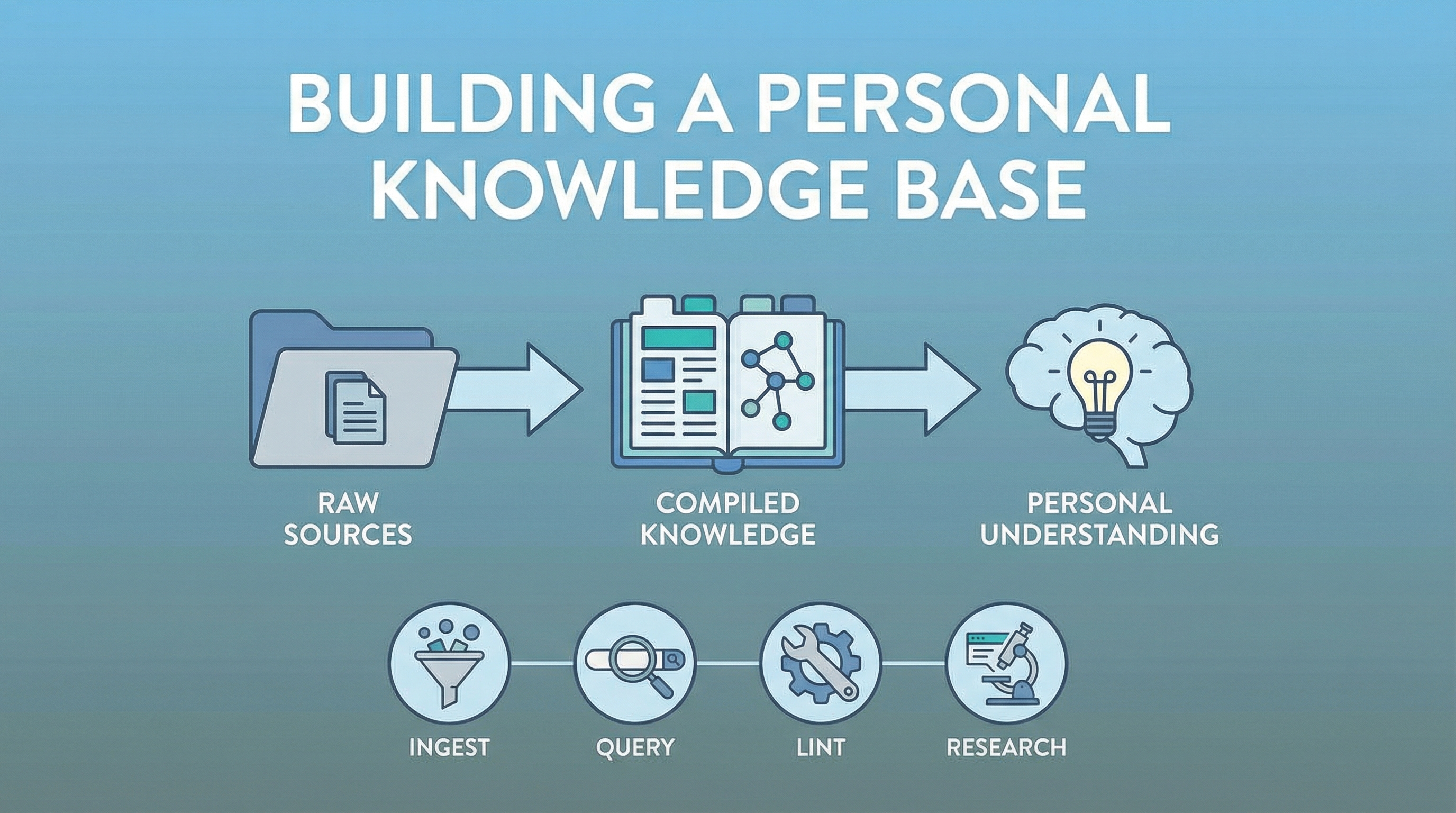
A practical, end-to-end guide for building and maintaining a personal knowledge base using Claude Code, Obsidian, and a Jekyll wiki. This is how the LearnAI Doc wiki (96+ entries) was built — and how you can build your own.
| *Source: Inspired by Karpathy’s LLM Knowledge Bases | Built with Claude Code + Obsidian* |
Architecture: Three Layers + Four Operations
┌──────────────────────────────────────────────────────────────┐
│                    Knowledge Base System                       │
│                                                               │
│  ┌───────────────┐   ┌────────────────┐   ┌──────────────┐  │
│  │ RAW SOURCES   │   │ WIKI (compiled)│   │ OBSIDIAN     │  │
│  │               │   │                │   │ (personal)   │  │
│  │ Screenshots   │──▶│ _wiki/*.md     │──▶│ Notes        │  │
│  │ URLs / Links  │   │ wiki-index.md  │   │ Quick ref    │  │
│  │ Papers / PDFs │   │ Cover images   │   │ Connections  │  │
│  │ Social posts  │   │ Cross-links    │   │ Action items │  │
│  └───────────────┘   └────────────────┘   └──────────────┘  │
│                              │                                │
│  ┌───────────────────────────▼──────────────────────────┐    │
│  │               SKILLS (automation)                     │    │
│  │                                                       │    │
│  │ /mywiki    → Ingest: source → wiki + obsidian note   │    │
│  │ /query-kb  → Query: synthesize across all entries     │    │
│  │ /lint-kb   → Maintain: health checks, gaps, stale     │    │
│  │ /feynman   → Research: deep dives, lit reviews        │    │
│  └───────────────────────────────────────────────────────┘    │
└──────────────────────────────────────────────────────────────┘
The Three Layers
| Layer | What It Is | Who Owns It |
|---|---|---|
| Raw Sources | Screenshots, URLs, papers, videos, social media posts | You collect these |
| Wiki (compiled) | Structured, cross-linked markdown entries with cover images | Claude compiles, you review |
| Obsidian (personal) | Condensed notes, personal connections, action items | You + Claude maintain |
The Four Core Operations
1. INGEST — Adding New Knowledge
When: You find something interesting (screenshot, URL, paper, tool)
You find something
       │
       ▼
  /mywiki <input>
       │
       ▼
  Detect → Research → Draft → (you review) → Cover → Cross-link → Push → Obsidian note
Skill: /mywiki
/mywiki @screenshot.PNG
/mywiki https://github.com/interesting-repo
/mywiki "I learned about X" https://link1 https://link2
/mywiki ./folder-of-research-notes
The skill handles everything: reading the input, web research, drafting the entry, generating a cover image, cross-linking to related entries, committing/pushing, and creating an Obsidian note. You only review the draft.
2. QUERY — Synthesizing Across Entries
When: You want answers that span multiple entries
/query-kb <question>
       │
       ▼
  Load wiki-index.md → Find relevant entries → Read them → Synthesize with citations
Skill: /query-kb
/query-kb what are all the agent design patterns I've collected?
/query-kb compare all academic research tools in my wiki
/query-kb what connections exist between my AI education and tools entries?
/query-kb what Karpathy insights do I have across all entries?
/query-kb summarize everything added in the last 2 weeks
This is the biggest upgrade over a traditional wiki — you can ask complex questions and get synthesized answers with citations across all 96+ entries, not just browse one at a time.
3. LINT — Health Checking Your Knowledge
When: Monthly, or when the wiki feels stale
/lint-kb [mode]
       │
       ▼
  Check: stale content, missing cross-links, contradictions, gaps, orphans
Skill: /lint-kb
/lint-kb                  # Full health check
/lint-kb stale            # Outdated star counts, versions, claims
/lint-kb gaps             # Topics that should be covered but aren't
/lint-kb cross-links      # Entries that should be linked but aren't
/lint-kb contradictions   # Where two entries say different things
4. RESEARCH — Going Deep on a Topic
When: You want depth, not just a screenshot capture
Skills: Feynman suite
/feynman:deep-research <topic>       # Multi-source investigation
/feynman:literature-review <topic>   # Academic paper survey
/feynman:peer-review <artifact>      # Critique your work
/feynman:paper-code-audit <paper>    # Verify paper claims vs code
/feynman:alpha-research <topic>      # Search arXiv papers
/feynman:watch <topic>               # Track a field over time
Research outputs → feed into /mywiki for wiki entries.
Real-World Use Cases
Scenario A: “I Saw Something Interesting on Social Media”
The most common workflow. Takes ~5 minutes.
- Screenshot the post → save to your source folder
- Run
/mywiki @screenshot.PNG - Claude reads, researches, drafts an entry
- You review the draft → say “go”
- Cover image → cross-link → commit → push → Obsidian note — all automatic
Scenario B: “What Do I Already Know About X?”
You’ve been collecting entries for weeks. Time to synthesize.
- Run
/query-kb what do I know about <topic>? - Get a cross-entry synthesis with citations to specific wiki entries
- Use the synthesis for teaching prep, advisor meetings, or identifying gaps
Scenario C: “I Want to Build Deep Knowledge on a Research Topic”
Multi-day research workflow for a topic like formal verification:
| Phase | What to Do | Skills Used |
|---|---|---|
| Survey (Day 1) | /feynman:literature-review <topic> + /feynman:deep-research <topic> |
Feynman |
| Build entries (Day 1-2) | /mywiki with research outputs and key papers |
/mywiki |
| Audit papers | /feynman:paper-code-audit <paper-url> for each key paper |
Feynman |
| Synthesize (Day 3+) | /query-kb what do I know about <topic>? |
/query-kb |
| Find gaps | /query-kb what gaps remain? |
/query-kb |
| Track ongoing | /feynman:watch <topic> for new papers |
Feynman |
| Maintain | /lint-kb gaps periodically |
/lint-kb |
Scenario D: “Preparing for a Meeting or Class”
Quick summaries from your existing knowledge.
/query-kb summarize the 5 most important insights from my recent entries
/query-kb what connections exist between harness engineering and AI education?
/query-kb list all tools I've documented with their key features
Scenario E: “Monthly Maintenance”
Keep the knowledge base healthy.
/lint-kb→ Full report- Fix stale entries (outdated star counts, dead links)
- Add missing cross-links
- Ask Claude to regenerate
wiki-index.md - Verify with
/lint-kb cross-links
Scenario F: “Sharing Knowledge with the Team”
Your wiki is public — share direct links.
/query-kb <their question>→ find relevant entries- Share:
https://weihaoqu.github.io/learnAIDoc/wiki/<category>/<slug>/ - If not covered:
/mywiki "topic"→ create it
Skill Reference Card
| Skill | Purpose | Input | Output |
|---|---|---|---|
/mywiki |
Add new knowledge | Screenshot, URL, text | Wiki entry + Obsidian note |
/query-kb |
Cross-entry synthesis | Question | Answer with citations |
/lint-kb |
Health check | Optional mode | Report with fixes |
/feynman:deep-research |
Deep investigation | Topic | Cited research brief |
/feynman:literature-review |
Academic survey | Topic | Paper landscape |
/feynman:peer-review |
Critique work | Draft | 8-criteria evaluation |
/feynman:paper-code-audit |
Verify claims | Paper URL | Claim vs code report |
/feynman:alpha-research |
Search arXiv | Keywords | Papers + analysis |
/feynman:watch |
Track a field | Topic | Recurring alerts |
/feynman:eli5 |
Simple explanation | Complex topic | Plain-English summary |
The Key File: wiki-index.md
This is the master catalog that makes /query-kb work. It lists every wiki entry with title, date, category, tags, and file path — so the LLM can navigate the entire knowledge base from a single file.
Regenerate it after each batch of new entries by asking Claude to scan all _wiki/*.md frontmatter and rebuild the index.
Golden Rules
- Everything goes through
/mywiki— Don’t manually create wiki entries - Query before you write — Check if a topic is already covered before creating a new entry
- Lint monthly — Knowledge rots. Star counts change, tools get renamed
- wiki-index.md is THE map — Regenerate after every batch of new entries
- Obsidian = personal, Wiki = public — Keep action items and research connections in Obsidian
- Use Feynman for depth, /mywiki for breadth — Different tools for different goals
- Merge when possible — Don’t create a new entry when merging into an existing one is better
Quick Start: Build Your Own
# 1. Set up the wiki repo
mkdir -p my-wiki/_wiki my-wiki/assets/images
cd my-wiki && git init

# 2. Install skills
# Copy query-kb.md and lint-kb.md to ~/.claude/commands/
# Install Feynman: curl -fsSL https://feynman.is/install-skills | bash

# 3. Create your first entry
claude
> /mywiki "I want to document what I learned about <topic>"

# 4. Query your knowledge
> /query-kb what are the key themes in my wiki?

# 5. Health check
> /lint-kb
How LearnAI Team Could Use This
- Use
/mywikito turn screenshots, links, and research notes into reviewed public wiki entries. - Use
/query-kbbefore meetings, classes, or content planning to synthesize what the team already knows. - Use
/lint-kbmonthly to catch stale links, weak cross-links, contradictions, and missing coverage.
Links
-
Karpathy’s approach: LLM Knowledge Bases llm-wiki gist - LearnAI Wiki: weihaoqu.github.io/learnAIDoc
- Feynman: github.com/getcompanion-ai/feynman
- Obsidian: obsidian.md