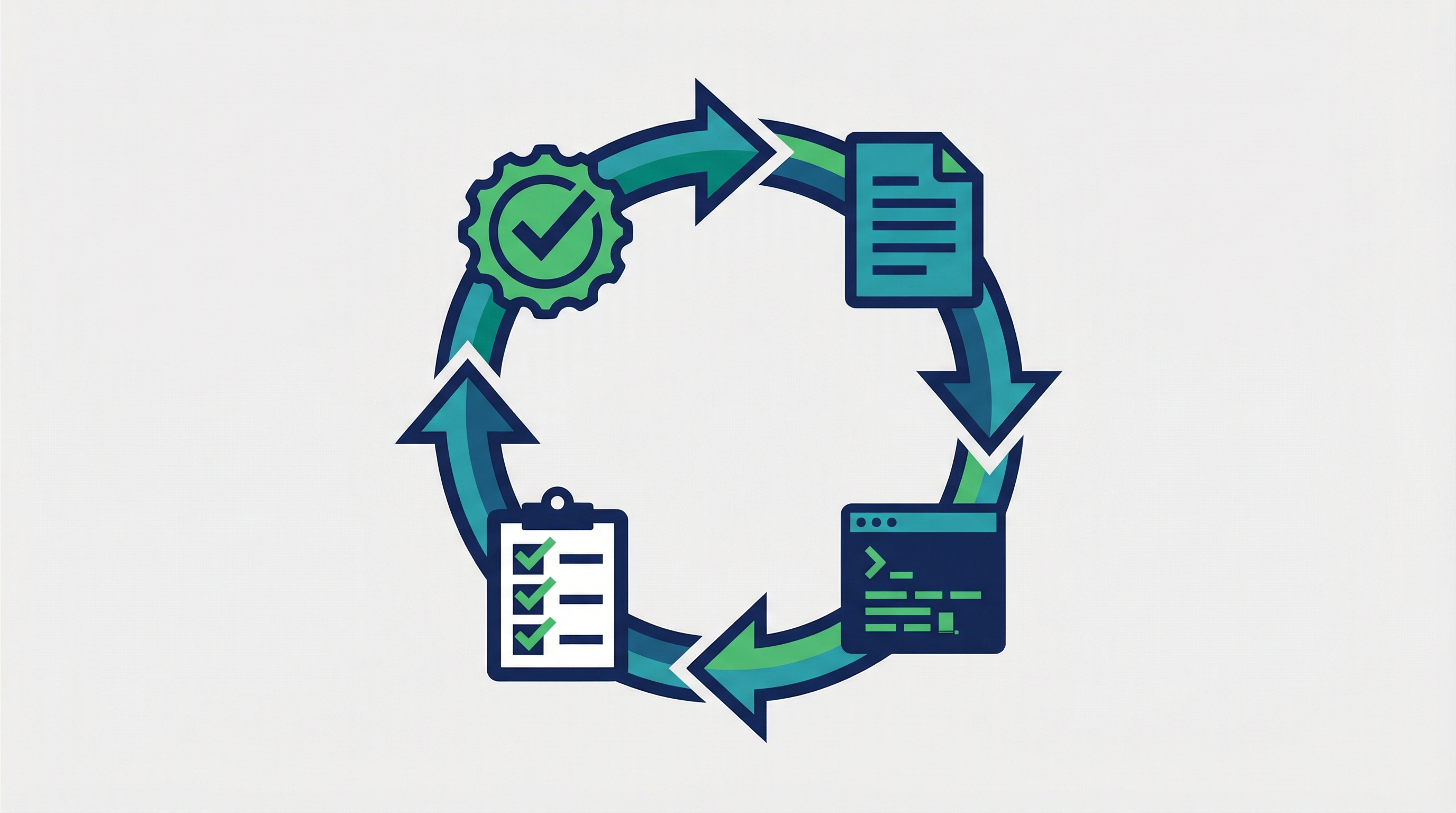
Today I learned about Ralph — a framework that wraps Claude Code in an autonomous development loop. You give it a task list, and it runs Claude Code repeatedly — executing, tracking progress, and continuing — until the project is done or it hits a safety limit.
Source: GitHub — frankbria/ralph-claude-code
The Problem Ralph Solves
Normally with Claude Code, you prompt → Claude works → you review → you prompt again. For large tasks (build a feature, fix 20 bugs, implement a spec), this manual loop is tedious. You’re just feeding it the next task over and over.
Ralph automates the entire cycle: load instructions → run Claude → track progress → check if done → repeat.
How It Works
Ralph runs a 5-step loop:
┌─────────────────────────────────────────────┐
│  1. Load PROMPT.md (your project goals)     │
│  2. Execute Claude Code with current tasks  │
│  3. Track progress, update task list        │
│  4. Check exit conditions                   │
│  5. Not done? → Go to step 1               │
└─────────────────────────────────────────────┘
The key innovation is the dual-condition exit gate — Ralph only stops when:
- It detects 2+ completion indicators (heuristic pattern matching)
- AND Claude explicitly outputs
EXIT_SIGNAL: true
Both must be true. This prevents premature exits (Claude says “done” but isn’t really) and infinite loops (heuristics say done but Claude wants to continue).
Getting Started
Install (one-time)
git clone https://github.com/frankbria/ralph-claude-code.git
cd ralph-claude-code
./install.sh
This adds global commands: ralph, ralph-monitor, ralph-setup, ralph-enable, ralph-import.
Enable in an Existing Project
cd my-project
ralph-enable
The interactive wizard:
- Auto-detects project type (TypeScript, Python, Go, Rust) and framework
- Asks about task sources (beads, GitHub Issues, or PRD documents)
- Configures permissions and loop parameters
- Generates
.ralph/directory with all config files
Start the Loop
# Recommended: with tmux monitoring dashboard
ralph --monitor

# Or basic
ralph

# Resume a previous session
ralph --resume <session_id>
Project Structure
All Ralph files live in .ralph/, keeping your project root clean:
| File | Purpose |
|---|---|
.ralph/PROMPT.md |
High-level project goals and context |
.ralph/fix_plan.md |
Prioritized task list (Claude checks items off as it works) |
.ralph/AGENT.md |
Build/test commands (auto-detected) |
.ralph/specs/ |
Detailed requirement docs (optional) |
.ralphrc |
Loop configuration (rate limits, timeouts, permissions) |
The flow: PROMPT.md (what to build) → specs/ (details) → fix_plan.md (tasks) → AGENT.md (how to build/test)
Real-World Use Cases
Say you have a product requirements doc and want Claude to implement it autonomously:
# Import your PRD and create Ralph project structure
ralph-import product-requirements.md my-app
cd my-app

# Review and adjust the generated task list
vim .ralph/fix_plan.md

# Let Ralph run — it will iterate until all tasks are done
ralph --monitor
Ralph loops through Claude Code sessions. Each iteration:
- Claude reads the current task list
- Works on the highest-priority incomplete task
- Commits code as it goes (git commits count as progress)
- Ralph checks what’s done and loops again
You watch via the tmux monitoring dashboard. When all tasks in fix_plan.md are checked off and Claude signals completion, Ralph stops.
How LearnAI Team Could Use This
- Use Ralph to work through long documentation cleanup lists where each task is explicit and testable.
- Convert PRDs or wiki improvement plans into
.ralph/fix_plan.mdso Claude Code iterates through them. - Keep human review on publishing decisions, factual claims, and design/content judgment calls.
Safety & Limits
Ralph has multiple safeguards against runaway loops and API waste:
| Safeguard | Default | Purpose |
|---|---|---|
| Rate limit | 100 calls/hour | Prevents API overuse |
| Circuit breaker | 3 no-progress loops | Stops if Claude is stuck |
| Same-error limit | 5 repeated errors | Stops if hitting the same bug |
| Session expiry | 24 hours | Auto-resets stale sessions |
| Timeout per run | 15 minutes | Caps each Claude execution |
| 5-hour API limit | Auto-detected | Prompts you when Claude’s usage ceiling hits |
The circuit breaker is smart — it uses two-stage filtering to avoid false positives (e.g., JSON containing the word “error” in a field name won’t trigger it).
Configuration (.ralphrc)
PROJECT_NAME="my-app"
PROJECT_TYPE="typescript"

# Loop behavior
MAX_CALLS_PER_HOUR=100
CLAUDE_TIMEOUT_MINUTES=15

# Tool permissions (what Claude is allowed to do)
ALLOWED_TOOLS="Write,Read,Edit,Bash(git *),Bash(npm *),Bash(pytest)"

# Session continuity
SESSION_CONTINUITY=true
SESSION_EXPIRY_HOURS=24

# Circuit breaker tuning
CB_NO_PROGRESS_THRESHOLD=3
CB_SAME_ERROR_THRESHOLD=5
CB_COOLDOWN_MINUTES=30
Commands Reference
| Command | What it does |
|---|---|
ralph |
Start the autonomous loop |
ralph --monitor |
Loop + tmux dashboard |
ralph --live |
Loop with real-time streaming output |
ralph --resume <id> |
Continue a previous session with context |
ralph-enable |
Interactive wizard for existing projects |
ralph-import <file> |
Convert a PRD/spec into Ralph project |
ralph-setup <name> |
Create a new blank Ralph project |
ralph-monitor |
Standalone monitoring dashboard |
ralph-enable-ci |
Non-interactive setup for CI/CD pipelines |
When to Use Ralph
Good fit:
- Implementing a full feature from a spec or PRD
- Working through a long bug/task list overnight
- CI/CD automation — let Ralph handle the implementation loop
- Projects where you want to “set and forget” for a few hours
Not the right tool for:
- Exploratory work where you need to review each step
- Quick one-off tasks (just use Claude Code directly)
- Tasks requiring frequent human judgment or design decisions