A picture, slides, then a video: can you make what we made?
Today, three things we made with Claude Code. For each: see ours, learn how we made it, then make one yourself. Your sheet holds your answers; laptops open at Screen 4.
1 OF 3 · PICTUREMAKE WHAT WE MADE · our picture, then one for you to make
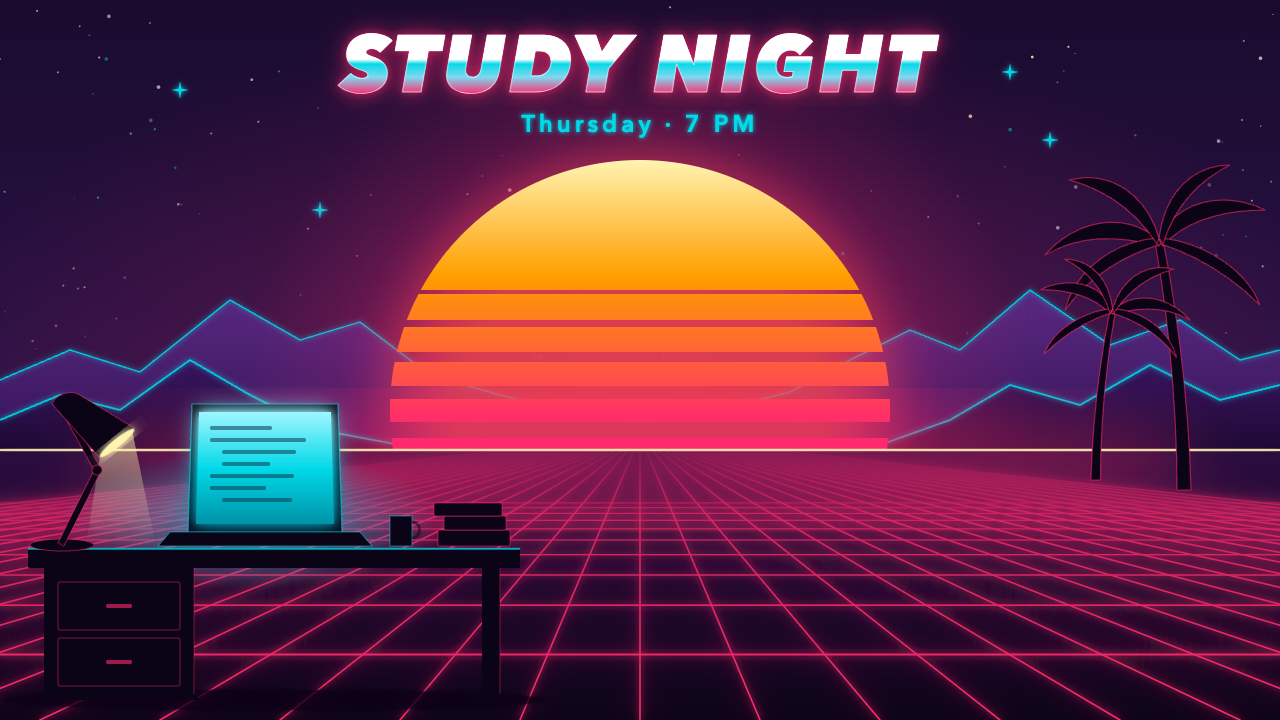
Claude Code made this picture. What would you have to tell it?
Two minutes with your table: list three things you would have to say to get this picture. Then see what Claude Code wrote.
<rect width="1280" height="720" fill="url(#sky)"/>
<circle cx="158.5" cy="87.1" r="1.8" fill="#ffffff" opacity="0.60"/>
<text x="640" y="132" font-size="24" font-weight="600" letter-spacing="4" fill="#05d9e8" filter="url(#softglow)">Thursday · 7 PM</text>
It wrote drawing code (SVG), 326 lines of it: every shape has a place, a size and a colour, and the words are real text. So your words must say where, how big and what colour.
1 OF 3 · PICTUREMAKE WHAT WE MADE · our picture, then one for you to make
How did we make it? Five things our prompts said.
Compare with your table’s three: which did you miss? You will use this card next.
- 1 · CANVAS“1280 × 720”, saved as synth.svg.
- 2 · WHEREA huge sun in the centre; two layers of purple mountains behind it; a grid floor running toward the viewer.
- 3 · LOOK“Soft neon glow … hot pink #ff2a6d, cyan #05d9e8.”
- 4 · WORDS“STUDY NIGHT” in a heavy italic, chrome gradient; “Thursday · 7 PM” in cyan.
- 5 · DETAILS“Stars … in the upper sky”; a desk, laptop and lamp on the left.
1 OF 3 · PICTUREMAKE WHAT WE MADE · our picture, then one for you to make
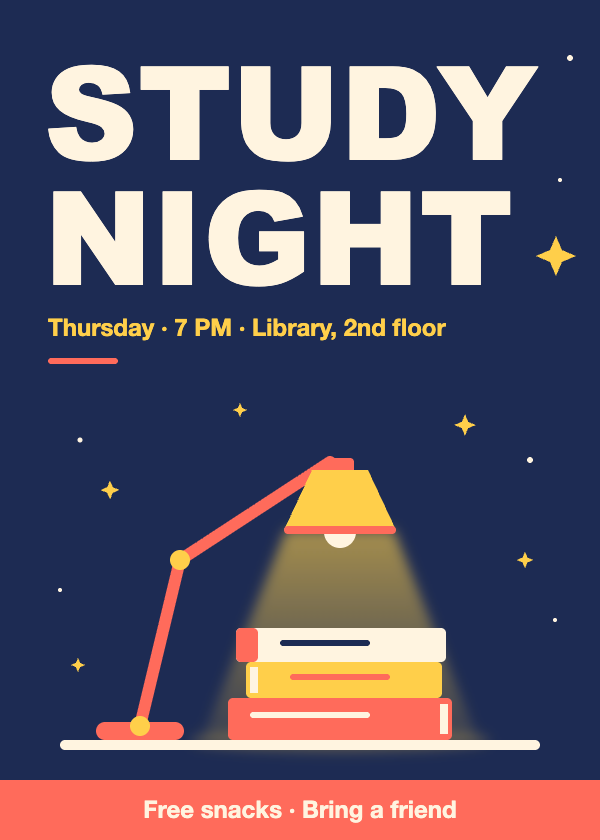
Your turn: make this poster, words only.
Twelve minutes: describe the poster with the card until Claude Code’s looks like ours. Don’t give it our picture.
THE CARD canvas · where · look · words · details
mkdir t6-poster && cd t6-poster && claude · Windows: mkdir t6-poster; cd t6-poster; claudeAsk for poster.svg. Build it from shapes and real text. Never put our picture itself into your file. Ends at 0:24. Ours: Topic 6 Targets.
1 OF 3 · PICTUREMAKE WHAT WE MADE · our picture, then one for you to make
How close did you get?
On your sheet: tick each feature your poster matches, and write your score out of five. Then see what Claude Code did on its own.
- 1Navy background; a coral band at the bottom with the snack line.
- 2“STUDY NIGHT” huge, off-white, top-left, on two lines.
- 3The date line in yellow, a short coral line under it.
- 4A coral lamp, yellow shade, bent arm, lighting three books.
- 5Yellow four-point sparkles and small white dots around the lamp.
2 OF 3 · SLIDESTHE JOB · three slides that teach first-year students plan → focus → reflect · made up for class
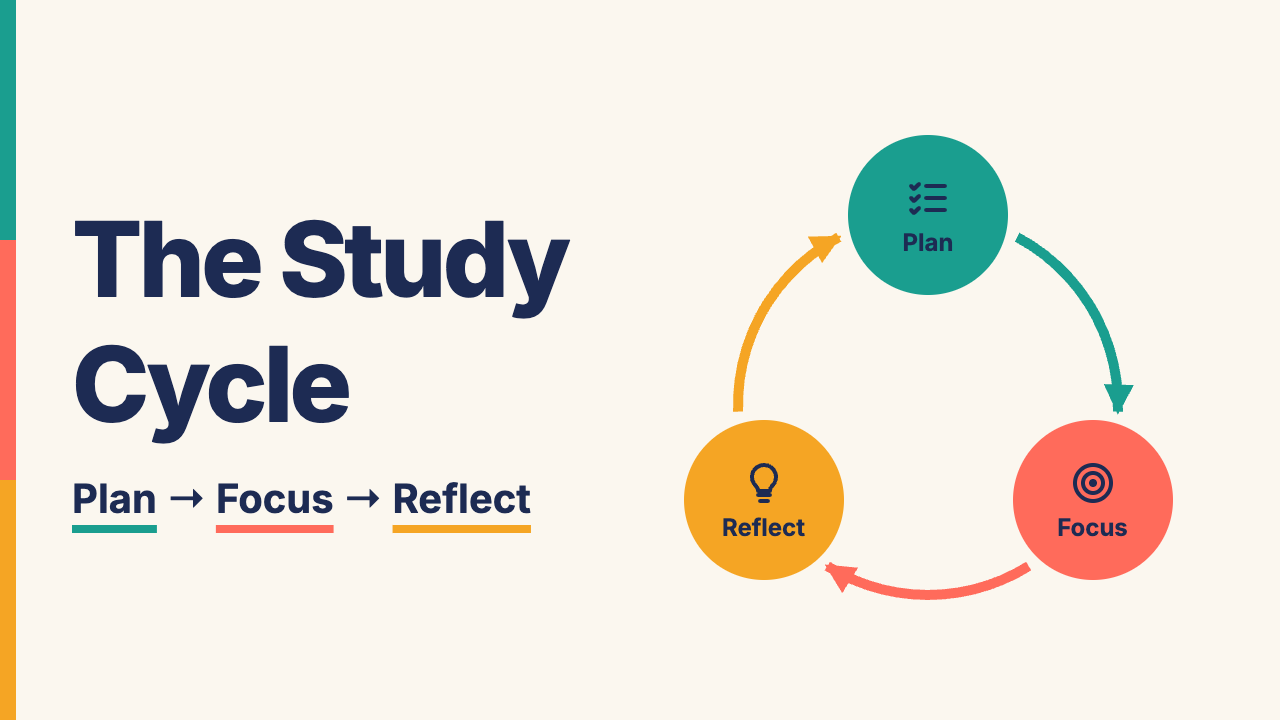
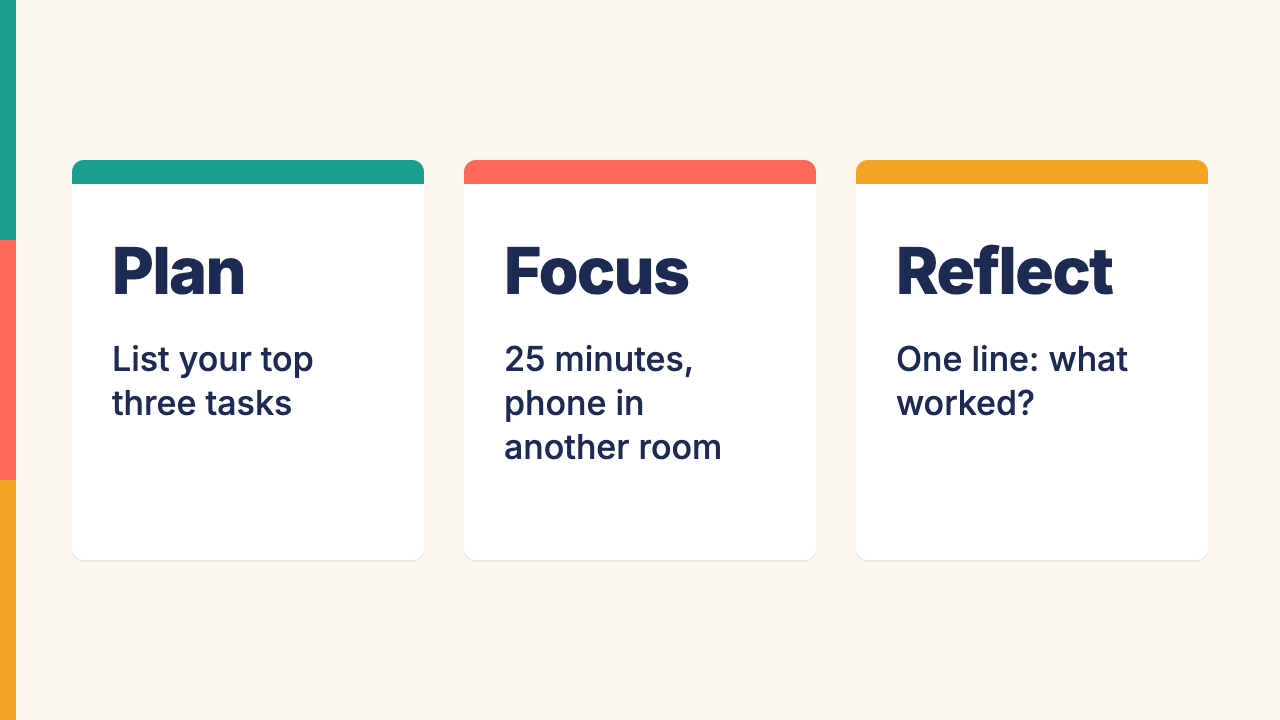
Now three slides we made. What is harder than one picture?
One minute with your table: what must stay the same across all three slides?
2 OF 3 · SLIDESTHE JOB · three slides that teach first-year students plan → focus → reflect · made up for class
How would you prove a slide fails, without saying “I don’t like it”?
On your sheet: turn “I don’t like slide 2” into one checkable sentence, using a lens.
- 1 · BRIEF FITDoes it do the job in the brief, for that audience?
- 2 · COMPOSITIONCan you tell where to look first, and in what order?
- 3 · TEXT + FACTIs every word right, and does every claim have a source?
- 4 · ACCESSCan everyone read it: size, contrast, words as text, not colour alone?
- 5 · BOUNDARYReal people, logos, rights, honest context?
2 OF 3 · SLIDESTHE JOB · three slides that teach first-year students plan → focus → reflect · made up for class
An AI slide quotes a student who doesn’t exist. Is it honest?
One minute, then hands up: KEEP, CHANGE or CUT the quote? Then the course’s answer.
ITS LAST SLIDE · AI deck · pre-written for class
A student story
“This method raised my GPA.”
The facts: no such student. No evidence that anyone’s GPA changed.
2 OF 3 · SLIDESTHE JOB · three slides that teach first-year students plan → focus → reflect · made up for class
Round 1: make our deck, words only.
Eleven minutes, on your laptop: build it with Claude Code, as close to ours as you can, describing what you see with the card. Don’t give it our pictures.
THE CARD canvas · where · look · words · details
mkdir t6-deck && cd t6-deck && claude · Windows: mkdir t6-deck; cd t6-deck; claudeAsk for deck.html. Build it from shapes and real text. Never put our picture itself into your file. Round 1 ends at 0:50. On your laptop: Topic 6 hub → Topic 6 Targets.
2 OF 3 · SLIDESTHE JOB · three slides that teach first-year students plan → focus → reflect · made up for class
Round 2: now let Claude Code see our pictures.
Tick each feature below your deck has: that count, out of five, is your score. Then the Round 2 prompt, until 0:57; tick again.
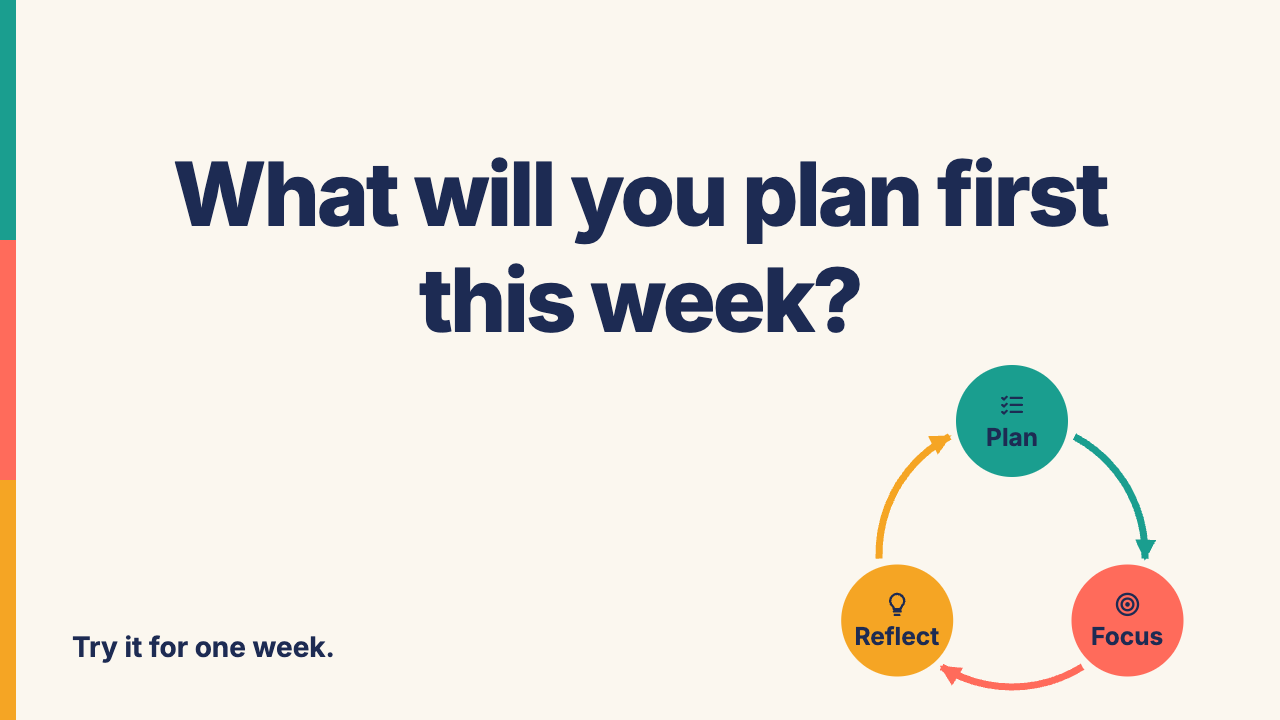
- 1Colours: cream, navy text; Plan teal, Focus coral, Reflect amber.
- 2A three-colour stripe down every slide’s left edge.
- 3Slide 1: title left with coloured underlines; icon circles and curved arrows right.
- 4Slide 2: three white cards with coloured top bars.
- 5Slide 3: big centred question; small cycle bottom-right; footer bottom-left.
Round 2 prompt: the targets page.
THE JOB · three slides that teach first-year students plan → focus → reflect · made up for class
Which words got you closest today?
On your sheet: the words that got you closest, for the poster and for the slides. Then one exit line: “On Thursday 10/22, the first lens I check: ___”.
3 OF 3 · VIDEOMAKE WHAT WE MADE · our animation
Last: an animation we made. What moves, and when?
Watch ours for one minute: what moves, which way, how fast, and what changes? That is WHEN, the card’s sixth part.
THE CARD canvas · where · look · words · details · + WHEN
Made with Claude Code from four prompts. You will make it yourself in a moment.
3 OF 3 · VIDEOMAKE WHAT WE MADE · our animation
Watch one video before 10/22; the rest is optional.
Same links on the Topic 6 hub. In class and the lab: Claude Code only.
3 OF 3 · VIDEOMAKE WHAT WE MADE · our animation
Make our animation, words only.
Six minutes: describe it with the card, plus WHEN: what moves, which way, how fast, and what changes over time.
THE CARD canvas · where · look · words · details · + WHEN
mkdir t6-cycle && cd t6-cycle && claude · Windows: mkdir t6-cycle; cd t6-cycle; claudeAsk for cycle.html. Make your own with Claude Code; never give it our file. Ends at 1:12. Ours: Topic 6 Targets.
3 OF 3 · VIDEOMAKE WHAT WE MADE · our animation
How close did you get?
On your sheet: tick each feature your animation matches, and write your score out of five. Then see what Claude Code changed on its own.
- 1Plan teal on top, Focus coral right, Reflect amber left; navy names.
- 2Clockwise arrows, each in the colour of the circle it leaves.
- 3A navy dot travels each arrow, fading out at each circle.
- 4The dot’s circle grows; a navy bar shows that stage’s tip.
- 5A Pause button, bottom-right, that turns into Play.
3 OF 3 · VIDEOHOW YOUR INSTRUCTOR MADE A VIDEO · one photo of Oreo the cat, with image-to-video tools
One photo of Oreo became a 48-second video. How?
Your instructor’s own project, made outside Claude Code. Which steps did a person do, and which did an AI tool do?
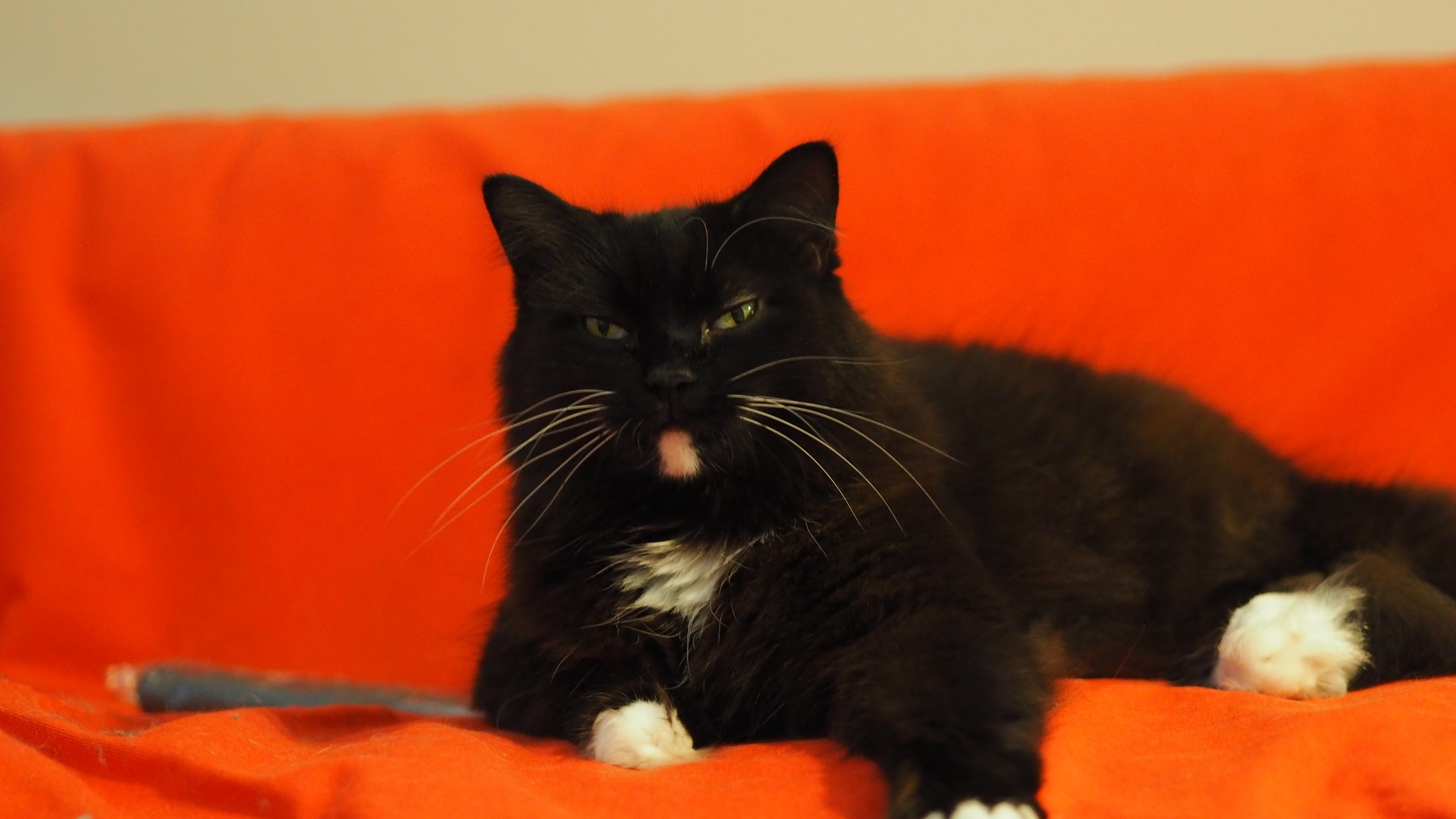
- 1One real photo of Oreo, and an idea: a coffee advert.
- 2ChatGPT turned the idea and the photo into a six-panel storyboard.
- 3Each panel became the first frame of one shot.
- 4ChatGPT wrote one prompt per frame; your instructor ran each in Google Flow (Veo) to make a short clip.
- 5ChatGPT joined the six clips into one video with FFmpeg, an editing tool.
3 OF 3 · VIDEOHOW YOUR INSTRUCTOR MADE A VIDEO · one photo of Oreo the cat, with image-to-video tools
Six frames, then one prompt per frame.
Each frame starts one clip. Read ChatGPT’s frame-4 prompt: what must stay the same?
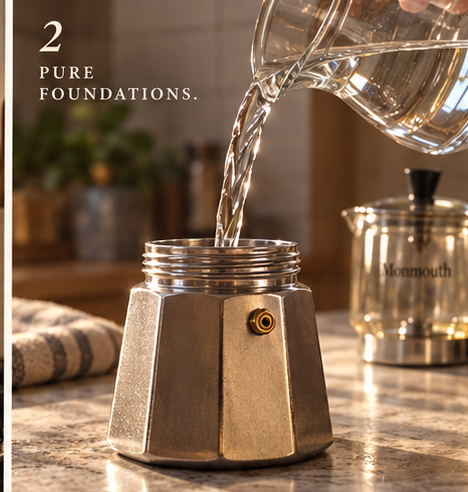
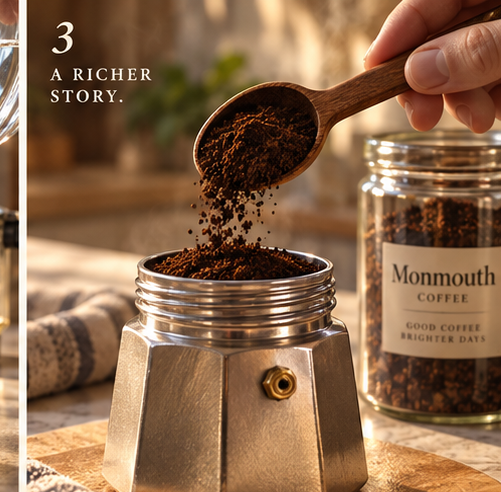
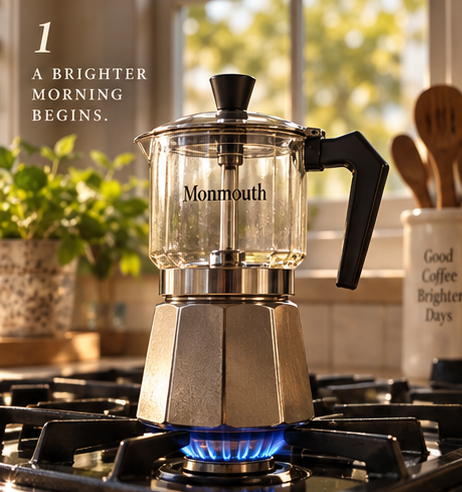
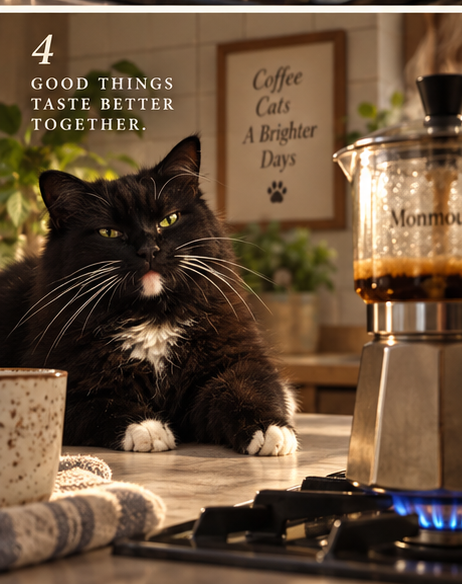
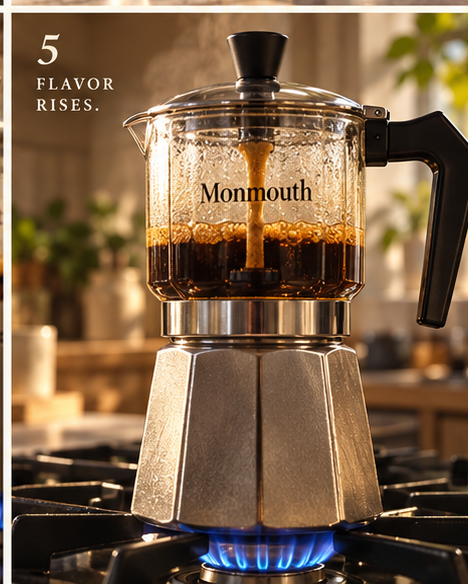
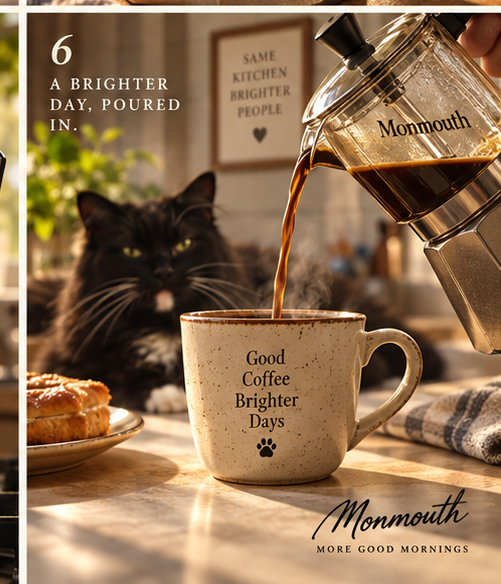
Shown in video order; the printed numbers belong to the original storyboard.
Animate this photo into a realistic four-second cinematic clip. Oreo, the SAME fluffy black tuxedo cat with greenish eyes, long white whiskers, white chest fur, white chin marking and white paws, rests calmly at a safe distance from the stovetop. Oreo blinks once, gently rotates one ear and turns his head slightly toward the Monmouth glass moka pot … Preserve Oreo's exact face and fur pattern. … No extra cats, no exaggerated motion, no captions or dialogue. …
3 OF 3 · VIDEOHOW YOUR INSTRUCTOR MADE A VIDEO · one photo of Oreo the cat, with image-to-video tools
The finished video. What did the prompts control?
Watch the 48 seconds: what stayed the same from shot to shot, and what did the tool add on its own?
48 seconds, six shots, ambient sound, no speech. Made by your instructor with ChatGPT (the storyboard, the six prompts, the edit with FFmpeg) and Google Flow / Veo (the clips). In class and in the lab: Claude Code only.
BACK TO OUR THREEOUR EXACT PROMPTS · for the poster, the slides and the animation
Our exact prompts for the poster.
We sent them one at a time to Claude Code. Put yours next to ours: which of our words did yours leave out?
- 1Make poster.svg, a portrait poster 600 wide and 840 tall, for a study night. Big title "STUDY NIGHT" in a heavy sans-serif, the line "Thursday · 7 PM · Library, 2nd floor", and a flat illustration of a desk lamp shining on a stack of three books. Use only these colours: navy #1d2b53 for the background, yellow #ffcf4a, coral #ff6b5b and off-white #fff4e0.
- 2Put the lamp and the books in the middle of the poster, with the lamp's light as a soft yellow cone falling on the books. The title goes at the top, left-aligned, in off-white; the date line goes under it, in yellow.
- 3Add a coral band across the bottom with "Free snacks · Bring a friend" in off-white, and scatter five small yellow stars in the navy space around the lamp.
- 4Open poster.svg and check it: fix anything that overlaps or runs off the edge, and keep every word as real text, not paths.
We asked for five small stars; Claude Code drew sparkles and dots instead. Sent all at once, as one message, the same four prompts made a different poster. Copy them from the targets page.
BACK TO OUR THREEOUR EXACT PROMPTS · for the poster, the slides and the animation
Our exact prompts for the slides.
We sent them one at a time to Claude Code. Put yours next to ours: which of our words did yours leave out?
- 1Make deck.html: three slides, each exactly 1280 × 720, one under the other, for first-year students, teaching the study cycle plan → focus → reflect. Use one clean sans-serif font, a cream background #fbf7ef, dark navy text #1d2b53, and one accent colour per stage: plan teal #1a9e8f, focus coral #ff6b5b, reflect amber #f5a524. Every word is real, editable text.
- 2Slide 1: the title "The Study Cycle" big on the left, with the line "Plan → Focus → Reflect" under it; on the right, a circle of three curved arrows linking three round icons labelled Plan, Focus and Reflect, each in its stage colour. Slide 2: three columns, one per stage, each with a thick bar of its colour on top, the stage name, and one tip: Plan, "List your top three tasks"; Focus, "25 minutes, phone in another room"; Reflect, "One line: what worked?"
- 3Slide 3: one big question in the middle, "What will you plan first this week?", with a small copy of the slide 1 cycle in the bottom-right corner and the footer "Try it for one week."
- 4Open deck.html in a browser and check each slide: nothing overlaps or runs off the slide, every word is readable from the back of a classroom, and each stage keeps its colour. Fix whatever fails.
Run again, the same four prompts made a deck that scored 2 of 5 against our own: the stripe, the underlines and the white cards were Claude Code’s own choices. Copy them from the targets page.
BACK TO OUR THREEOUR EXACT PROMPTS · for the poster, the slides and the animation
Our exact prompts for the animation.
We sent them one at a time to Claude Code. Put yours next to ours: which of our words did yours leave out?
- 1Make cycle.html: one 1280 × 720 stage, centred in the browser window, that animates the study cycle plan → focus → reflect for first-year students. Use a cream background #fbf7ef, dark navy text #1d2b53, one clean sans-serif font, and one colour per stage: plan teal #1a9e8f, focus coral #ff6b5b, reflect amber #f5a524. Plain HTML, CSS and JavaScript in one file; every word is real text.
- 2Put the title "The Study Cycle" at the top-left. Draw three big circles in a triangle, Plan on top, Focus bottom-right, Reflect bottom-left, each filled with its colour with its name in white, joined by three curved arrows going clockwise. A small navy dot travels along the arrows from Plan to Focus to Reflect and back to Plan, two seconds per arrow, forever.
- 3When the dot reaches a circle, that circle grows a little until the dot leaves, and a caption bar along the bottom shows its tip: Plan, "List your top three tasks"; Focus, "25 minutes, phone in another room"; Reflect, "One line: what worked?". Add a Pause button at the bottom-right that stops and restarts the dot. If the browser asks for reduced motion, start paused.
- 4Open cycle.html in a browser and check it: the dot stays on the arrows, the right circle grows and the caption changes at each stop, nothing overlaps, every word is readable from the back of a classroom, and Pause works. Fix whatever fails.
We asked for white names; Claude Code’s own check found white hard to read, made them navy and told us so. The coloured arrows and a short pause in every circle were its own choices. Copy them from the targets page.