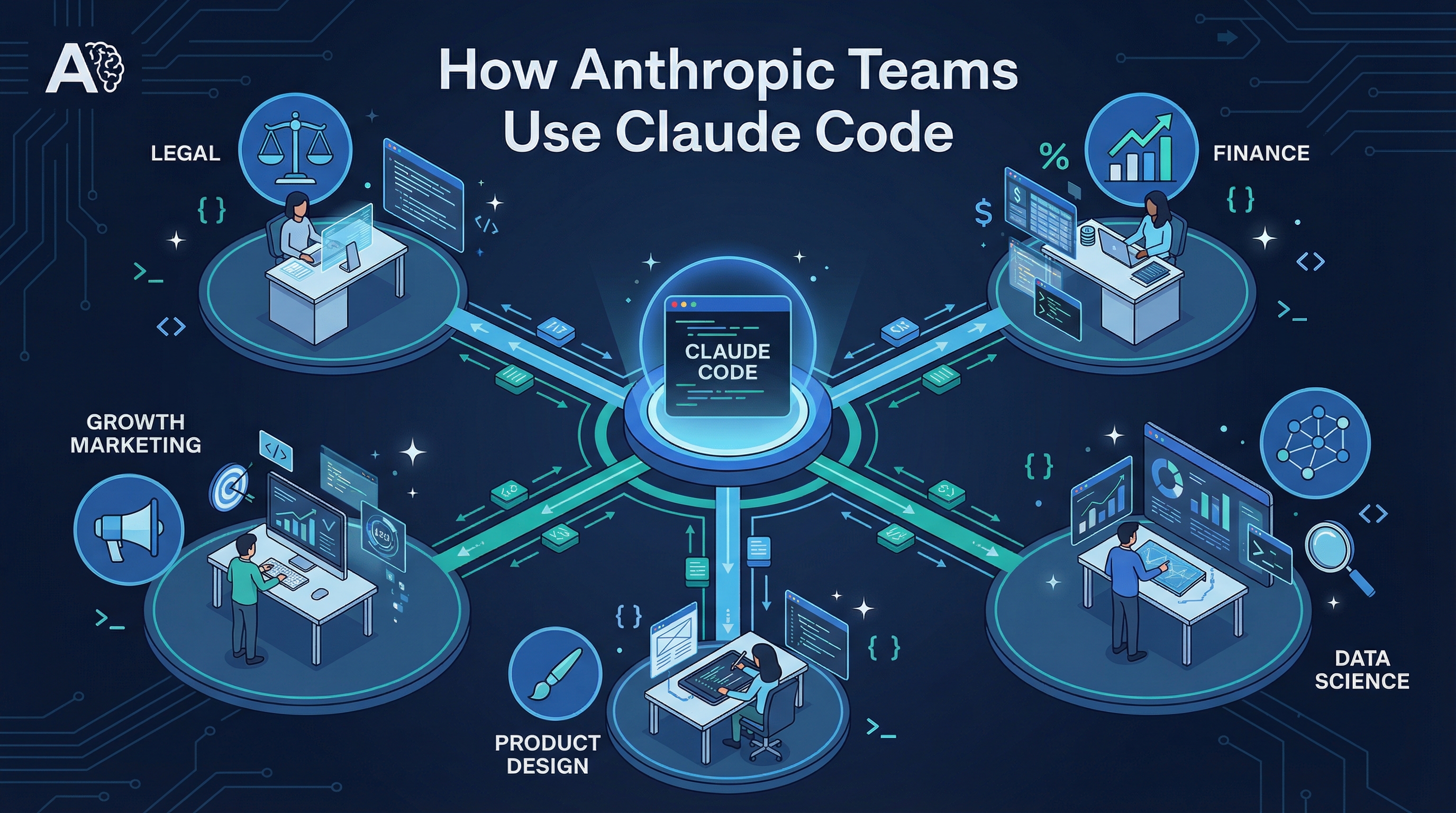
Anthropic published an internal report on how their own teams — from Legal and Finance to Data Science and Product Design — use Claude Code daily. The takeaways are surprising: non-engineers are shipping code, debugging happens via screenshots, and a “slot machine” strategy beats painstaking debugging.
Source: How Anthropic Teams Use Claude Code (PDF)
7 Key Takeaways
1. Non-Technical Teams Are Shipping Code
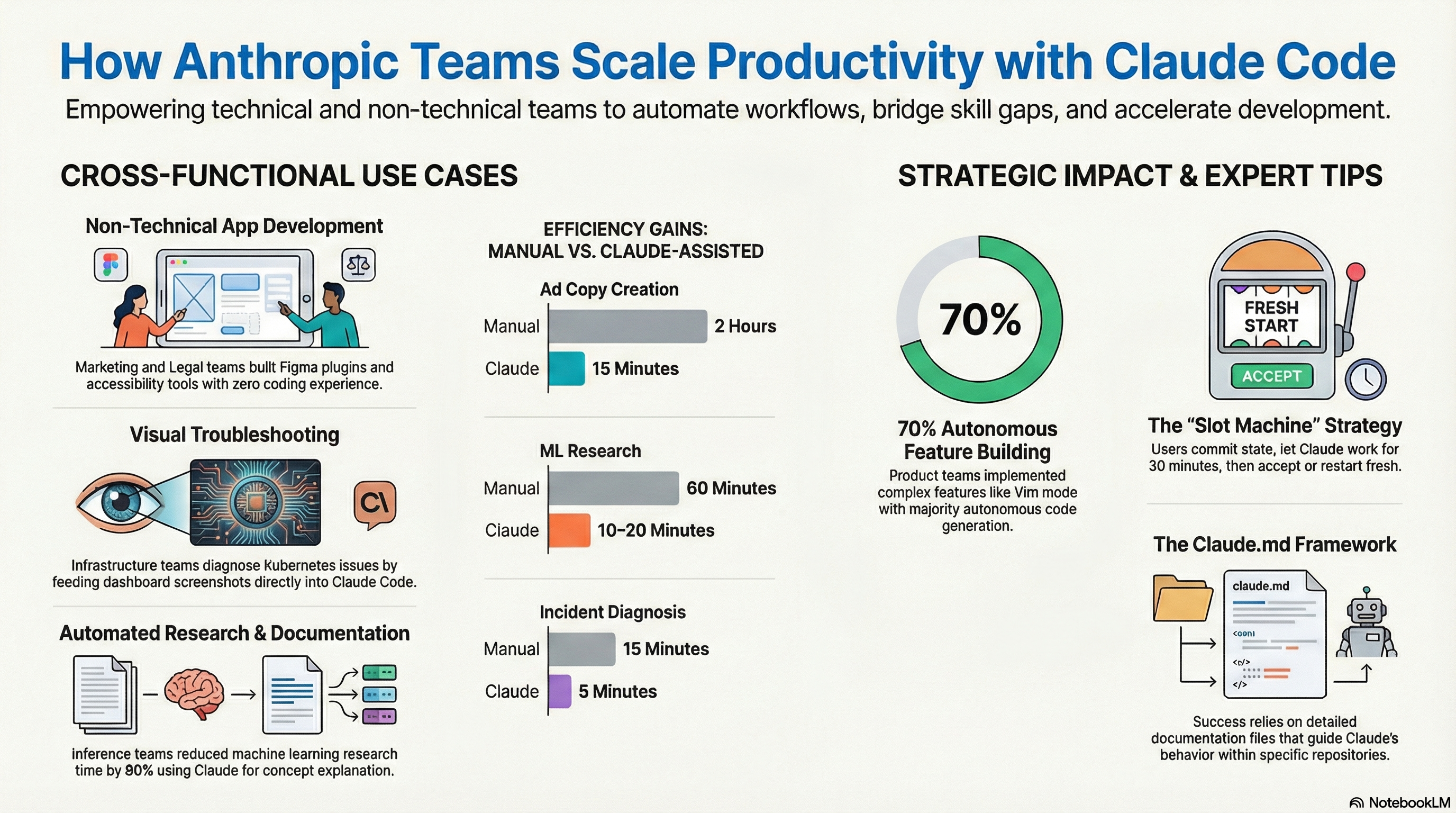
Legal builds “phone tree” automation. Finance executes complex data queries from plain-text descriptions. Product Design has a “holy crap, I’m a developer” workflow. When you remove the syntax barrier, every employee becomes a builder.
2. Debugging with Screenshots
The Data Infrastructure team feeds screenshots of Kubernetes monitoring dashboards directly into Claude Code. Claude analyzes the visual symptoms and guides them menu-by-menu through the Google Cloud UI to resolve issues — no networking expertise required.
3. The “Slot Machine” Strategy
For mid-complexity tasks, the Data Science and ML teams:
- Commit current state to git (create a save point)
- Let Claude run autonomously for ~30 minutes
- Evaluate the result — if it works, keep it; if not,
git resetand try again with a refined prompt
Key insight: starting over beats debugging a bad attempt. Don’t wrestle with Claude’s mistakes — reset and re-spin.
Best for: semi-complicated refactors, merge conflicts, pattern updates, global text changes. Too complex for find-and-replace, too small for a project plan.
4. Documentation as a Living Organism
Teams use CLAUDE.md as an interactive instruction manual that Claude reads to navigate the monorepo. Claude helps refine the documentation based on actual usage, creating a continuous improvement loop.
5. Bridging the 80% Knowledge Gap
Inference team members without ML backgrounds use Claude to explain complex model functions — reducing research time by 80% (from 60 minutes to 10-20 minutes). Engineers implement features in unfamiliar languages (like Rust) by describing logic and letting Claude handle the translation.
6. Eliminating the Design-to-Code Hand-off
Product Designers implement visual tweaks — typefaces, spacing, colors, even state management — directly in the codebase. Result: complex projects completed in two 30-minute calls instead of a week of back-and-forth.
7. Scaling with Specialized Sub-Agents
The Growth Marketing team (a team of one) operates with the output of a full department by breaking workflows into specialized sub-agents:
- Figma variations: Up to 100 variations generated in half a second
- Google Ads: Hundreds of ad variations created and iterated in minutes
Autonomous Verification Loops
The Product Development team sets up self-correcting loops:
- Enable auto-accept mode (Shift+Tab) — Claude iterates without stopping for permission
- Instruct Claude to verify itself — run builds, lints, and tests after each change
- Use test-first development — write tests before code, giving Claude a clear “definition of done”
The cycle: Write Code → Run Test → Fail → Fix Code → Run Test → Pass
Best for peripheral features and prototyping. For core business logic, use “synchronous supervision” — watch Claude work in real-time.
GitHub Actions Integration
Automating PR Nits
Reviewer leaves a comment → GitHub Actions triggers Claude → Claude reads the comment, generates the fix, pushes to the branch. No manual context switching for formatting or renaming.
Ticket-to-Solution Pipeline
File a GitHub issue (“fix padding on login button”) → Claude detects it, analyzes the codebase, proposes a solution. The human role: file the issue, review the result.
Efficiency Gains
| Task | Manual | With Claude |
|---|---|---|
| Ad copy creation | 2 hours | 15 minutes |
| ML research | 60 minutes | 10-20 minutes |
| Incident diagnosis | 15 minutes | 5 minutes |
| Design implementation | 1 week of back-and-forth | Two 30-minute calls |
| Feature autonomy | — | 70% autonomous code generation |
How LearnAI Team Could Use This
- Build Claude Code playbooks for LearnAI operations: docs updates, course asset generation, analytics cleanup, and lightweight internal tools.
- Use screenshot-based debugging for no-code or low-code team members working with dashboards, LMS tools, and automation platforms.
- Adopt verification loops for repeatable work: branch first, let Claude implement, then require tests, lint, screenshots, or human review before keeping the result.
Real-World Use Cases
- Turning support tickets or content requests into GitHub issues that Claude drafts into pull requests.
- Letting non-engineering staff produce small scripts, dashboards, or course utilities from plain-language requirements.
- Running several Claude attempts in parallel for medium-sized refactors, then keeping the cleanest passing version.