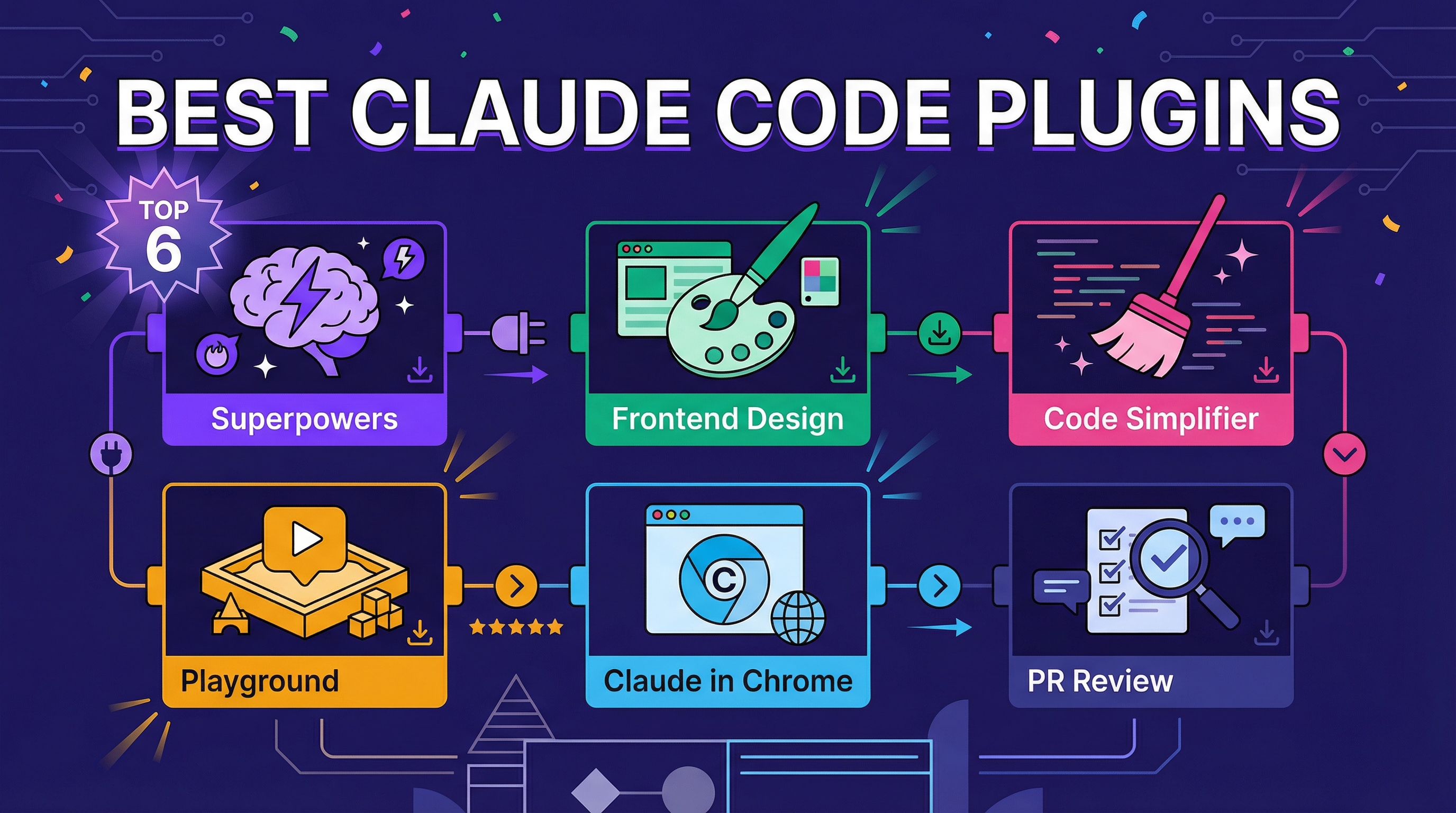
A curated list of the most useful Claude Code plugins, based on community recommendations. Install any of these with /plugin.
| *Source: @DeFiMinty on X | May 2026 update: 火星狂飙 on Douyin — Top 10 Must-Install Skills* |
1. Superpowers
Great for larger projects. Helps you plan, spins up subagents for research, and actually thinks through the problem before committing to a plan.
- Includes TDD, systematic debugging, and verification steps
- Stops Claude from shipping broken code and claiming it works
2. Frontend Design
Makes Claude actually care about visual design. Components come out polished, not generic AI-looking.
- Good for landing pages, dashboards, or anything user-facing where default output looks too template-y
- Pushes toward intentional typography, spacing, and color choices instead of safe defaults
3. Code Simplifier
Run it after a feature works. Cleans up the code without breaking anything.
- Focuses on recently modified files
- Good for when Claude wrote something functional but messy
4. Playground
Creates interactive single-file HTML tools. Spin up a data visualizer, design explorer, or concept map in one command.
- Self-contained, no dependencies
- Open the file in a browser and it just works
5. Claude in Chrome
Claude can see and interact with your browser. Read pages, click buttons, fill forms, navigate tabs.
- Debug live sites, scrape data, automate repetitive browser tasks
- Works with your actual logged-in session — no need to handle auth separately
- Pairs well with everything else
- Real-world example: Clean up promotional emails in Gmail — Claude navigates your inbox, identifies promo emails, and bulk-cleans them
6. PR Review Toolkit
Suite of specialized review agents. Covers test coverage, error handling, type design, code quality, and simplification.
- More thorough than a single pass
- Each agent focuses on one thing and does it well
May 2026 Update — 火星狂飙’s Top 10 Skills List
A second curated list surfaced on Douyin from 火星狂飙 in early May 2026 — three months after @DeFiMinty’s original. Different angle: heavier on workflow automation and skill creation, lighter on UI polish. The overlap with the February list points to the long-tail favorites; the new entries reflect what’s emerged since.
| # | Skill | What It Does (per the list) | Existing Wiki Coverage |
|---|---|---|---|
| 1 | Superpowers | Multi-skill bundle: brainstorming, TDD, planning. The all-rounder. | (in this entry) |
| 2 | Planning with Files | Split long plans into multiple files; preserve context across compaction | — |
| 3 | UI UX Pro Max | UI/UX-focused skill bundle (the list claims many sub-skills + a curated best-practice library) | See: Pretext & Refero — Tools to Fix AI’s Frontend Problem |
| 4 | Code Review | Multi-agent parallel review; orchestrated reviewer agents | See: Cross-Model Code Review — Why Claude Can’t Catch Its Own Bugs |
| 5 | Code Simplifier | Refactor without functional change, after a feature works | (in this entry) |
| 6 | Webapp Testing | Playwright-based automated browser testing as a skill | — |
| 7 | Ralph Loop | Autonomous dev loop — agent keeps iterating on a bug until fixed | See: Ralph: Autonomous Development Loop for Claude Code |
| 8 | MCP Builder | Scaffold for a new MCP server, with examples | — |
| 9 | PPTX | Direct .pptx generation; handles common format edge cases | See: HTML PPT Studio — AI-Powered Presentation Skill for Claude Code, Make Slides: AI-Powered Interactive Teaching Slides, open-slide — The Slide Framework Built for AI Coding Agents |
| 10 | Skill Creator | Build new skills with the official template + test framework | See: Claude Code Skills: Resources & Repos |
Numbers and “sub-skill counts” above come from 火星狂飙’s list — they’re the creator’s framing, not independently verified.
What the Two Lists Agree On
Superpowers and Code Simplifier appear on both lists. Worth a look for any new Claude Code setup.
What’s New in May
- Skill Creator showing up as a recommended skill is a meta-shift — building skills is itself becoming a skill.
- Webapp Testing + MCP Builder reflect Claude Code’s expansion past pure code authoring into infrastructure and testing automation.
- Planning with Files is a response to context-window pressure — the same need that drove the rise of
/loopand subagents.
Picking from Both Lists
If you can only install 5, candidates worth trying first: Superpowers, Code Simplifier, PR Review Toolkit, Frontend Design (or UI UX Pro Max), and one of Skill Creator / MCP Builder depending on what you build.
How LearnAI Team Could Use This
- Use Superpowers for planning larger documentation or codebase updates before editing.
- Use Frontend Design and Playground for visual explainers, demos, and interactive learning assets.
- Use PR Review Toolkit before publishing changes that affect shared docs or examples.
Real-World Use Cases
- Superpowers: Plan and verify a multi-page wiki refresh.
- Frontend Design: Polish a learner-facing demo page or dashboard.
- Code Simplifier: Clean up generated helper scripts after they pass tests.
- Playground: Build a one-file interactive explainer for a concept map or data workflow.
- Claude in Chrome: Test a logged-in web workflow or clean up browser-based tasks.
- PR Review Toolkit: Run focused review passes before merging docs or tooling changes.
Tips
- Stack skills: Combine multiple plugins based on your workflow. Superpowers for planning, Frontend Design for UI, PR Review when done.
- Start small: Pick one plugin and get comfortable before adding more. Once you get the hang of it, you can create your own for your workflow.