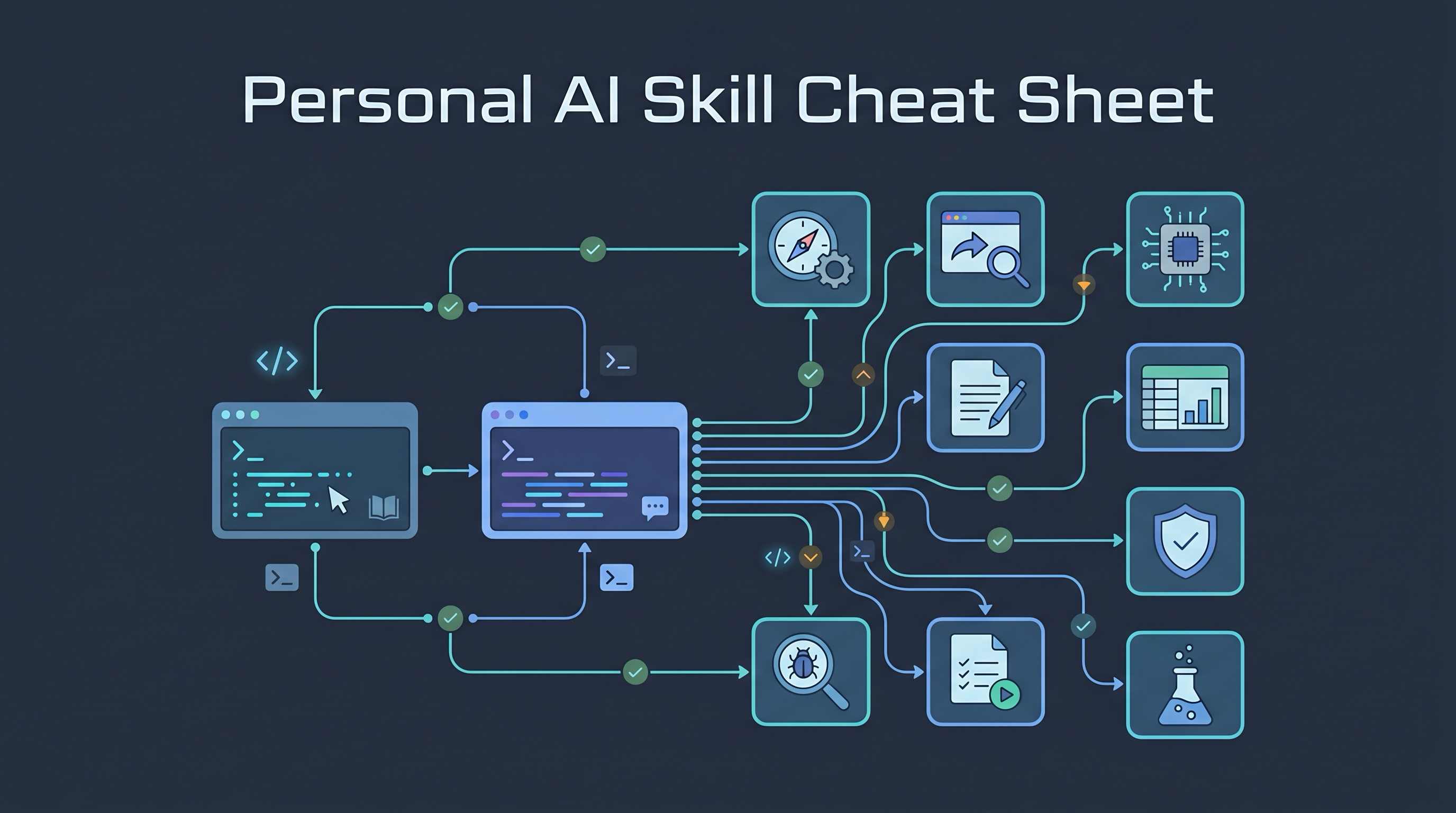
Updated 2026-05-24: incorporates the May 23 install batch — CodeGraph MCP, react-doctor, the full
openai/skillscurated catalog (39 skills incl. figma/notion/deploy stacks), the PaperSpine paper-writing suite (1 skill on Codex viadist/codex/, 7 skills on Claude Code viadist/claude/skills/), and the completevoidful/academic-skillsset (paper-reading/review/writing + experiment-design + idea-generation + proof-writer + professor-fit-analyser).
This is Q’s personal router for the Codex and Claude Code skill stack. A skill is a task-specific playbook: it tells the agent when to slow down, what workflow to follow, what files or tools to inspect, and what quality bar to satisfy.
The reliable pattern is to name the skill explicitly, with invocation adjusted to the runtime:
- Codex:
Use diagnose...,Use $tdd..., orUse kicad... - Claude Code: use
/skill-namefor any user-invocable skill or plugin command (both skill folders AND plugins can register slash commands); otherwise use plain language (“use tdd”) for skills the agent auto-routes to.
July2 Additions
The July2 screenshot pass adds three durable skill pages to this router:
| Skill/page | Use when |
|---|---|
| /last30days | You need recent social/web/GitHub/arXiv signal before choosing what to research |
| book-to-skill | You want a technical book or document set turned into a reusable skill |
| Cybersecurity Skills for AI Agents | You need structured security workflows mapped to known frameworks |
| Codex Skill Watchlist — Media Generation and UI Quality | You need to decide which trending media/UI skills are installed, worth testing, or only watchlist candidates |
The same screenshot batch also included volatile “top 10 skill” lists, SuperClaude reminders, taste-skill reposts, and Claude/Codex setup videos. Those are useful for discovery, but they do not belong as standalone pages unless they add a workflow that is not already covered here.
Operational legend
Not every item in the skill stack behaves the same way.
| Category | What it means | Q’s rule |
|---|---|---|
| Plain skill folder | A SKILL.md workflow the agent can read and follow |
Safe to invoke by name after install |
| Claude native plugin | May include slash commands, hooks, MCP servers, and subagents | Inspect before enabling because it can change agent behavior |
| MCP connector or app automation | Talks to external services through credentials or local tools | Use only when the relevant account, CLI, or token is ready |
| External-tool skill | Assumes CLIs such as Playwright, CodeQL, Semgrep, KiCad, or GitHub CLI | Verify the tool exists before trusting the workflow |
| Reference repo | Curated list or documentation, not an installable skill | Treat as research material |
Before first use of any third-party skill, review SKILL.md, scripts, hooks, and MCP/plugin manifests. Re-verify this page after installing, removing, or replacing skills because the stack will drift.
The mental model
Use skills as phase controls, not as a giant menu. Pick the skill that matches the current kind of work.
Unclear goal
    |
    v
grill-me / grill-with-docs
    |
    v
create-plan / to-prd / to-issues
    |
    v
tdd / diagnose / prototype
    |
    v
webapp-testing / semgrep / codeql / fuzzing
    |
    v
differential-review / insecure-defaults / supply-chain-risk-auditor
    |
    v
changelog-generator / content-research-writer / handoff
Three rules make the stack usable:
- Name the skill explicitly when you care. Do not hope the agent guesses the right workflow.
- Use one skill per phase.
zoom-out,diagnose, anddifferential-revieware sequential tools, not one combined prompt. - Treat third-party skills as operational instructions. They can tell agents to run commands, use tools, or trust sources. Keep project rules and human review in charge.
Daily default stack
Use this smaller set before reaching for the full catalog.
| Work state | Default skill | Why |
|---|---|---|
| Fuzzy requirement | grill-with-docs |
Converts intent into concrete decisions grounded in project language |
| Unknown codebase area | zoom-out |
Builds a module/data-flow map before edits |
| Bug or regression | diagnose |
Forces reproduction and hypothesis ranking |
| Behavior change | tdd |
Locks desired behavior into tests before implementation hardens |
| Frontend or local app | webapp-testing |
Proves the result through browser behavior, screenshots, and logs |
| Before commit or handoff | differential-review |
Reviews the actual diff for regressions and missing tests |
| Structural codebase question (“where is X called”, “what breaks if I change Y”) | codegraph_* MCP tools |
Pre-indexed knowledge graph; replaces grep/Read storms |
| Finished a React feature | react-doctor |
Skill nudges the agent to run npx react-doctor@latest --verbose --diff, which scores 0–100 and flags regressions |
| Research or publishable note | content-research-writer |
Keeps claims sourced and audience-fit |
Quick chooser
| Situation | Use this skill | Ask like this |
|---|---|---|
| The idea is fuzzy | grill-me |
Use grill-me to stress-test this plan one question at a time. |
| The plan must match project docs | grill-with-docs |
Use grill-with-docs and challenge this against our domain language. |
| You need a short execution plan | create-plan |
Use create-plan for this coding task. |
| You need a PRD or tickets | to-prd, to-issues |
Use to-issues and break this into tracer-bullet tickets. |
| You are lost in a codebase | zoom-out |
Use zoom-out and map modules, callers, and data flow before edits. |
| A bug is vague or flaky | diagnose |
Use diagnose. Build a deterministic repro loop before fixing. |
| You want test-first development | tdd |
Use tdd with red-green-refactor. |
| A frontend needs proof | webapp-testing |
Use webapp-testing on localhost and capture screenshots/logs. |
| A diff needs risk review | differential-review |
Use differential-review on the current git diff. |
| Structural code question on a TS/Python/Rust repo | codegraph MCP |
Use codegraph_context to map the persistence layer in this codebase. |
| React code quality check | react-doctor |
Use react-doctor to score the current diff and flag regressions. |
| Need to design or generate Figma artifacts | figma, figma-use, figma-generate-design |
Use figma-generate-design to build this screen from the spec. |
| Need to ship a small site quickly | vercel-deploy / netlify-deploy / cloudflare-deploy / render-deploy |
Use vercel-deploy and walk me through shipping this Next.js app. |
| Config may fail open | insecure-defaults |
Use insecure-defaults before deployment. |
| Dependencies may be risky | supply-chain-risk-auditor |
Use supply-chain-risk-auditor on direct dependencies. |
| You need a financial model | dcf-model, lbo-model, 3-statement-model, comps-analysis |
Use dcf-model to build a valuation model from these assumptions. |
| You need PCB or BOM work | kicad, bom, datasheets, distributor skills |
Use kicad and bom to inspect this KiCad project. |
| You need research writing | academic-research-suite, content-research-writer |
Use academic-research-suite to plan this literature review. |
| You need release notes | changelog-generator |
Use changelog-generator for commits since the last tag. |
| You need a handoff | handoff |
Use handoff to compress this session for another agent. |
Normal coding workflow
Use these for everyday software work.
| Skill | Best for | Do not use when |
|---|---|---|
zoom-out |
Understanding unfamiliar modules, callers, data flow, vocabulary | The edit is obvious and local |
grill-me |
Requirement discovery and pre-mortems | You do not want questions |
grill-with-docs |
Same as grill-me, but grounded in repo docs and domain terms |
The repo has no stable project docs |
create-plan |
Fast implementation plan | You need deep ambiguity resolution |
to-prd |
Turning a conversation into a product spec | You only need a bug fix |
to-issues |
Breaking a plan into implementation tickets | You are not using issues or task files |
triage |
Classifying bugs/features and next actions | You need tool-specific issue fetching; use issue-triage |
prototype |
Trying risky architecture or UI directions cheaply | You need production-ready code now |
tdd |
Feature work or bug fixes where behavior can be tested | UI-only exploration or throwaway sketches |
diagnose |
Bugs, flakiness, performance regressions | Cosmetic edits or obvious typos |
improve-codebase-architecture |
Deep module/seam refactors | Hotfixes |
codebase-migrate |
Broad multi-file migration | Small isolated refactors |
setup-pre-commit |
Husky/lint-staged/typecheck/test hooks | Repos that already have a deliberate hook setup |
git-guardrails-claude-code |
Blocking dangerous git commands in Claude Code | If you need to push/reset intentionally |
modern-python |
uv, ruff, ty, pytest, modern scripts/CLIs |
Projects intentionally using older tooling |
webapp-testing |
Playwright verification for local web apps | Backend-only debugging |
react-doctor |
After React feature work or bug fixes; before commit. Run npx react-doctor@latest --verbose --diff (or via CI) to get a 0–100 score and regression check |
Non-React projects (use generic lint/test instead) |
playwright, playwright-interactive |
Browser-automation work or web-scraping flows | Static HTML sites with no DOM interaction |
screenshot |
Capturing the live page state for diff/QA evidence | When you only need URL fetches |
define-goal |
Locking the success criteria of a multi-step task before starting | Trivial one-step requests |
migrate-to-codex |
Porting an agent setup from Claude Code into a Codex-friendly form | Greenfield Codex projects |
For a normal feature, the default flow is:
grill-with-docs
    -> create-plan
        -> tdd
            -> webapp-testing
                -> differential-review
For a bug, use:
zoom-out
    -> diagnose
        -> tdd
            -> differential-review
Security and review
Security skills are review aids, not proof of safety. Static analysis, fuzzing, and scanners need build context, dependencies, and human validation.
| Skill | Use when |
|---|---|
differential-review |
Reviewing a PR, commit, or current diff for regressions and security risk |
c-review |
Auditing C/C++ memory safety, integer overflows, races, daemon/service code |
insecure-defaults |
Searching config/auth/deployment for fail-open defaults |
agentic-actions-auditor |
GitHub Actions runs AI agents or accepts attacker-controlled events |
supply-chain-risk-auditor |
Dependencies may be abandoned, takeover-prone, or high-impact |
fp-check |
A finding needs true-positive / false-positive verification |
variant-analysis |
One bug is known and you want related instances |
semgrep |
High-signal static analysis or custom rule testing |
codeql |
Interprocedural dataflow/taint analysis |
sarif-parsing |
Processing scanner output into useful findings |
semgrep-rule-creator |
Writing a custom Semgrep rule |
semgrep-rule-variant-creator |
Porting a Semgrep rule across languages |
sharp-edges |
Finding dangerous APIs, insecure ergonomics, footguns |
spec-to-code-compliance |
Comparing implementation against whitepaper/spec/docs |
gh-cli |
Force authenticated GitHub CLI workflows instead of ad hoc unauthenticated fetches |
security-best-practices |
OpenAI-curated checklist of secure-by-default settings before shipping |
security-ownership-map |
Build a map of who owns which security-sensitive surfaces |
security-threat-model |
Structured threat-modeling pass on a repo or feature |
Good prompt:
Use differential-review on my current git diff. Prioritize auth, crypto, validation, external calls, missing tests, and blast radius.
Fuzzing and test depth
Use fuzzing skills when ordinary unit tests are too example-driven.
| Skill | Use when |
|---|---|
property-based-testing |
You can state invariants stronger than examples |
aflpp |
Multi-core C/C++ fuzzing |
libfuzzer |
LLVM-native C/C++ fuzzing |
cargo-fuzz |
Rust fuzzing |
atheris |
Python or Python C-extension fuzzing |
ruzzy |
Ruby fuzzing |
harness-writing |
Creating or improving fuzz targets |
coverage-analysis |
Measuring whether fuzzers reach meaningful code |
fuzzing-dictionary |
Parser/protocol/file-format fuzzing needs tokens |
fuzzing-obstacles |
Checksums, global state, or guards block fuzzing |
mutation-testing |
Tests pass but may not assert the right behavior |
genotoxic |
Mutation testing plus graph-based triage |
ossfuzz |
Continuous fuzzing for open-source projects |
testing-handbook-generator |
Generating new security-testing skills from handbook patterns |
Typical loop:
harness-writing
    -> aflpp/libfuzzer/cargo-fuzz/atheris
        -> coverage-analysis
            -> fuzzing-obstacles
                -> fp-check
Crypto, protocols, and blockchain
| Skill | Use when |
|---|---|
constant-time-analysis |
Reviewing crypto code for secret-dependent branches, divisions, lookups |
constant-time-testing |
Testing timing side-channel assumptions |
zeroize-audit |
Checking that secrets are erased and not optimized away |
wycheproof |
Validating crypto code against known edge-case vectors |
vector-forge |
Generating mutation-driven crypto/protocol test vectors |
crypto-protocol-diagram |
Extracting protocol message flows into diagrams |
mermaid-to-proverif |
Turning protocol diagrams into ProVerif models |
algorand-vulnerability-scanner |
Algorand / TEAL / PyTeal audits |
cairo-vulnerability-scanner |
StarkNet / Cairo audits |
cosmos-vulnerability-scanner |
Cosmos SDK, IBC, CosmWasm, chain-halt risk |
solana-vulnerability-scanner |
Solana / Anchor audits |
substrate-vulnerability-scanner |
Substrate / Polkadot pallet audits |
ton-vulnerability-scanner |
TON / FunC audits |
token-integration-analyzer |
Weird ERC/token integration behavior |
guidelines-advisor |
Smart-contract best practices and architecture review |
secure-workflow-guide |
Trail of Bits secure development workflow |
code-maturity-assessor |
Security maturity scorecard |
Code graph and audit context
Use these when review quality depends on structure, not just text diff.
| Skill | Use when |
|---|---|
codegraph_* MCP tools |
Symbol lookups, call graphs, blast-radius queries on an indexed repo (per-project .codegraph/ required) |
trailmark |
Build/query multi-language source graphs |
trailmark-summary |
Quick structural overview |
trailmark-structural |
Full graph preanalysis: hotspots, taint, blast radius |
diagramming-code |
Generate Mermaid diagrams from code graphs |
graph-evolution |
Compare structural changes across commits |
audit-context-building |
Line-by-line context before vulnerability hunting |
audit-augmentation |
Map external SARIF/audit findings onto graph nodes |
entry-point-analyzer |
Enumerate state-changing smart contract entry points |
dimensional-analysis |
Track units, dimensions, decimal scaling |
dwarf-expert |
DWARF debug format or parser work |
burpsuite-project-parser |
Search .burp projects and proxy history |
firebase-apk-scanner |
Android APK Firebase misconfiguration checks |
devcontainer-setup |
Create isolated Claude Code devcontainers |
seatbelt-sandboxer |
Generate macOS Seatbelt sandbox profiles |
CodeGraph rule of thumb (May 23 install)
CodeGraph is the only manually-configured stdio MCP server currently wired into both ~/.claude.json and ~/.codex/config.toml (plugins or connectors may add their own tools separately). Steering text lives in ~/.claude/CLAUDE.md and ~/.codex/AGENTS.md. Use it for structural questions, not literal text search.
| Question | Tool |
|---|---|
| “Where is X defined?” / “Find symbol named X” | codegraph_search |
| “What calls function Y?” | codegraph_callers |
| “What does Y call?” | codegraph_callees |
| “What would break if I changed Z?” | codegraph_impact |
| “Show me Y’s signature / source / docstring” | codegraph_node |
| “Give me focused context for a task/area” | codegraph_context |
| “See several related symbols’ source at once” | codegraph_explore |
| “What files exist under path/” | codegraph_files |
| “Is the index healthy?” | codegraph_status |
Indexed projects as of 2026-05-24 (verified by ls ~/Desktop/*/.codegraph/): learnai-3d-studio only. Run codegraph init -i in any other project to enable. If .codegraph/ doesn’t exist, the MCP returns “not initialized” — for literal text search use rg instead, for structural queries ask the user whether to initialize CodeGraph.
Financial modeling, spreadsheets, and decks
These came from Anthropic’s financial-services skill folders. Some are finance-specific; others are general spreadsheet or presentation utilities.
Finance-specific modeling:
| Skill | Use when |
|---|---|
3-statement-model |
Populate income statement, balance sheet, cash flow model templates |
dcf-model |
Build discounted cash flow valuation models |
lbo-model |
Complete LBO model templates |
comps-analysis |
Comparable company analysis and valuation multiples |
competitive-analysis |
Competitive landscape / market positioning decks |
ib-check-deck |
Investment banking deck QC |
General spreadsheet and deck utilities:
| Skill | Use when |
|---|---|
audit-xls |
Spreadsheet formula/model audit, finance or otherwise |
clean-data-xls |
Normalize messy spreadsheet data |
xlsx-author |
Generate .xlsx files headlessly |
deck-refresh |
Update deck numbers while preserving formatting |
pptx-author |
Generate .pptx files headlessly |
ppt-template-creator |
Turn a PowerPoint template into a reusable skill |
Example:
Use audit-xls to check this model for formula errors, balance sheet balance, cash tie-out, hardcodes, and logic sanity.
Figma and UI design assistance
These came from the May 23 openai/skills/.curated/ install. Use them when the artifact is a Figma file, a design system, or screens generated from spec.
| Skill | Use when |
|---|---|
figma |
General Figma operations (read/inspect existing files) |
figma-use |
Open and operate on a specific Figma file by id/URL |
figma-generate-design |
Turn a written spec into a draft Figma layout |
figma-generate-library |
Build a component library (variants, properties, tokens) from a brief |
figma-create-design-system-rules |
Codify spacing, color, type tokens as a design system |
figma-create-new-file |
Bootstrap an empty Figma file with naming/structure |
figma-implement-design |
Translate a Figma frame into actual React/HTML code |
figma-code-connect-components |
Wire Figma components to code via Figma Code Connect |
Pair with brand-guidelines, theme-factory, or canvas-design for visual polish.
Hardware, KiCad, PCB, and BOM
Use the KiCad stack when the artifact is electrical, not software.
| Skill | Use when |
|---|---|
kicad |
Inspect KiCad schematics, PCB, nets, footprints, symbols |
bom |
Orchestrate bill of materials work |
datasheets |
Extract component specs from PDFs |
digikey, mouser, lcsc, element14 |
Source parts, prices, stock, datasheets |
jlcpcb, pcbway |
Manufacturing and assembly preparation |
emc |
EMC pre-compliance risk review |
spice |
Simulate detected subcircuits |
kidoc |
Generate engineering and manufacturing docs |
Example:
Use kicad, bom, datasheets, and emc to review this PCB before fabrication. Start with schematic/PCB consistency, then BOM risk, then EMC risks.
Writing, research, docs, and media
Academic and research stack (May 23 expansion)
Three different academic pipelines now coexist, with different shapes:
academic-research-suite(Imbad0202): one Codex-native adapter / root skill that internally routes through “select-topic → literature → write → review → revise → finalize” workflows. Best when you want a single skill to dispatch the full pipeline.- PaperSpine (WUBING2023): orchestrator + 6 specialized sub-skills (Claude side only — Codex only got the single
paper-spineorchestrator fromdist/codex/). Best when you want explicit motivation-driven scaffolding. - voidful/academic-skills: 7 standalone persona-heavy skills (some default to Traditional Chinese with character personas). Best when you want a specific narrow tool, e.g. “explain this paper” or “draft a proof.”
| Skill | Platform availability | Use when |
|---|---|---|
academic-research-suite |
Codex (Imbad0202) | One-shot dispatcher for the full research → write → review → revise pipeline |
paper-spine |
Codex + Claude | Orchestrate the PaperSpine pipeline for motivation-driven paper writing |
paper-spine-intake |
Claude only | Capture goal, audience, venue, and source materials at the start of a paper |
paper-spine-research |
Claude only | Survey strong examples and download reference materials before drafting |
paper-spine-rewrite |
Claude only | Restructure existing draft sections around a revised motivation |
paper-spine-build |
Claude only | Assemble manuscript units with explicit rationale per section |
paper-spine-latex |
Claude only | LaTeX-safe rewriting and macro/citation hygiene |
paper-spine-audit |
Claude only | Final pass — check argument flow, evidence coverage, and unit consistency |
paper-reading |
Codex + Claude (voidful) | Read papers conversationally — defaults to Traditional Chinese with a centenarian-aunt persona; pass --lang en or override style in prompt for English |
paper-review |
Codex + Claude (voidful) | Structured peer review of a paper with checklist |
paper-writing |
Codex + Claude (voidful) | Draft a section of a paper from outline + sources |
experiment-design |
Codex + Claude (voidful) | Plan an experiment with hypotheses, conditions, and measures |
idea-generation |
Codex + Claude (voidful) | Brainstorm research directions in a structured way |
proof-writer |
Codex + Claude (voidful) | Mathematical proof drafting → LaTeX — defaults to Traditional Chinese persona; override in prompt for English/formal academic voice |
professor-fit-analyser |
Codex + Claude (voidful) | Score fit between a student profile and a target professor’s lab |
content-research-writer |
Both | Sourced article, tutorial, or case-study drafting (general, not academic) |
The academic stack is best when the output needs research structure or formal venue conventions. The general writing stack below is best when the output needs audience fit, citations, or polish without paper-format constraints.
General writing, comms, and media
| Skill | Use when |
|---|---|
paperjsx |
Generate PPTX/DOCX/XLSX/PDF artifacts from structured JSON |
brand-guidelines |
Apply OpenAI/Codex visual style to artifacts |
theme-factory |
Apply or create reusable visual themes |
canvas-design |
Static visual designs, posters, art-like assets |
changelog-generator |
User-facing release notes from commits |
internal-comms |
Leadership updates, status reports, FAQs, internal announcements |
email-draft-polish |
Emails, replies, cold outreach, escalation tone |
meeting-notes-and-actions |
Meeting summaries, decisions, owner-tagged action items |
meeting-insights-analyzer |
Communication-pattern feedback from transcripts |
tailored-resume-generator |
Resume tailoring to a job description |
speech, transcribe |
Speech synthesis or transcription tasks |
Ops, integrations, and production debugging
| Skill | Use when |
|---|---|
connect |
Connect Codex to external apps through Composio |
connect-apps |
Connect Claude to external apps through Composio |
mcp-builder |
Build or evaluate MCP servers |
datadog-logs |
Query Datadog logs from the shell |
sentry, sentry-triage |
Sentry workflow + pull events and map stack frames to source |
langsmith-fetch |
Fetch LangSmith traces for agent debugging |
deploy-pipeline |
Stripe, Supabase, Vercel style deploy coordination |
vercel-deploy |
Ship Next.js / static / serverless to Vercel |
netlify-deploy |
Ship JAMstack / static / serverless to Netlify |
cloudflare-deploy |
Ship Workers / Pages / Workers KV / R2 to Cloudflare |
render-deploy |
Ship containerized / managed apps to Render |
aws-deploy |
EC2 + Docker + auto-HTTPS + GitHub Actions push-to-deploy |
pr-review-ci-fix |
PR review plus CI-fix loop |
gh-address-comments, gh-fix-ci |
Targeted GitHub PR-comment resolution and CI failure repair |
issue-triage |
Linear/Jira backlog triage through CLI workflows |
linear |
Linear-specific issue/project automation |
gh-cli |
Authenticated GitHub workflows |
chatgpt-apps |
Build a ChatGPT app (Apps SDK) |
cli-creator |
Bootstrap a new CLI tool with sensible defaults |
aspnet-core, winui-app |
Generate .NET projects (web API and Windows app respectively) |
hatch-pet |
Python project bootstrapping with hatch |
jupyter-notebook |
Jupyter notebook task work |
openai-docs |
Look up OpenAI API references inline |
yeet |
Quick one-shot “just do it” prompt skill |
Use these only when the relevant CLI, credentials, or service access exists. Important: a skill folder by itself does NOT grant OAuth/API access — vercel-deploy, netlify-deploy, linear, sentry, etc. only tell the agent how to use the corresponding CLI; you must still install the CLI and authenticate it (vercel login, gh auth login, etc.) before the agent can act.
Utility skills
| Skill | Use when |
|---|---|
file-organizer |
Rename, dedupe, and organize folders |
invoice-organizer |
Sort receipts/invoices for tax or bookkeeping |
spreadsheet-formula-helper |
Excel/Google Sheets formulas and pivots |
video-downloader |
Download YouTube/video assets |
slack-gif-creator |
Animated Slack GIFs or emoji-like assets |
image-enhancer |
Improve or transform images |
raffle-winner-picker |
Fair random winner selection |
caveman |
Ultra-brief communication mode |
handoff |
Compress current context for another session |
write-a-skill |
Create a new skill |
skill-share |
Share a skill with a team |
skill-improver |
Review and improve skill quality |
designing-workflow-skills |
Design multi-step workflow skills |
What Q should use most
| Rank | Skill | Why |
|---|---|---|
| 1 | grill-with-docs |
Turns fuzzy intent into a grounded spec. |
| 2 | zoom-out |
Prevents editing before understanding. |
| 3 | diagnose |
Stops guess-and-check debugging. |
| 4 | tdd |
Forces behavior into tests before code settles. |
| 5 | webapp-testing |
Gives visible proof that frontend behavior works. |
| 6 | differential-review |
Catches high-risk regressions before commit. |
| 7 | content-research-writer |
Converts learning into publishable notes. |
| 8 | academic-research-suite |
Handles research-shaped work better than generic prompting. |
For teaching and LearnAI work, the highest-leverage pattern is:
content-research-writer
    -> theme-factory / canvas-design
        -> webapp-testing
            -> differential-review
For research and paper work:
academic-research-suite
    -> content-research-writer
        -> proof-writer or experiment-design if needed
For security coursework:
zoom-out
    -> trailmark-summary
        -> semgrep/codeql
            -> fp-check
                -> differential-review
Deferred or special-case skills
Some useful items were intentionally not treated as ordinary skill-folder installs:
- Composio app automations: the
composio-skills/*set claims 1000+ app integrations / actions (per upstream). Install only when you need a specific app. - Claude native plugins: some repos add slash commands, hooks, MCP servers, or agents. Ask before installing those because they change more than skill discovery.
awesome-codex-cli(RoggeOhta): reference list only; curates 150+ tools/skills/subagents/plugins but does not itself ship installable skill folders.awesome-codex-skills(ComposioHQ): NOT just a reference list — it ships installable skill folders and askill-installer/Python script. The Q installation already uses this installer at~/.codex/skills/.system/skill-installer/scripts/install-skill-from-github.py. Browse the README andpython3 install-skill-from-github.py --repo ... --path ... --name ...to add individual skills.- Existing
pdfin Claude Code: left untouched on the Claude side because it already existed and did not match the pinned OpenAI curated copy. The Codex side uses the OpenAI curatedpdf. rohitg00/agentmemory: explicitly skipped. The MCP-plus-12-hooks footprint conflicted with the file-based auto-memory system already in place. See codegraph for the parallel decision on a more focused MCP install.aklofas/kicad-happy(full Claude/Codex plugin + GitHub Action): the skill folders (kicad,bom,datasheets,spice,emc,jlcpcb,pcbway,digikey,mouser,lcsc,element14,kidoc) ARE installed and usable — visible in the Hardware/KiCad section above. The kicad-happy native plugin (with hooks + GitHub Action) is intentionally NOT enabled, pending real PCB work.- Asen pack mapping to currently-loaded equivalents:
| Asen original | Currently loaded equivalent |
|---|---|
prompt-optimizer |
prompt-master (separate skill, not OMC) |
deep-interview |
oh-my-claudecode:deep-interview |
ralplan |
oh-my-claudecode:ralplan |
ultraqa |
oh-my-claudecode:ultraqa |
ai-slop-cleaner |
oh-my-claudecode:ai-slop-cleaner |
visual-verdict |
oh-my-claudecode:visual-verdict |
So 5 of 6 map to OMC; prompt-optimizer maps to a separate prompt-master skill. Asen originals were not separately installed pending a side-by-side comparison.
MCP servers currently active
User-level (loads in every session):
| MCP | Where wired | Auto-loaded steering |
|---|---|---|
codegraph |
~/.claude.json (mcpServers) + ~/.codex/config.toml ([mcp_servers.codegraph]) |
~/.claude/CLAUDE.md + ~/.codex/AGENTS.md (lines marked <!-- CODEGRAPH_START/END -->) |
Project-level Claude MCPs (per ~/.claude.json → projects.<path>.mcpServers, as of 2026-05-24):
| Project path | MCP server |
|---|---|
~/Documents/Obsidian Vault/n8n |
n8n-mcp |
~/Desktop/ai skill to document |
alphaxiv |
~/Dropbox/cs310 |
project-spec-interviewer |
To disable CodeGraph: run codegraph uninstall (verify the CODEGRAPH_START/END blocks are gone from ~/.claude/CLAUDE.md and ~/.codex/AGENTS.md after — CLI removes the MCP entries reliably; the steering-block cleanup is worth diffing).
How to ask the agent
Use direct invocation language:
Use diagnose. Reproduce the bug with the fastest deterministic loop, rank hypotheses, and only fix after the loop proves the failure.
Use grill-with-docs. Challenge this plan against the repo's domain language and write down the decisions that should become docs.
Use differential-review on the current git diff. Prioritize auth, crypto, validation, external calls, missing tests, and blast radius.
Use kicad and bom on this KiCad project. Check schematic/PCB consistency, BOM completeness, datasheet gaps, and manufacturing risks.
Use academic-research-suite. Goal: turn this rough topic into a literature-review plan with missing-evidence checklist.
The pattern is simple: name the skill, state the artifact, state the quality bar, and state whether edits are allowed.