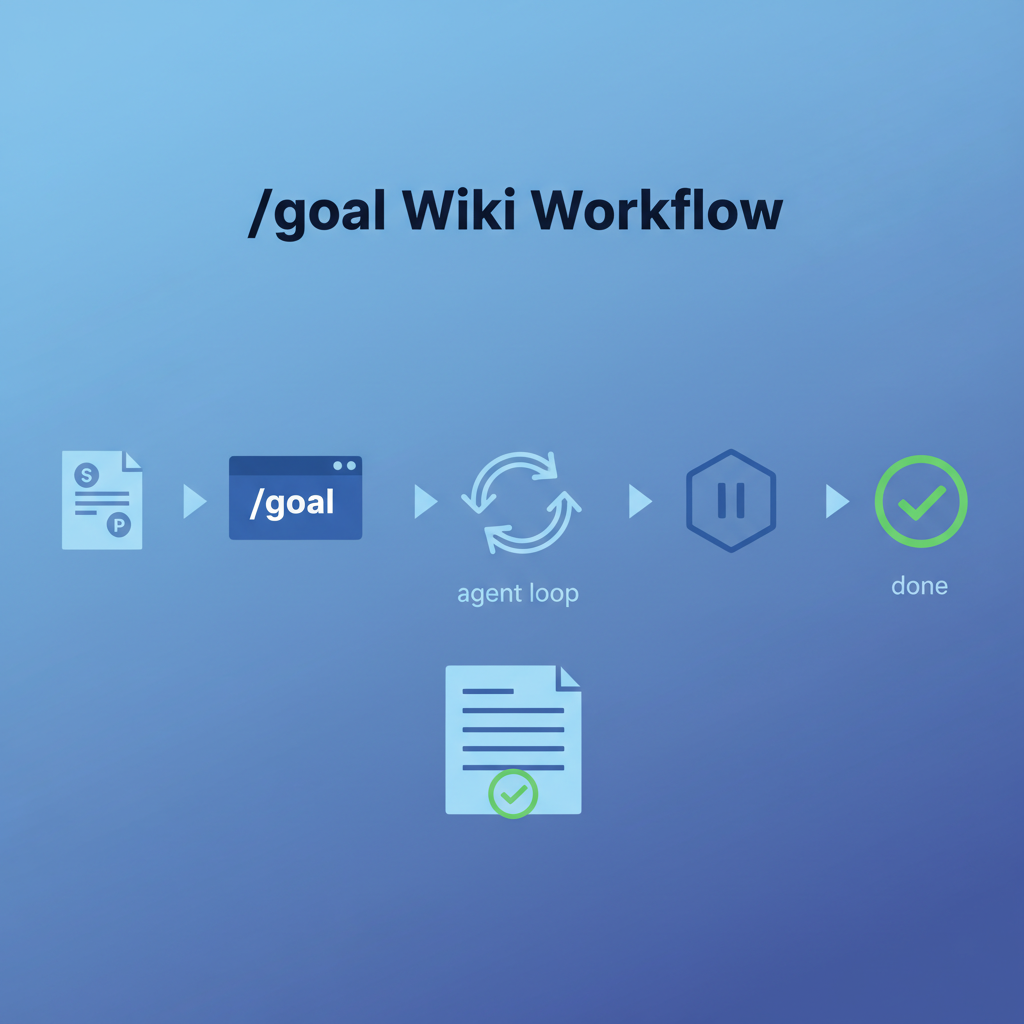
Wiki batch sessions are a natural fit for /goal — they involve 8-15 sequential steps, a clear done condition (entries committed and pushed), and a real risk of drift if you lose track mid-session. This entry documents the spec-first workflow: write a spec.md before opening Claude Code, reference it in your /goal command, and use /pause at the right checkpoints. The result is a repeatable, auditable wiki session that doesn’t require you to re-explain context on every turn.
Source: Derived from LearnAI wiki management practice — see also /goal 使用指南 for the command reference and Beyond /goal for the long-session architecture.
Why wiki sessions need /goal
A typical wiki batch involves:
- Scan screenshots for topics
- Assess each for wiki-worthiness
- Write draft entry (title, lede, sections, use cases)
- Codex review
- Apply fixes
- Generate cover image
- Create Obsidian note
- Commit + push
- Repeat for each entry
Without /goal, step 4 or 5 is where sessions degrade — the agent re-enters “chat mode,” forgets the batch scope, and starts improvising. With /goal, the completion condition anchors every turn. The agent knows it isn’t done until all entries are committed, all images exist, and the push succeeded.
The other risk is context window exhaustion. A 10-entry batch can push 80K+ tokens before the push step. The /pause discipline (checkpointing at draft review) prevents the evaluator from running off stale context.
The workflow
1. Write spec.md (interview → acceptance criteria)
       ↓
2. /goal references spec.md + mechanical done condition
       ↓
3. Agent drafts entries (auto-sequences)
       ↓
4. /pause → you review drafts
       ↓
5. Resume → Codex review + fixes
       ↓
6. /pause → you check fixes look right
       ↓
7. Resume → cover images + Obsidian notes + commit + push
       ↓
8. Done condition verified → /goal clear
Step 1: Write spec.md before opening Claude Code
The interview takes 5-10 minutes and produces a spec.md you can drop into the session. Use project-spec-interviewer-skill — an interactive terminal CLI that asks you the right questions and writes the spec file:
npm install -g @weihaoqu/project-spec-interviewer-skill
project-spec-interviewer-skill
# → spec.md written to current directory
No flags needed — just answer the questions. If you prefer to write the spec manually, here are the questions to cover:
Questions to answer before writing the spec:
- Which screenshots/sources are you processing?
- What is the exact done condition (all entries committed? pushed? images generated?)?
- What quality gates apply (Codex review required? cover image required? Obsidian note required?)?
- What is the scope limit (max entries this session)?
Resulting spec.md template:
# Wiki Batch Spec — [Date] [Topic Batch]

## Source material
- Folder: 5.22/ (12 screenshots)
- Entries selected: [list after scanning]

## Per-entry requirements
- [ ] Frontmatter: title, date, tags, icon, image, related
- [ ] Bold lede paragraph (first line)
- [ ] "How LearnAI Team Could Use This" section
- [ ] "Real-World Use Cases" table
- [ ] "Important Things to Know" section
- [ ] No fabricated stats, unverified commands, or hallucinated repo details
- [ ] Codex review passed

## Session-level requirements
- [ ] Cover image generated for each entry (assets/images/{slug}.png)
- [ ] Obsidian note created for each entry
- [ ] All entries committed to _wiki/
- [ ] git push origin main succeeded

## Done condition (mechanical)
`git log --oneline -1` shows a commit with all {N} slugs listed
`ls assets/images/{slug1}.png assets/images/{slug2}.png ...` all exist
`git status` shows clean working tree

## /pause points
1. After all drafts written — you review before Codex
2. After Codex fixes applied — you check before cover generation
3. After push — you verify on live site
Step 2: The /goal command
/goal Complete the wiki batch defined in spec.md.
      Process each entry: draft → Codex review → fix → cover image → Obsidian note.
      Done when: git log shows all entry slugs committed, all cover images exist
      in assets/images/, and git status is clean.
      Scope: /Users/oreo/Dropbox/learnAIDoc/_wiki/, spec.md
Why this works:
- “Complete the wiki batch defined in spec.md” → evaluator reads spec.md’s checklist
- “git log shows all entry slugs committed” → mechanical check, not conversational
- “git status is clean” → catches uncommitted files the agent forgot
- Scope declaration → agent knows exactly which directories to touch
Step 3: /pause discipline
Don’t let the agent run all the way from draft to push without a human checkpoint. Two mandatory pauses:
Pause 1 — after drafts, before Codex:
/pause
Read each draft. Check for: invented GitHub stars, fabricated API commands, hallucinated repo features, wrong attribution. Fix anything obviously wrong before Codex sees it — saves a review cycle.
Pause 2 — after Codex fixes, before cover generation:
/pause
Verify the fixes landed correctly. Codex feedback is only as good as the fix agent’s interpretation. Spot-check the three most critical corrections.
After each pause, resume by referencing the spec:
Resume. Continue from spec.md — next step is cover image generation.
Step 4: Done condition verification
When the agent reports completion, run the mechanical checks yourself before /goal clear:
# All slugs committed?
git log --oneline -3

# All images exist?
ls assets/images/slug1.png assets/images/slug2.png

# Clean working tree?
git status --short

# Pushed?
git log --oneline origin/main -1
If all pass → /goal clear. If any fail → the goal is not done; tell the agent what’s missing.
The spec.md shortcut for repeat sessions
After your first spec-driven wiki session, save the template as wiki-batch-spec-template.md in your repo. Every new batch starts with:
cp wiki-batch-spec-template.md spec.md
# Fill in: date, source folder, entry list, N count
# Then: /goal Complete spec.md [done condition]
The ritual of filling in the spec is itself useful — it forces you to decide the scope limit before you start, not mid-session when you’re tempted to add one more entry.
How LearnAI Team Could Use This
- Q’s own wiki workflow — The learnAIDoc wiki now has 219 entries across 20+ sessions. Spec-driven
/goalsessions are how to scale to 500 entries without losing quality. Each batch is auditable: spec.md says what was planned, git log says what was committed. - Teaching goal engineering — Assign students to write a
/goalspec for a coding task (not wiki, but any multi-step task). Grade the spec, not just the output. Teaches decomposition, acceptance criteria writing, and the difference between “describe the task” and “describe done.” - CS-336 systematic analysis — Security analysis tasks (taint analysis across a codebase, auth middleware audit) map exactly to this pattern. The spec defines scope + what “found all vulnerabilities” means mechanically (all files checked, findings report exists, false-positive rate documented).
- Research KB sessions — The research KB workflow (Zotero → Obsidian → Quartz) has the same multi-step structure. A spec.md +
/goalsession handles 5-10 papers without context drift.
Real-World Use Cases
| Scenario | Spec done condition | /pause point |
|---|---|---|
| 10-screenshot wiki batch | All slugs committed, all images in assets/, git push succeeded | After drafts (before Codex) |
| Research paper enrichment | All 5 papers have Obsidian notes with full metadata, Zotero tags applied | After notes written (before cross-linking) |
| Security code audit | All .ts files in src/ checked, findings-report.md exists, count verified | After first 5 files (validate analysis quality before continuing) |
| Documentation update | No deprecated methods in docs/, npm run docs exits 0 |
After first file updated (check format before batch) |
| Student project grading | All 20 repos graded, rubric.csv has 20 rows, no blank scores | After first 5 (calibrate rubric before full batch) |
Important Things to Know
- The evaluator reads the conversation, not the filesystem. Mechanical done conditions (
git log,ls,git status) are the only way to give the evaluator reliable evidence. “I committed all entries” is a conversational claim.git statusshowing a clean tree is evidence. - Context fills after ~8-10 entries. A full wiki entry (800-1200 words) plus Codex review plus tool calls can consume 8K-12K tokens per entry. At 10 entries you’re at 100K+. Use
/compactafter Pause 1 if the session is large, or split into two/goalsessions. - spec.md is your checkpoint log too. Check off boxes in spec.md as each entry is completed. If the session crashes or context compacts, the spec tells you exactly where you left off.
- Don’t set N > 6 for a single
/goalsession without using the Orchestrator + Headless pattern. Six entries is roughly the limit before context quality degrades noticeably. /pauseis free — use it. Every pause is an opportunity to catch a mistake before it propagates to 8 more entries. The cost of pausing is 10 seconds; the cost of a fabricated stat in 8 entries is an hour of fixing.