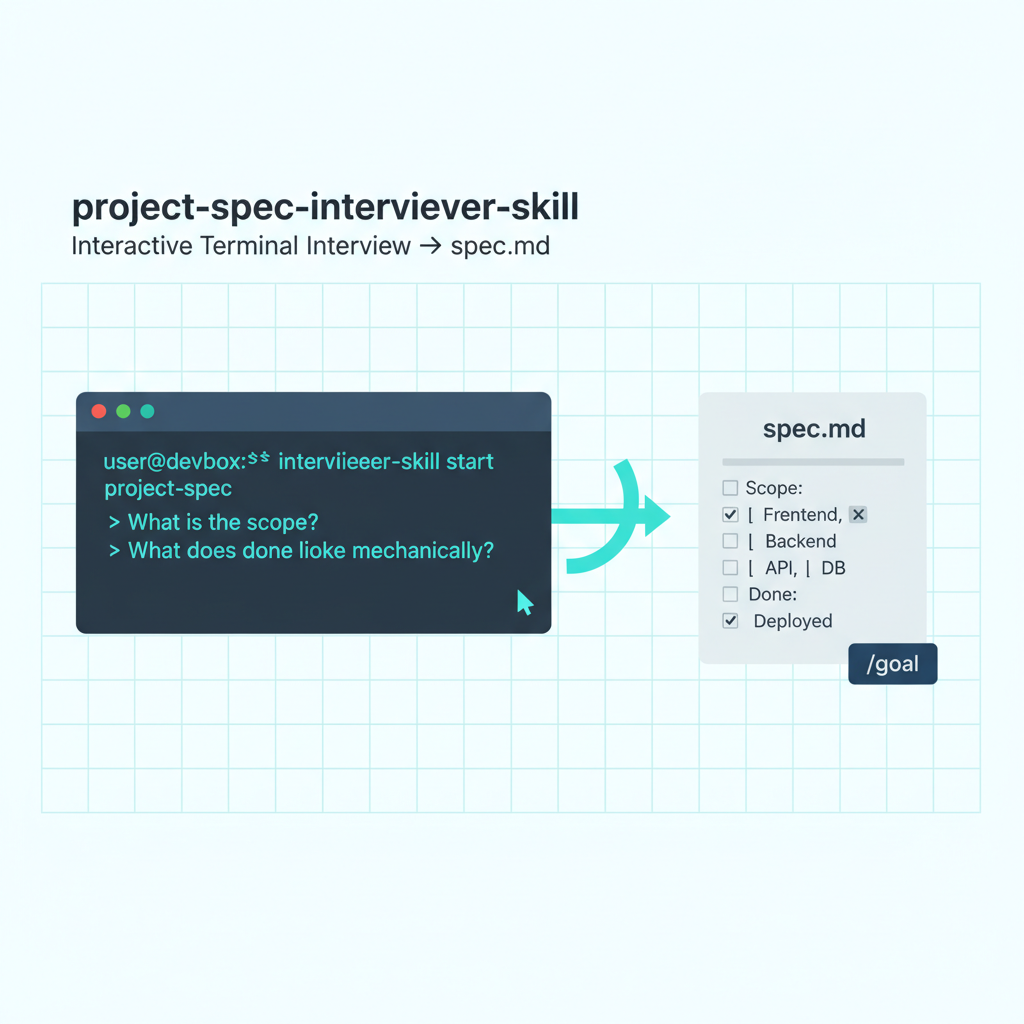
project-spec-interviewer-skill is a globally-installed npm CLI by Weihao Qu that conducts an interactive terminal interview about your project or task and outputs a spec.md file — the acceptance criteria and done conditions you need before running /goal or starting any agentic session.
| *Source: npmjs.com/package/@weihaoqu/project-spec-interviewer-skill | Creator: Weihao Qu (@weihaoqu)* |
The problem it solves
The most common failure mode in /goal sessions is a vague completion condition. “Improve the code” is a goal the evaluator cannot check. “All unit tests pass and npx tsc --noEmit exits 0” is. The gap between those two is the spec — and most people skip writing it because it feels like overhead before the “real work.”
This skill removes the overhead. Instead of staring at a blank spec.md, you answer a series of focused questions in your terminal. The skill listens, asks follow-ups, and writes the spec file for you. The interview takes 5-10 minutes; a blank-page spec attempt takes 20 and produces worse output.
Installation
npm install -g @weihaoqu/project-spec-interviewer-skill
Global install — run it from any project directory.
Usage
project-spec-interviewer-skill
The CLI launches an interactive question session in your terminal. It asks about your task scope, deliverables, acceptance criteria, and what “done” means mechanically. When the interview is complete, it writes spec.md to your current directory.
No flags currently — the interview is the interface.
What the interview produces
The output spec.md captures:
- Task description — what you’re building or doing
- Scope — which files, directories, or systems are involved
- Acceptance criteria — a checklist of concrete requirements, each one verifiable
- Done condition — the mechanical check (command, file existence, test pass) that proves the task is complete
- Out-of-scope notes — what the session should not touch
This is exactly the format /goal needs to run reliably. The evaluator reads spec.md to check completion; your /goal command references it as the authoritative source of truth.
Workflow: interview → spec → /goal
# Step 1: Run the interview in your project directory
project-spec-interviewer-skill
# → spec.md written

# Step 2: Reference it in /goal
/goal Complete all tasks defined in spec.md.
      Done when: [paste the done condition from spec.md].
      Scope: [files listed in spec.md]

# Step 3: Use /pause at checkpoints defined in spec.md
# Step 4: /goal clear when done condition verified
The interview skill handles the hardest part of spec-driven development: translating a vague intention into a precise, checkable artifact. Once spec.md exists, the rest of the workflow is mechanical.
How LearnAI Team Could Use This
- Q’s own wiki batch sessions — Run the interview at the start of every wiki batch to define: how many entries, which screenshots, what quality gates, what done looks like mechanically. The resulting spec.md anchors the
/goalsession and doubles as a checkpoint log. - CS-310 student projects — Have students run the interview before starting any multi-step coding assignment. The spec they produce is gradeable independently of the code — did they correctly identify the scope? did their done condition actually verify the requirement? Teaches requirements engineering as a skill.
- CS-336 security analysis tasks — Security analysis has fuzzy completion (“find all vulnerabilities”). The interview forces students to define a concrete done condition: which files were checked, what the output format is, how false positives are handled. This is a transferable security engineering skill.
- Research workflow planning — Before a literature review or experimental run, the interview produces a spec that defines what the session will produce and what “enough” looks like. Prevents scope creep in long research sessions.
- Teaching spec writing — The interview questions themselves are a teaching artifact. Show students the questions the tool asks, then have them write specs without the tool. The contrast shows which questions people skip when left to themselves.
Real-World Use Cases
| Scenario | How to use |
|---|---|
| Wiki batch session | Run interview → get spec.md → /goal Complete spec.md → /pause at checkpoints |
| Code refactor | Interview asks: which files? what tests verify it? what breaks if wrong? → spec becomes /goal input |
| Student assignment | Assign: run interview on your project before writing any code; submit spec.md as deliverable 1 |
| Research session | Interview defines: which papers, what output format, what count is “enough” → eliminates mid-session drift |
| Any multi-step task | If it takes more than 3 steps or 20 minutes, run the interview first |
Important Things to Know
- No flags currently — the interview is the only interface. Future versions may add
--output <filename>or--formatoptions. - The spec.md is yours to edit — the interview gives you a starting point; review and adjust before running
/goal. Add mechanical checks if the interview didn’t surface them. - Works with any
/goaltask, not just wiki — code refactors, documentation updates, security audits, research sessions — any multi-step agentic task benefits from a spec. - 5-10 minute investment, hours of direction — the interview pays for itself on any task longer than 30 minutes of agent work.
- Creator: Weihao Qu — same person behind the learnAIDoc wiki and the LearnAI education project at Monmouth University.