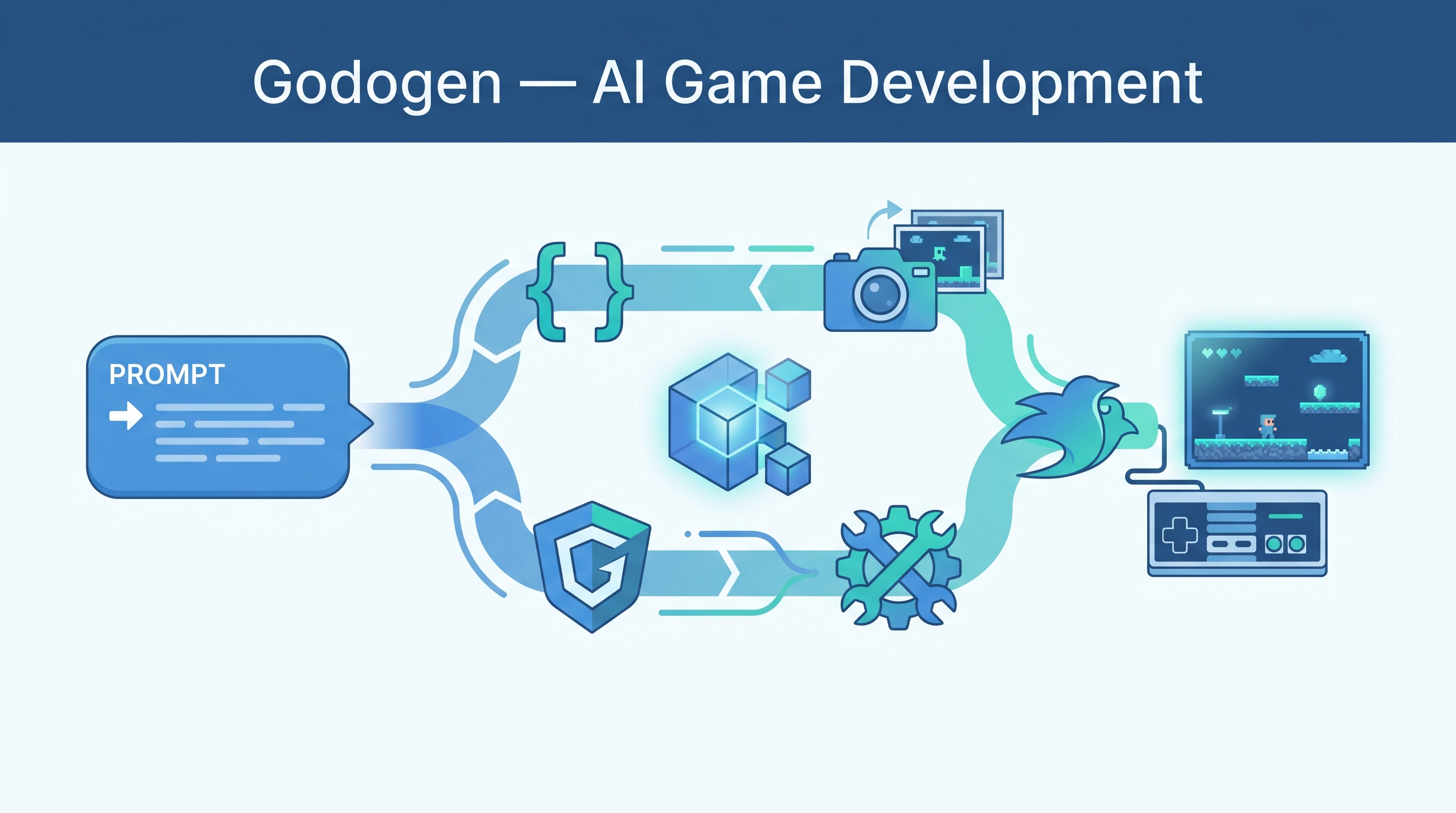
Godogen turns a game description into a working game — autonomously. “Describe a game. Godogen plans it, writes the code, generates assets, runs the engine, checks screenshots, and fixes what looks wrong.” It supports Godot 4, Bevy, and Babylon.js workflows, works with Claude Code or Codex, and includes a frame-grounded self-repair loop that fixes visual bugs, not just compilation errors.
Source: GitHub - htdt/godogen
How It Works
"Describe a game"
       ↓
Code generation (engine-specific: C# or Rust)
       ↓
Asset creation (Gemini → characters, Grok → textures, Tripo3D → 3D models)
       ↓
Engine execution (run the game)
       ↓
Screenshot capture + visual inspection
       ↓
Frame-grounded self-repair
  └── Fixes: clipping, scaling, frozen animations, missing assets
       ↓
Iterate until visually correct
       ↓
Working game (+ optional Android APK)
The key innovation: frame-grounded self-repair. Instead of just checking if code compiles, Godogen runs the game, captures screenshots, and analyzes them for visible defects. This catches problems that pass compilation but look wrong.
Supported Engines & Agents
| Engine | Agent | Output |
|---|---|---|
| Godot 4 (.NET) | Claude Code / Codex | C# project with scenes, scripts, assets |
| Bevy | Claude Code / Codex | Rust/Bevy project with code-first scenes |
| Babylon.js | Claude Code / Codex | Browser-native 3D game project |
Single publish.sh script — engine and agent choice is a publish-time flag, not separate source trees. Current README examples:
./publish.sh --engine godot --agent claude --out ~/my-game
./publish.sh --engine bevy  --agent codex  --out ~/my-game
Asset Generation Pipeline
| Asset Type | Provider |
|---|---|
| Characters / reference art | Google Gemini |
| Textures / objects | xAI Grok |
| 3D model conversion | Tripo3D |
Requirements
- Godot 4 (.NET build) or Rust/Cargo with Bevy docs
- Python 3, FFmpeg, ImageMagick
- API keys:
GOOGLE_API_KEY,XAI_API_KEY,TRIPO3D_API_KEY - Vulkan support + Xvfb (for headless rendering)
- Full runs can take hours — GPU instances recommended
How LearnAI Team Could Use This
- Game dev courses — students describe games, AI builds them, students analyze and modify the output
- Teaching autonomous agents — the frame-grounded repair loop is a concrete example of visual feedback in agent systems
- Rapid prototyping — quickly generate game prototypes for research or teaching demos
- Cross-engine comparison — same game description, Godot vs Bevy output — great for teaching engine tradeoffs
Real-World Use Cases
- Indie developers — rapid game prototyping from descriptions
- Game jams — accelerate initial development with AI-generated scaffolding
- Education — learn game engine patterns by reading AI-generated code
- Research — study autonomous code generation with visual verification loops