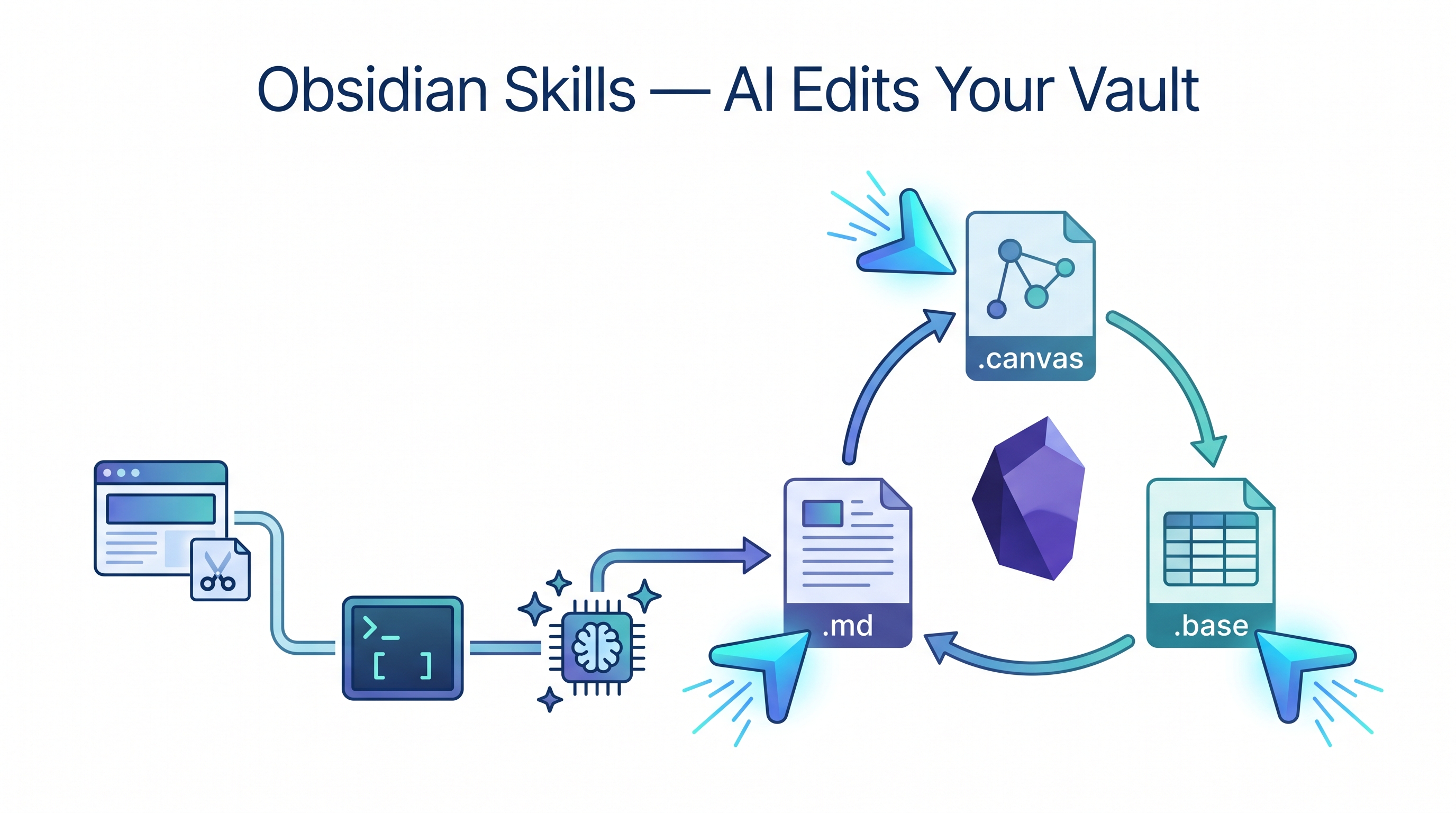
Claude Code can read your vault. Obsidian CLI can search it. But neither knows what a [[wikilink]] is, how .base files work, or that .canvas is JSON with a specific schema. obsidian-skills fixes that gap — five Agent Skills written by Steph Ango (kepano, CEO of Obsidian) that teach any skills-compatible AI agent the native formats of Obsidian. The result: your agent can create, edit, and organize vault files correctly, not just dump generic Markdown.
| *Source: kepano/obsidian-skills on GitHub (MIT) | axtonliu/axton-obsidian-visual-skills on GitHub | kepano’s announcement on X* |
The Full Obsidian AI Pipeline
obsidian-skills is the “write” layer in a three-part pipeline. Each tool handles a different stage:
┌─────────────────────────────────────────────────────────────┐
│              The Obsidian AI Pipeline                        │
│                                                             │
│  ┌──────────────┐   ┌──────────────┐   ┌────────────────┐  │
│  │  Web Clipper  │   │ Obsidian CLI │   │ Agent Skills   │  │
│  │  (CAPTURE)    │──▶│  (READ)      │──▶│ (EDIT/CREATE)  │  │
│  │              │   │              │   │                │  │
│  │ Clip articles│   │ Search vault │   │ Write .md      │  │
│  │ Save to vault│   │ Read notes   │   │ Edit .base     │  │
│  │ Auto-tag     │   │ List props   │   │ Build .canvas  │  │
│  │ Extract text │   │ Feed context │   │ Update props   │  │
│  └──────────────┘   └──────────────┘   └────────────────┘  │
│       Browser            Terminal            Agent          │
│                                                             │
│  Example flow:                                              │
│  1. Clip an AI paper from arXiv with Web Clipper            │
│  2. CLI reads vault, finds related notes, feeds to Claude   │
│  3. Agent Skills create a canvas linking the new paper      │
│     to existing research notes with proper wikilinks        │
└─────────────────────────────────────────────────────────────┘
| Layer | Tool | Direction | Existing Wiki Entry |
|---|---|---|---|
| Capture | Obsidian Web Clipper | Web → Vault | “Obsidian Web Clipper — AI-Powered Web Capture That Actually Organizes Itself” |
| Read | Obsidian CLI | Vault → Agent context | “Obsidian CLI + Claude Code: Your Second Brain as Context” |
| Write | obsidian-skills | Agent → Vault | This entry |
Visual Skills Pack: The Draw Layer
Axton Liu’s Obsidian Visual Skills Pack belongs next to obsidian-skills because it solves the same agent-to-vault problem for diagrams. Instead of teaching Claude only how to write Markdown, Base, and Canvas files, it gives Claude three diagram outputs that remain editable inside or alongside Obsidian.
| Skill | Output | Best for |
|---|---|---|
| Excalidraw diagram | .md with embedded Excalidraw JSON, or .excalidraw |
Hand-drawn architecture, process, and teaching diagrams |
| Mermaid visualizer | Mermaid code blocks in Markdown | Sequence diagrams, state machines, flowcharts, and version-controlled charts |
| Obsidian Canvas creator | .canvas JSON |
Mind maps, research landscapes, relationship graphs, and course module maps |
Plugin marketplace install:
/plugin marketplace add axtonliu/axton-obsidian-visual-skills
/plugin install obsidian-visual-skills
Use this for diagram generation. Use Independent Thinking in the Age of AI for the broader visual-PKM method: when to think spatially, how to use canvases as maps of content, and how visual notes change your reasoning process.
The Five Skills
| Skill | File Type | What It Teaches the Agent |
|---|---|---|
| obsidian-markdown | .md |
Obsidian Flavored Markdown — [[wikilinks]], ![[embeds]], callouts (> [!note]), YAML frontmatter properties, tag syntax |
| obsidian-bases | .base |
Obsidian Bases — database-like views with filters, formulas, summaries, and computed columns over your notes |
| json-canvas | .canvas |
JSON Canvas spec — nodes (text, file, link, group), edges with labels, spatial layout for mind maps and flowcharts |
| obsidian-cli | CLI | Vault management commands — plugin/theme dev, file operations, metadata queries |
| defuddle | Web → .md |
Strips web pages to clean markdown (removes ads, nav, chrome) before saving — cuts token cost dramatically |
Installation
Fastest: npx skills CLI
npx skills add git@github.com:kepano/obsidian-skills.git
This auto-detects your agent and places skill files in the right location.
Manual: Claude Code
# Clone into your vault's .claude directory
cd /path/to/your/vault
git clone https://github.com/kepano/obsidian-skills.git .claude/obsidian-skills

# Or copy just the skills/ folder
git clone https://github.com/kepano/obsidian-skills.git /tmp/obsidian-skills
cp -r /tmp/obsidian-skills/skills/ .claude/skills/
Claude Code looks for skills in /.claude/ at the root of whatever directory it is working in.
Manual: Codex CLI
cp -r skills/ ~/.codex/skills/
Manual: OpenCode
git clone https://github.com/kepano/obsidian-skills.git ~/.opencode/skills/obsidian-skills
Skills auto-discover on restart — no config file changes needed.
Concrete Examples
1. Create a Canvas Mind Map from Existing Notes
> "Read all notes tagged #project-alpha and create a .canvas file
>  that maps the relationships between them. Group by status
>  (active/completed/blocked). Add edges showing dependencies."
The agent uses json-canvas to produce a valid .canvas file with correctly positioned nodes, typed edges, and color-coded groups — viewable instantly in Obsidian’s canvas view.
2. Build a Base View for Meeting Notes
> "Create a .base file that shows all notes in meetings/ as a table
>  with columns: date, attendees, action-items (count), status.
>  Filter to only show 2026 meetings. Sort by date descending."
The agent uses obsidian-bases to write a .base file with proper filter syntax and formula columns. No manual database setup needed.
3. Bulk-Update Frontmatter Properties
> "Find all notes in research/ that mention 'transformer architecture'
>  but don't have the tag #transformers. Add the tag and set
>  property 'reviewed: true' with today's date."
The agent combines obsidian-cli (to search and read) with obsidian-markdown (to write correct YAML frontmatter) — updating dozens of notes in one pass without breaking existing properties.
4. Clip-to-Canvas Pipeline
> "I just clipped 5 articles about RLHF into inbox/. Read them,
>  extract key claims, create a canvas showing where authors
>  agree and disagree, and link each node back to the source note."
This chains all three pipeline layers: Web Clipper captured the articles, CLI reads them into context, and Agent Skills produce a structured canvas with [[wikilinks]] back to the clipped notes.
5. Clip-to-Wiki Pipeline (Proven)
The full pipeline from browser to published wiki entry, tested end-to-end:
Browser → Clipper → inbox/clipped.md → Claude Code /mywiki → Wiki post
Real example: clipped Seeing like an agent → saved it to inbox/ → ran /mywiki on the clipped note → produced a wiki draft with cover, cross-links, and an Obsidian note. The clipped note’s frontmatter (source, title, tags) feeds directly into the wiki pipeline — no manual reformatting needed.
How LearnAI Team Could Use This
- Clip-to-Wiki publishing — See an interesting paper or blog post → clip it → tell Claude Code → wiki entry is researched, drafted, published, and cross-linked automatically. Proven workflow.
- Course material vault: Use agent skills to auto-generate
.canvasconcept maps for each lecture topic, linking to related readings, assignments, and student FAQ notes - Research knowledge graph: After clipping papers with Web Clipper, have the agent create Base views that track paper metadata (authors, venue, year, citations) and Canvas files showing citation relationships
- Student project tracking: Create a
.basefile per course that pulls frontmatter from student project notes — status, grade, feedback date — giving a live dashboard without leaving Obsidian - Bulk vault maintenance: Agent can audit the entire vault for broken wikilinks, missing tags, inconsistent frontmatter schemas, and fix them in batch
- Meeting-to-action pipeline: After meetings, dictate notes into a
.mdfile; agent extracts action items, creates tasks with due dates in frontmatter, and updates the project canvas
Real-World Use Cases
Users in the community report using obsidian-skills for:
- Personal CRM: Agent maintains a Base view of contacts with last-contacted dates, relationship notes, and follow-up reminders — all pulled from scattered vault mentions
- Sprint planning: Canvas files as sprint boards with nodes for each task, edges for dependencies, and color-coded groups for team members
- Content pipeline: Writers use the clip → organize → canvas flow to go from research to outline to draft structure entirely within Obsidian
- Knowledge graph generation: Agent reads a folder of notes and produces a canvas showing topic clusters, gaps in coverage, and suggested new notes to write
- Automated daily notes: Agent reads calendar events (via CLI) and pre-populates daily notes with meeting agendas, linked attendee profiles, and carryover action items
Key Details
| Repo | github.com/kepano/obsidian-skills |
| Author | Steph Ango (kepano), CEO of Obsidian |
| Stars | 43.6k+ |
| License | MIT |
| Compatible agents | Claude Code, Codex CLI, OpenCode |
| Spec | Agent Skills specification |
| File types | .md, .base, .canvas |
| Cost | Free, no usage limits |
Bottom Line
obsidian-skills is the missing write layer for AI-powered Obsidian workflows. Web Clipper captures, CLI reads, and now Agent Skills edit — completing the loop. The fact that these come from Obsidian’s own CEO means they track the canonical file formats as Obsidian evolves. If you use Obsidian as your knowledge base and Claude Code as your agent, install these skills — they turn “dump Markdown into a folder” into “maintain a structured, interlinked knowledge system.”