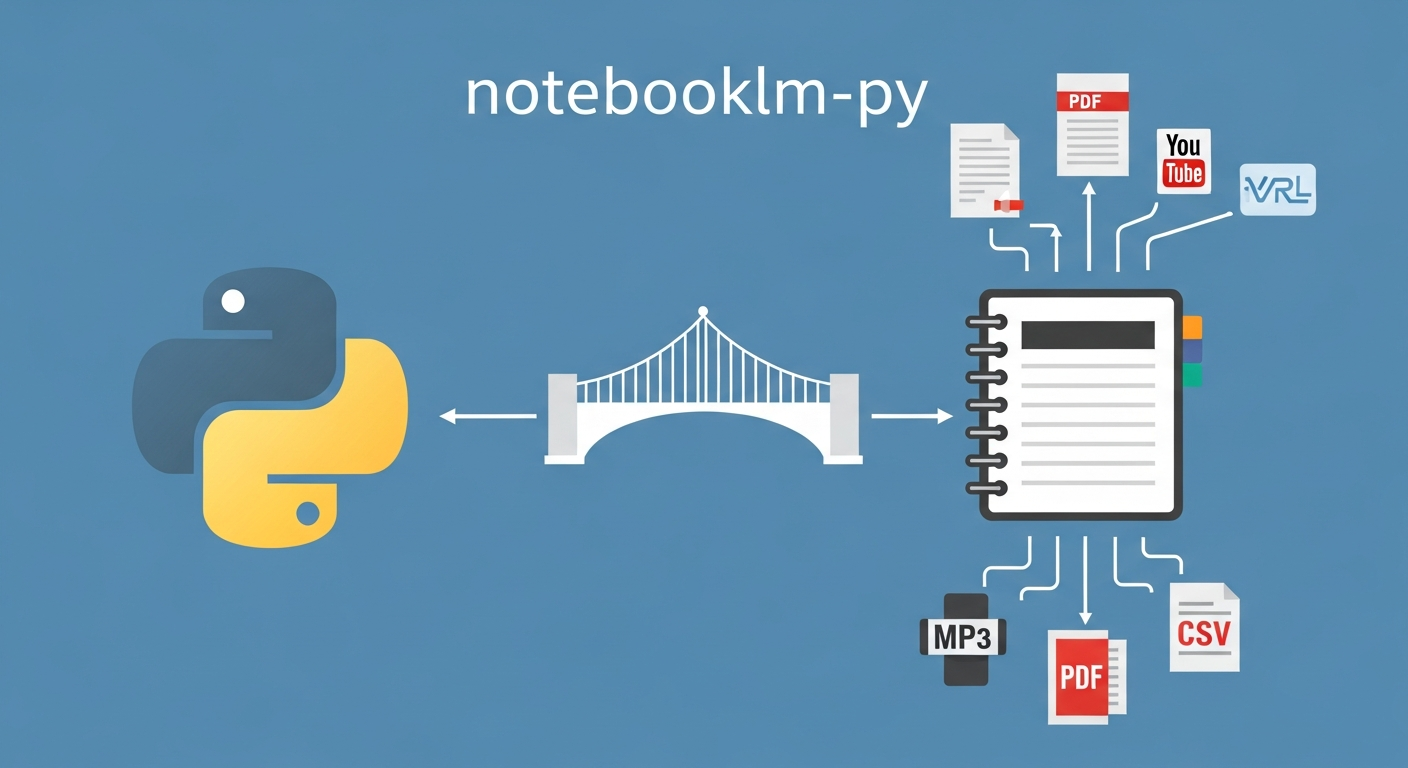
An unofficial Python library that exposes Google NotebookLM’s capabilities as a programmable API — letting you create notebooks, ingest sources, and generate audio summaries, video clips, mindmaps, flashcards, study guides, and research briefings entirely from code, CLI, or AI agent workflows, without touching the NotebookLM web UI.
Source: teng-lin/notebooklm-py GitHub. Discovery note: Weibo post by 爱可可-爱生活, May 2026.
Critical caveat upfront: This is an unofficial, community-built library with no Google endorsement. It reverse-engineers NotebookLM’s internal APIs, which means it can break without warning when Google updates the product. Evaluate carefully before building production workflows on top of it. Full risk assessment in the “Important Things to Know” section.
How this entry relates to the NotebookLM grading entry: The existing wiki entry on NotebookLM covers its pedagogical use — specifically, its grading paradox and educational implications. THIS entry is about programmatic automation of NotebookLM via Python — a fundamentally different use case targeting developers, researchers, and AI practitioners building pipelines. The two entries are complementary, not redundant.
What notebooklm-py Does
The library wraps NotebookLM’s web interface into a Python API with four capability groups:
1. Notebook Management
- Create, list, rename, and delete notebooks programmatically
- Manage multiple notebooks in batch — useful for per-topic or per-course organization
2. Source Ingestion
Add multiple source types in a single call:
| Source Type | Description |
|---|---|
| URLs | Web pages, articles, blog posts |
| PDFs | Local files or remote PDFs |
| YouTube | Video transcripts extracted automatically |
| Google Drive | Documents, slides, spreadsheets via Drive link |
3. Content Generation
Generate NotebookLM’s AI outputs without touching the UI:
| Output Type | Format | Use Case |
|---|---|---|
| Audio summary | MP3 | Podcast-style overview of all sources |
| Video clip | MP4 | Visual summary with narration |
| Mindmap | JSON | Concept relationship visualization |
| Flashcards / Quiz | JSON, Markdown, HTML | Spaced-repetition study cards |
| Reports / Study guide | Markdown | Structured outline with key concepts |
| Research briefing | Markdown | Executive summary of source material |
4. Export
Generated outputs export to the formats listed above (MP3, MP4, JSON, Markdown, HTML) for downstream use in pipelines, LMS uploads, or further processing.
Three Integration Modes
┌─────────────────────────────────────────────────────┐
│                   notebooklm-py                      │
├──────────────────┬──────────────┬────────────────────┤
│   Python API     │     CLI      │  AI Model (MCP)    │
│                  │              │                    │
│ async client     │ $ notebooklm │ Claude Code /      │
│ (see repo for    │   create     │ Codex calls the    │
│  exact import    │   add-source │ library as a tool  │
│  and usage)      │   generate   │ in an agent loop   │
└──────────────────┴──────────────┴────────────────────┘
Python API mode — import and call directly in scripts or notebooks. Composable with pandas, requests, LangChain, etc.
CLI mode — shell commands for quick one-off operations or shell-script pipelines (notebooklm create, notebooklm add-source, notebooklm generate).
AI Model integration mode — the library can be wired as a tool in Claude Code or Codex, letting an agent call NotebookLM generation as one step in a larger research or content pipeline.
Example Pipeline: Automated Research Briefing
The library uses async Python patterns (from notebooklm import NotebookLMClient). A typical workflow covers: create a notebook, ingest sources (URLs, PDFs, YouTube, Drive), trigger generation of desired output types, and export results.
Note: No verified sample code is included here — the library’s API surface should be confirmed from the GitHub repo before writing scripts, as async interfaces and method signatures may evolve.
A workflow like this — source ingestion, multi-format generation, export — would take 20–30 minutes manually in the NotebookLM UI. Scripted, it runs in minutes and can be scheduled, parallelized, or triggered by a CI pipeline.
How LearnAI Team Could Use This
- Automated course material generation — script the creation of audio summaries and study guides (Markdown) for each week’s reading list. Upload a batch of PDFs; get a podcast episode and flashcard deck (JSON/Markdown/HTML) per topic without manual UI work.
- Research pipeline integration — wire notebooklm-py into the Zotero + Obsidian + Claude Code research KB pipeline. After Zotero exports a collection, a script could auto-create a NotebookLM notebook, ingest all PDFs, and generate a research briefing.
- Student-facing tool demo — show students how to automate tedious study tasks. The mindmap and flashcard outputs are especially concrete: “here is what NotebookLM extracted from your 40-page reading in 90 seconds.”
- Content repurposing — convert lecture slide decks (Google Drive) and linked YouTube lectures into audio summaries students can listen to during commutes, with zero manual clicking.
- Agent workflow building block — when teaching agentic AI engineering, notebooklm-py is a clean example of a “capability tool” that an AI agent can call. Use it as a teaching example for tool-use design, then discuss the ToS and fragility risks as part of the lesson.
- Batch notebook management — for courses with multiple modules, script the creation of one notebook per module, pre-loaded with that module’s sources, at the start of each semester.
Real-World Use Cases
| Scenario | How to use |
|---|---|
| Literature review acceleration | Script ingestion of 20+ papers → generate a research briefing → use the briefing as a starting point for a written review |
| Podcast study series | Add weekly readings as sources, generate audio summary each week, distribute MP3 to students as a “pre-class primer” |
| Spaced repetition pipeline | Auto-generate flashcards (JSON/Markdown/HTML) from source material → convert or import to Anki or Quizlet for student review |
| CI-triggered content updates | When a course’s reading list changes (git push), a CI job re-ingests sources and regenerates study guides automatically |
| Multi-course batch processing | At semester start, a script creates 10 notebooks (one per course module), each pre-loaded with its reading list — zero manual UI work |
| Research briefing for executives | Researchers script briefings from regulatory PDFs or technical reports to share with non-technical stakeholders |
Important Things to Know
- UNOFFICIAL — no Google endorsement. This library reverse-engineers NotebookLM’s internal, undocumented APIs. Google has not authorized this library and provides no support for it.
- Fragility risk is real. When Google updates NotebookLM (which happens frequently), the internal API endpoints can change without notice, breaking the library silently or with cryptic errors. Pin the library version and test before any course-critical deployment.
- Terms of Service risk. Automated programmatic access to Google services may conflict with Google’s Terms of Service. Review the ToS for NotebookLM and Google’s general API usage policies before using this in institutional or commercial contexts.
- Authentication brittleness. The library likely relies on session tokens or cookies from a logged-in Google account, which can expire and require re-authentication. Not suitable for fully unattended automation without a session-refresh strategy.
- Google’s official NotebookLM Enterprise API exists. Google has released a NotebookLM Enterprise API (see docs.cloud.google.com/gemini/enterprise/notebooklm-enterprise). That API targets enterprise customers; this library targets the consumer NotebookLM product. If an official API covers your use case, prefer it — official APIs offer stability guarantees, rate limit documentation, and ToS clarity that this library cannot match.
- Install is simple —
pip install notebooklm-py— but treat it as a dev/research tool, not a production dependency, until an official API exists. - Output quality is NotebookLM’s, not the library’s. The library is a transport layer; the audio, mindmaps, and flashcards are generated by NotebookLM’s own models. Quality feedback should go to Google, not the library maintainer.
Links
- GitHub Repo: teng-lin/notebooklm-py
- Google NotebookLM: notebooklm.google.com
- Related pedagogy entry: MIT Professor’s NotebookLM Grading System — 47 Essays in 12 Minutes
- Research pipeline context: Building a Research KB — Zotero + Obsidian + Claude Code