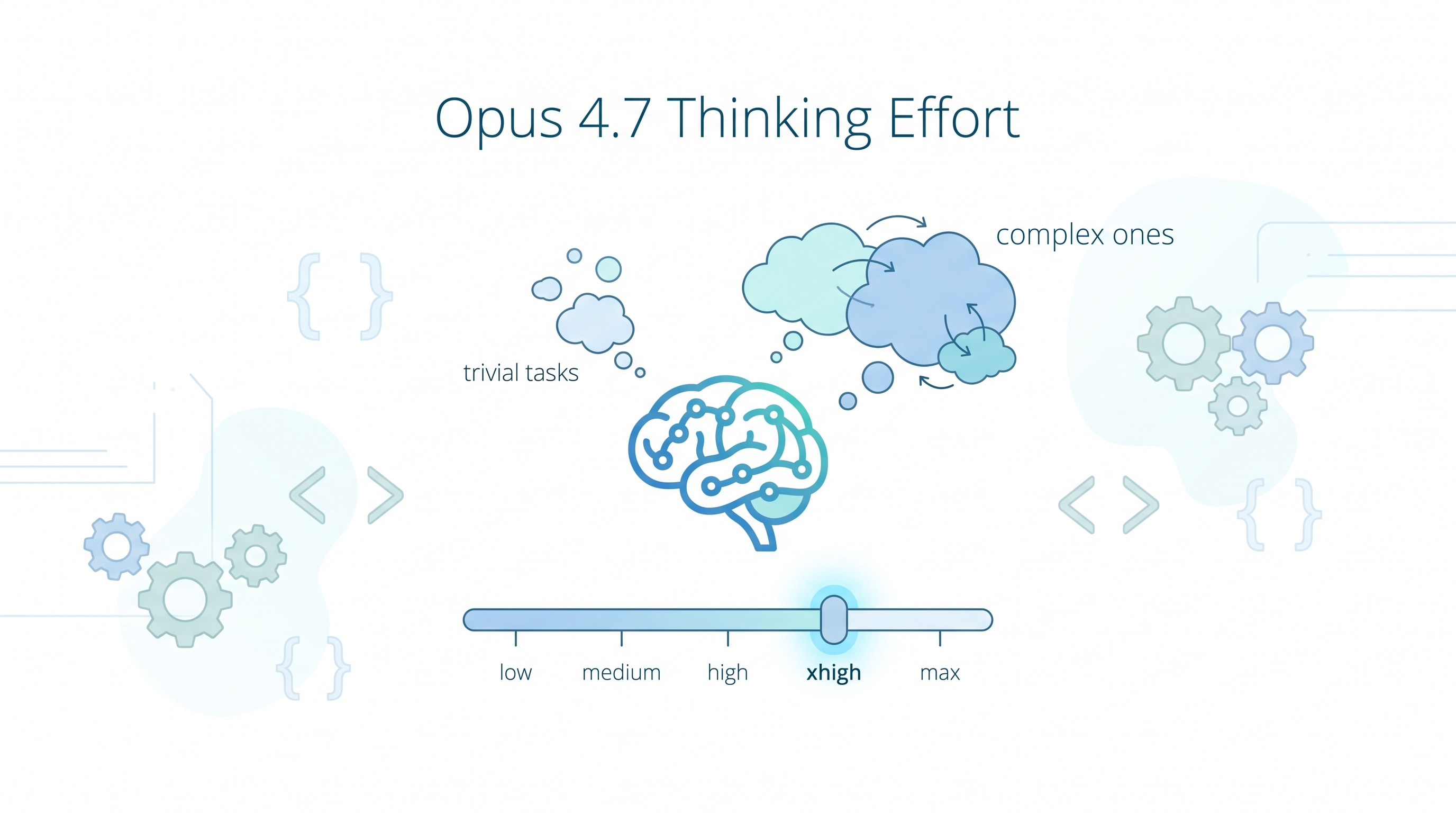
Anthropic published an official best-practices guide for using Opus 4.7 with Claude Code. The biggest change from Opus 4.6: adaptive thinking replaces fixed thinking budgets. The model decides when to think deeply and when to respond quickly — but you can steer it with effort levels and prompt phrasing. The default xhigh effort is the sweet spot for most work, but knowing when to dial up or down is the real skill.
| *Source: Best Practices for Using Claude Opus 4.7 with Claude Code (Anthropic, April 2026) | bcherny on X — Opus 4.7 tips | 宝玉xp on Weibo* |
The Effort Level Table
| Level | When to use | Tradeoff |
|---|---|---|
low |
Quick questions, simple lookups, trivial edits | Fastest, cheapest; still outperforms Opus 4.6 |
medium |
Cost/latency-sensitive work, concurrent sessions | Good balance for routine tasks |
high |
Multiple sessions running in parallel | Strong intelligence at lower cost than xhigh |
xhigh (default) |
Most coding and agentic work | Best setting for autonomy and complex tasks |
max |
Evaluation ceiling tests, research-grade problems | Diminishing returns; prone to overthinking |
Key insight: max is NOT always better. The model can overthink — spending tokens on analysis that doesn’t improve the output. Use xhigh as your daily driver and only reach for max deliberately.
How to Change Thinking Effort
Method 1: Settings file
Add to your ~/.claude/settings.json:
{
  "preferences": {
    "thinkingEffort": "high"
  }
}
Or per-project in .claude/settings.json:
{
  "preferences": {
    "thinkingEffort": "xhigh"
  }
}
Method 2: Slash command (in-session)
Toggle effort mid-session without restarting:
/config
Then select “thinking effort” and pick your level. Changes take effect on the next message.
Method 3: CLI flag
claude --thinking-effort medium
Method 4: Prompt-level steering
Instead of changing the global setting, steer thinking per-message with natural language:
| Want more thinking | Want less thinking |
|---|---|
| “Think carefully and step-by-step” | “Prioritize responding quickly” |
| “Consider edge cases thoroughly” | “Quick answer, don’t overthink” |
| “Analyze this deeply before acting” | “Just do it, no analysis needed” |
This works because Opus 4.7 uses adaptive thinking — thinking is optional at each step and the model decides based on context + your phrasing.
Method 5: Environment variable
export CLAUDE_THINKING_EFFORT=high
claude
Adaptive Thinking — What Changed from 4.6
Opus 4.6 used fixed thinking budgets — you set a token ceiling and the model used it. Opus 4.7 makes thinking optional at each step:
Opus 4.6 (fixed budget):
  Every step → [thinking: 2000 tokens] → response
  Even trivial steps burn the full budget

Opus 4.7 (adaptive):
  Trivial step → response (no thinking)
  Complex step → [thinking: as needed] → response
  Very hard step → [deep thinking: lots of tokens] → response
What this means in practice:
- You can’t set a fixed
thinking_budgetanymore — it’s ignored - The model is smarter about when to think, so it’s faster on easy steps
- But it might under-think on steps you consider important — that’s when prompt steering kicks in
Three Behavior Changes from 4.6
1. Shorter responses by default
Opus 4.7 calibrates response length to task complexity. A one-line question gets a one-line answer. If you want verbose output, say so:
"Give me a detailed explanation with examples"
"Include all edge cases in the implementation"
2. Fewer tool calls
The model “reasons more and calls tools less.” It may think through a problem instead of immediately grepping or reading files. If you need it to actually look at the code:
"Read the file first before answering"
"Search the codebase — don't guess"
3. Fewer subagents
Opus 4.7 spawns fewer subagents by default. If you want parallel work, spell it out:
"Use subagents to run these 3 searches in parallel"
"Delegate the test run to a subagent"
New Features in Opus 4.7
Beyond thinking effort, Opus 4.7 introduces several workflow features that change how you interact with Claude Code. Community tips compiled from bcherny on X and 宝玉xp on Weibo.
Auto Mode
Opus 4.7 is built for long-running autonomous tasks. The new Auto mode lets Claude assess command safety and auto-approve safe operations — no more constant permission prompts.
Before (4.6): constant "Allow?" prompts → you babysit
After (4.7):  Auto mode → Claude judges safety, auto-approves safe commands
If you don’t like full Auto mode, use fewer-permission-prompts — Claude scans your command history, finds safe commands you’ve always approved, and suggests adding them to your allow list:
/fewer-permission-prompts
Recaps
For long-running tasks, Opus 4.7 can auto-generate recaps — summaries of what Claude has done, what’s complete, and what’s next. Useful when you step away for hours and come back:
"Recap what you've done and what's left"
Focus Mode (CLI)
For CLI users: Focus mode hides intermediate steps and shows only the final result. If you trust Claude and don’t want to watch every tool call:
claude --focus
This is the opposite of verbose mode — you see the conclusion, not the journey. Good for tasks where you just want the output.
/go — Custom Execute Skill
/go is a custom skill that triggers Claude to auto-execute with three steps:
- Use bash, browser, or computer use for end-to-end self-testing
- Run
/simplify(code simplification) - Submit a PR
Boris (Anthropic) says the most common prompt pattern is now: “Claude 去做某某事, 然后 /go” — tell Claude what to do, then let it execute autonomously.
Verification — More Important Than Ever
With Opus 4.7’s increased autonomy, verifying output is critical. The model is more proactive, so:
- For backend work: make sure Claude knows how to start your dev server, then run end-to-end tests
- For frontend work: use the Chromium browser extension to give Claude visual verification
- For desktop apps: use computer use functionality
“自我验证非常重要。因为这样一来,当你回来检查任务时,你就确切地知道这些代码是真实可用的。”
How to Structure Tasks for Opus 4.7
The post recommends treating Claude “like a capable engineer you’re delegating to.” Front-load your task spec:
Good:
  "Implement rate limiting on POST /tasks. Use express-rate-limit.
   Limit: 100 requests per 15 minutes per IP. Add tests.
   Files: server.js, tests/api.test.js"

Bad:
  "Add rate limiting"
  [wait for questions]
  "Use express-rate-limit"
  [wait for implementation]
  "Also add tests"
Each user interaction adds reasoning overhead. The fewer turns, the better — especially at xhigh, where the model is designed for autonomous multi-step execution.
Practical tips:
- Use auto mode for trusted execution without frequent check-ins
- Set up task completion notifications so you don’t babysit
- Write acceptance criteria upfront so the model self-validates
- “See how far your first turn takes you” — Opus 4.7 excels at long-running tasks
When Opus 4.7 Shines
| Task type | Why 4.7 excels |
|---|---|
| Complex multi-file changes | Adaptive thinking scales to the hard parts |
| Ambiguous debugging | Deep reasoning on the tricky steps, quick on the obvious ones |
| Code review across a service | Can reason about architectural patterns without over-tool-calling |
| Multi-step agentic work | Designed for sustained autonomous execution at xhigh |
Effort Selection Cheat-Sheet
What are you doing?
│
├─ Quick question / lookup / trivial edit?
│  └─► low or medium
│
├─ Running multiple Claude sessions in parallel?
│  └─► high (saves cost, still strong)
│
├─ Normal coding / debugging / feature work?
│  └─► xhigh (default — leave it)
│
├─ Research-grade problem / need the absolute best answer?
│  └─► max (but watch for overthinking)
│
└─ Not sure?
   └─► xhigh. It's the default for a reason.
How LearnAI Team Could Use This
- CS305 students: Set effort to
mediumfor cost-conscious homework sessions; bump toxhighfor project work. Teaches resource-awareness alongside coding. - Research workflows: Use
xhighfor proof writing and formal verification. Only reach formaxwhen debugging a genuinely hard soundness issue. The overthinking risk atmaxis real — the model may spend tokens analyzing alternatives instead of committing to the proof. - Concurrent sessions: When running multiple Claude Code instances (e.g., one for coding, one for wiki writing), drop both to
highto stay within usage limits. - Teaching adaptive thinking: The fixed → adaptive shift is a good analogy for “know when to think deeply vs. act quickly” — a meta-cognitive skill students need.
Real-World Use Cases
| Scenario | Effort | Why |
|---|---|---|
| Fixing a typo in README | low |
Don’t burn tokens thinking about a one-character change |
| Implementing a REST endpoint with tests | xhigh |
Multi-step, needs autonomous judgment |
| Debugging a race condition | xhigh + “think step-by-step” |
Hard problem, prompt-steer for deeper analysis |
| Running 3 Claude sessions in parallel | high |
Save cost across concurrent sessions |
| Reviewing a 500-line PR for subtle bugs | xhigh |
Needs attention but not overthinking |
| Proving a lemma in Coq, stuck on a case | max + “analyze all possible case splits” |
Research-grade, worth the extra tokens |
| Quick codebase search | low + subagent |
Delegate to child, minimal thinking needed |