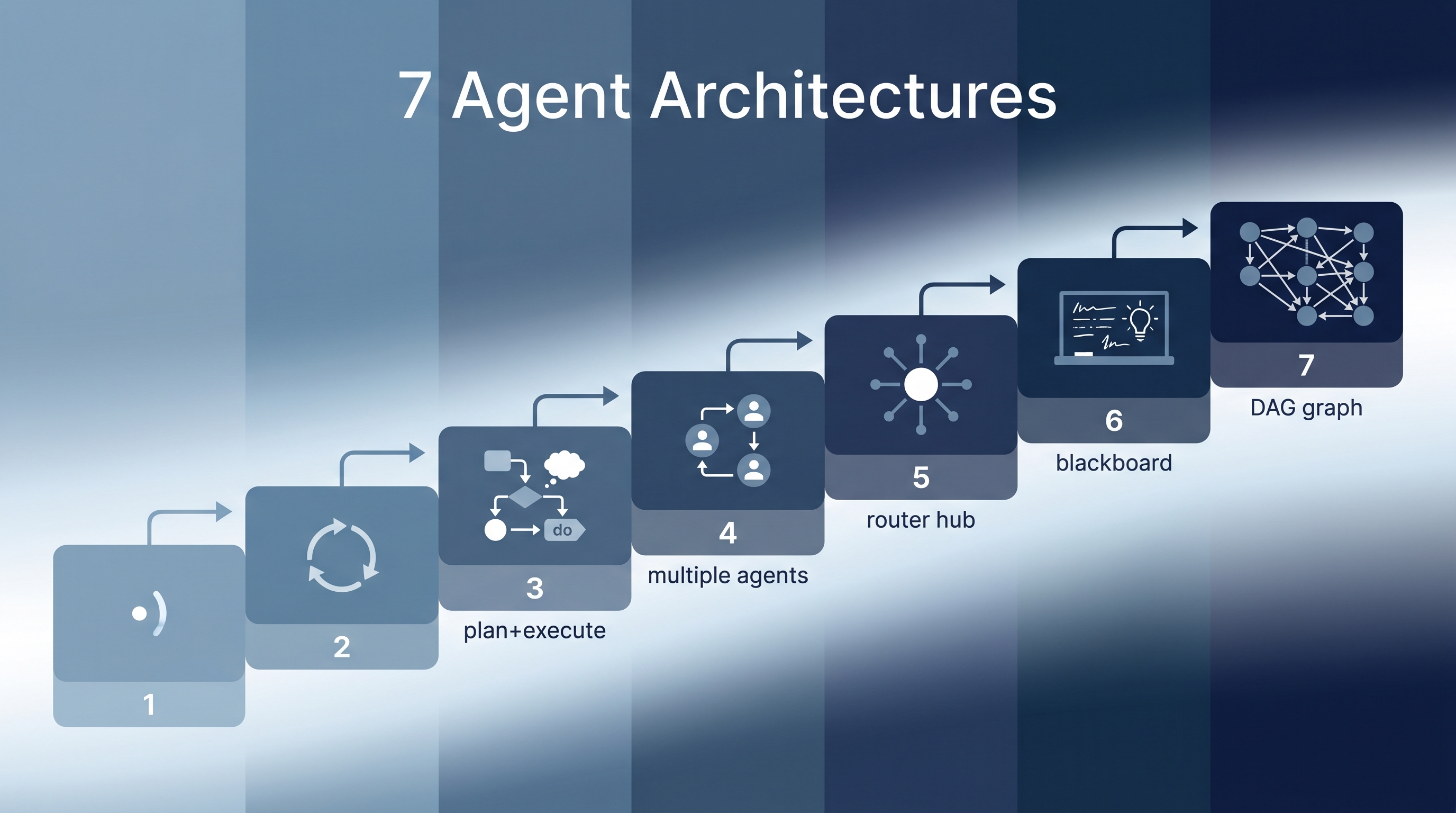
When building AI agents, the architecture you choose matters more than the model you use. This guide maps seven agent architectures from simplest to most complex, with clear selection criteria for each. Most projects should start at level 1 and only move up when the simpler approach fails — premature multi-agent complexity is the most common engineering mistake in agentic AI.
| *Source: LangChain Blog — Choosing the Right Multi-Agent Architecture | Redis — AI Agent Architecture Patterns | All Agentic Architectures (GitHub)* |
The 7 Architectures
1. Single Agent
The simplest architecture: one LLM with tools, processing input and producing output in a loop.
User → LLM + Tools → Response
Use when: Task is well-scoped, tools are limited, no handoffs needed. Examples: ChatGPT, basic Claude conversations, simple CLI tools.
2. ReAct (Reason + Act)
The agent alternates between thinking and acting: observe the environment, reason about what to do, take an action, observe the result, repeat.
Thought → Action → Observation → Thought → Action → ...
Use when: Tasks need dynamic adaptation between reasoning and tool use. Examples: Claude Code’s default mode, web research agents, debugging loops.
3. Plan & Execute
Separates strategy from execution: a planner creates a complete plan upfront, then an executor runs each step. The planner can revise if execution reveals new information.
┌──────────┐     ┌──────────┐
│  Planner  │────▶│ Executor  │
│           │◀────│           │
└──────────┘     └──────────┘
Use when: Tasks are complex enough to benefit from upfront planning, but a single agent can still handle execution. Examples: Claude Code plan mode, research report generation, multi-step data analysis.
4. Orchestrator + Workers
A supervisor agent coordinates multiple specialized worker agents, each with their own system prompt and tools.
┌─────────────┐  ┌─────────────┐  ┌─────────────┐
│  Coder Agent │  │ Review Agent│  │  Test Agent  │
└──────┬──────┘  └──────┬──────┘  └──────┬──────┘
       └────────────────┼────────────────┘
                   Orchestrator
Use when: Different sub-tasks need different expertise, tools, or system prompts, and a coordinator is needed to manage handoffs. Examples: Claude Code subagents, coding + review pipelines, research + writing teams.
5. Router + Skills
A router classifies incoming requests and dispatches to specialized capabilities. Skills are focused modules loaded into a single agent on demand — not separate agents.
Input → Router → Skill A / Skill B / Skill C → Output
Use when: You have distinct task categories that need different handling but can share a single agent context. Examples: Customer support (billing/technical/general), Claude Code skill system, domain-specific chatbots.
6. Blackboard
A shared data store (the “blackboard”) that all agents read from and write to. A controller watches the blackboard and activates the right specialist agent based on what’s needed next.
┌─────────────────────────┐
│      Blackboard          │
│   (shared state store)   │
└──────────┬──────────────┘
    ┌──────┼──────┐
    ▼      ▼      ▼
 Agent A  Agent B  Agent C
Use when: Agents need to collaborate on a shared problem without direct communication. Good for complex problems where the solution emerges from multiple partial contributions. Examples: Collaborative document editing, complex debugging, multi-perspective analysis.
7. Graph / Workflow Engine
Graph or state-machine based orchestration where agent execution is modeled as nodes and edges. Supports conditional branching, parallel execution, loops, retries, checkpoints, and human-in-the-loop gates.
Start → [Agent A] ──→ [Agent B] ──→ End
                  └──→ [Agent C] ──┘
Use when: Enterprise-grade reliability is required. Workflows need checkpoints, rollback, audit trails, and conditional routing. Examples: LangGraph, production CI/CD pipelines, regulated industry workflows (healthcare, finance, legal).
Selection Guide
| Architecture | Complexity | Best For | Avoid When |
|---|---|---|---|
| Single Agent | Low | Simple, well-scoped tasks | Multiple distinct sub-tasks |
| ReAct | Low | Dynamic tool use with reasoning | Tasks needing upfront planning |
| Plan & Execute | Medium | Complex multi-step tasks | Simple queries |
| Orchestrator + Workers | Medium | Diverse expertise needed | Tasks a single agent handles fine |
| Router + Skills | Medium | Distinct task categories | Homogeneous queries |
| Blackboard | High | Collaborative problem-solving | Simple pipelines |
| Graph/Workflow | High | Enterprise, regulated, auditable | Prototyping, MVPs |
Recommended progression: Always start simple and escalate only when needed:
- Dynamic tool use → Single Agent → ReAct
- Structured multi-step tasks → Plan & Execute
- Distinct task categories → Router + Skills
- Diverse expertise → Orchestrator + Workers
- Complex coordination / compliance → Blackboard or Graph/Workflow
Real-World Use Cases
- Startup MVP — Start with a Single Agent or ReAct; add Router + Skill when you have distinct user intents.
- Enterprise customer support — Router + Skill with escalation to human-in-the-loop (Graph/Workflow for compliance).
- Research automation — Plan & Execute for literature reviews; Multi-Agent for collaborative analysis.
- Production coding agents — ReAct for interactive use, Plan & Execute for autonomous tasks, Multi-Agent for code review pipelines.
How LearnAI Team Could Use This
- Architecture selection lab — Students implement the same task (e.g., research report) using 3 different architectures and compare results, cost, latency, and reliability.
- Complexity budget exercise — Teach students to justify architecture complexity: “Why do you need Multi-Agent when ReAct works for this task?”
- Agent design course module — Use these 7 levels as a curriculum structure, building from simple to complex across a semester.
Links
- LangChain Guide: Choosing the Right Multi-Agent Architecture
- All Architectures (Code): FareedKhan-dev/all-agentic-architectures
- Redis Patterns: AI Agent Architecture Patterns