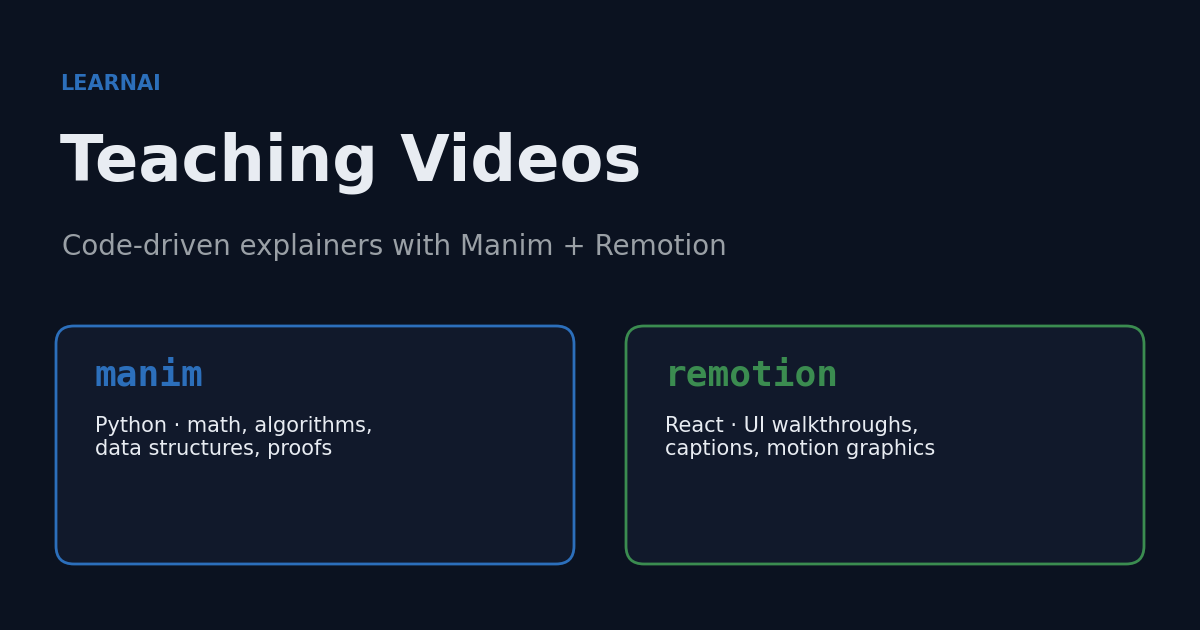
Code-driven video lets you generate teaching explainers the same way you generate slides — from text and code, reproducibly, with no timeline-scrubbing in a video editor. Three layers cover the space: Manim for precise mathematical/algorithmic animation (Python), Math-To-Manim for AI-generated Manim scenes from math or physics prompts, and Remotion for UI walkthroughs and captioned motion graphics (React). This entry documents when to reach for which, the exact local setup, and how they sit alongside the make-slides interactive decks.
| *Source: Manim Community docs | Remotion | ECC skills repo (MIT) | Math-To-Manim on GitHub* |
Two Engines, Two Jobs
Both turn code into MP4 — but they are good at different things. Pick by what the video needs to show.
| Manim | Remotion | |
|---|---|---|
| Language | Python | React / TypeScript (TSX) |
| Origin | Manim Community (maintained continuation of 3Blue1Brown’s Manim) | “Video in React” framework |
| Best for | Math, algorithms, data structures, proofs, graph/equation morphs | UI walkthroughs, captioned explainers, motion graphics, charts, talking-head overlays |
| Mental model | A scene mutates mathematical objects over time | A composition is a React component rendered per frame |
| Captions / subtitles | Manual | Strong caption ecosystem (@remotion/captions, SRT import, word highlighting) |
| Preview | Render and watch | Live remotion studio browser preview with a scrubber |
| Setup weight | Light — a Python venv + Homebrew cairo/pango/ffmpeg |
Heavier — a Node/React project + headless Chrome |
| Reach for it when | “I need to show the idea — a heap sift, a BST insert, a recursion tree” | “I need to show the screen — annotate the CS205 app, add captions, composite UI” |
Rule of thumb for CS teaching: Manim for the concept, Remotion for the screen. They compose — animate a concept in Manim, then composite it with captions and UI in Remotion. When handing a Manim clip to Remotion, align the FPS and resolution between the two, note the Manim output path, and decide up front whether the clip is a full-frame background or an overlay.
Math-To-Manim: AI on Top of Manim
Math-To-Manim is not a separate animation engine. It is a prompt-to-scene layer that turns a math or physics question into a reasoned visual explanation, then generates Manim code and study-note style artifacts. That makes it useful when the bottleneck is not rendering but designing the teaching sequence.
Question / LaTeX / concept
        ↓
Reason through what the learner must see
        ↓
Generate Manim scene code
        ↓
Render MP4 / inspect generated notes
Use it for formula-heavy concepts, physics explanations, algorithm visualizations, and first drafts of Manim scenes. Still review the generated Python: Manim layout, timing, and mathematical notation often need a human pass before a clip is classroom-ready.
Local Setup (what we installed)
Manim — a pinned Python venv
Manim’s renderer needs cairo, pango, and ffmpeg (already present via Homebrew). System Python is 3.14, which is ahead of some wheels, so the venv pins Python 3.12 and the Manim version so the setup is reproducible:
brew install cairo pango ffmpeg                         # one-time system deps
uv venv ~/manim-venv --python 3.12 --seed
uv pip install --python ~/manim-venv/bin/python "manim==0.20.1"   # Manim Community
Smoke test (renders a scene to a low-quality MP4):
~/manim-venv/bin/manim -ql ~/.claude/skills/manim-video/assets/example_scene.py NetworkGraphExplainer
Remotion — a blank project, kept out of Dropbox
A Remotion project carries a ~490 MB node_modules, so it lives outside the synced Dropbox tree:
# project at ~/learnai-video/remotion-explainers (hand-scaffolded: src/index.ts, Root.tsx, a TitleCard composition)
cd ~/learnai-video/remotion-explainers
npm install remotion@4.0.471 @remotion/cli@4.0.471 react@19.2.7 react-dom@19.2.7
npm run dev                                   # = remotion studio (live browser preview + scrubber)
npx remotion compositions src/index.ts        # lists comps; verified: TitleCard  1920x1080  150f
npx remotion render TitleCard out/title.mp4   # render to MP4 (first invocation downloads headless Chrome ~93 MB, then cached)
The
create-videoCLI defaults to an interactive template picker, and the plainnpx create-video@latest --blank ...form can fail because npm parses the flags itself. Two reliable, no-prompt options: hand-scaffold the four small source files (above), or use thenpm exec --packageform documented in the array-addition case study.
The Workflow (same shape for both)
The hard part of an explainer is not the tool — it is deciding what each second proves. Both skills standardize the same discipline:
1. State the visual thesis in ONE sentence.
2. Break it into 3–6 scenes; each scene proves exactly one thing.
3. Write the scene outline BEFORE any animation code.
4. Render the smallest working version first (low quality).
5. Only after it works: tighten typography, spacing, color, pacing.
Scene-planning rules worth repeating: one idea per scene, progressive reveal over full-screen clutter, motion that explains a state change (not motion for its own sake), short title cards loaded with meaning.
Where It Fits the LearnAI Stack
Video does not replace the interactive make-slides decks — it covers a different moment:
| Need | Reach for |
|---|---|
| In-class, instructor-driven, students click and explore | make-slides interactive HTML decks |
| Async / pre-class / “watch this 90-second explainer” | Manim / Remotion video |
| A single hard idea that benefits from motion (e.g., heapify) | Manim clip, optionally embedded back into a deck |
| A captioned screen-tour of the CS205 (data-structures) web app or the grounded course TA | Remotion |
The pipeline stays text-and-code end to end: a topic becomes a deck (make-slides), and the same topic becomes a short explainer (Manim/Remotion), both reproducible and version-controllable.
The Two Skills
Both were vendored (skill folder contents only — no hooks, no MCP, no installer) from the MIT-licensed ECC repo into ~/.claude/skills/ and ~/.codex/skills/:
manim-video— a scene-planning workflow for technical explainers, plus a starter scene. Trimmed of ECC-specific branding to read as a generic CS-explainer skill.remotion-video-creation— an index over 28 domain rule files (animations, captions, charts, fonts, transitions, timing, 3D, Lottie, …) — the practical Remotion knowledge you reach into while building a composition.
Important Things to Know
- Pin Manim to Python 3.12, not the system 3.14 — several of Manim’s dependencies do not yet ship 3.14 wheels.
- Keep the Remotion project outside Dropbox/iCloud — its
node_modulesis large and churny; syncing it is painful. Commit source only (node_modulesin.gitignore). - The first Remotion CLI/Studio invocation downloads a pinned headless Chrome (~93 MB) once, then caches it — so the first
compositions/render/studiocall is slow, the rest are fast. - Manim ≠ Math-To-Manim. Manim is the engine you write or generate code for; Math-To-Manim is a separate AI tool that generates Manim code from prompts, LaTeX, or concept descriptions. Either can feed this workflow.
- Start at low quality.
manim -qland Remotion Studio’s preview keep the iteration loop fast; only push to high quality once composition and timing are stable.
Last verified locally 2026-06-03: Manim Community 0.20.1 (Python 3.12, ~/manim-venv); Remotion 4.0.471 + React 19.2.7 (~/learnai-video/remotion-explainers). Versions move quickly — re-pin when you re-create the setup.