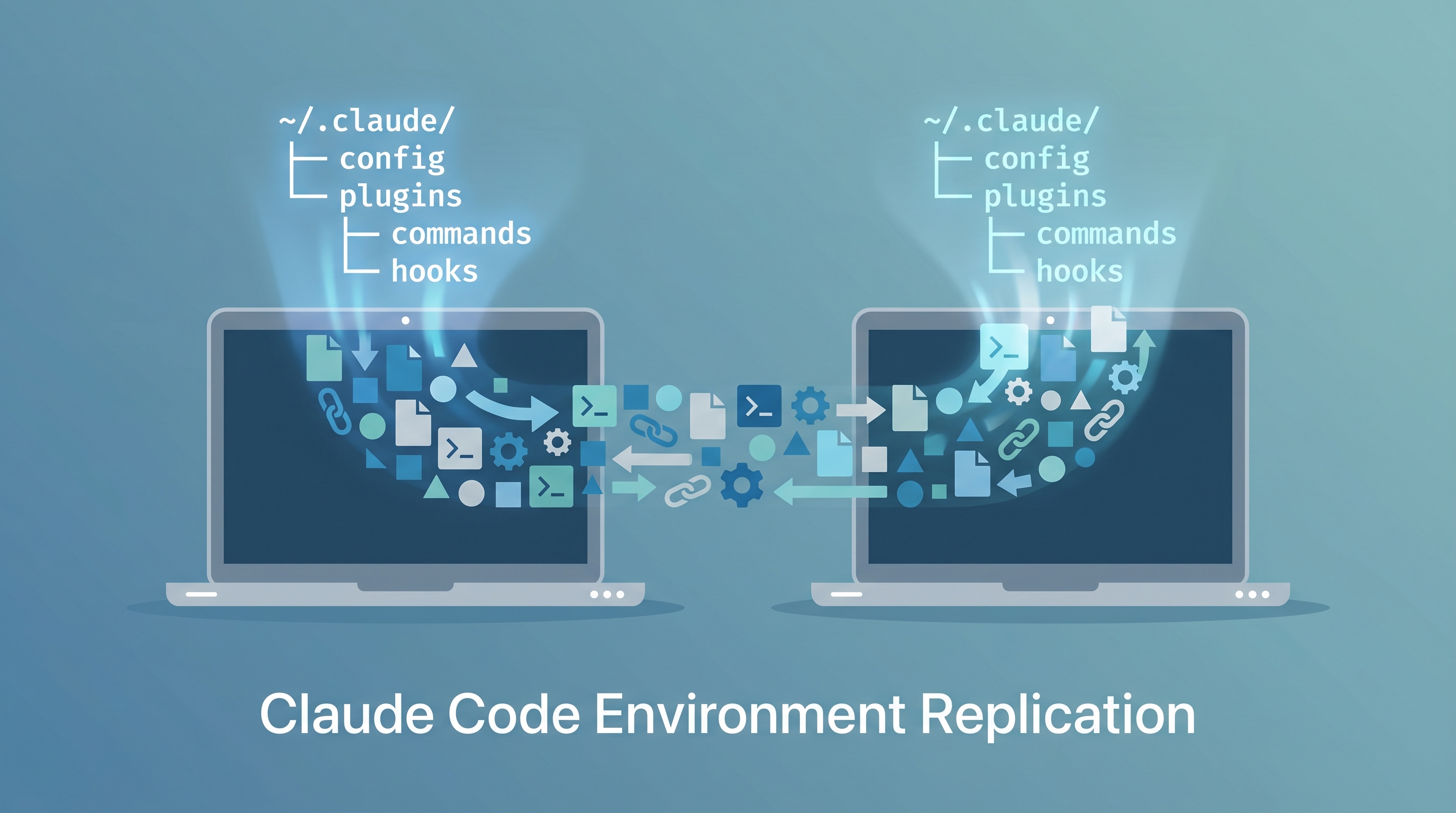
A power user’s Claude Code setup is far more than the CLI binary — it’s 15 plugins, 400+ skills, 11 custom commands, hooks, agents, templates, global instructions, and MCP server configs (codegraph plus Google Calendar/Gmail/Drive/alphaxiv). Exact plugin/skill counts drift as you install and remove things — treat the numbers here as a snapshot, not a target. Replicating that environment on a second machine (or recovering after a fresh install) is tedious if done manually. This entry documents the full ~/.claude/ anatomy, identifies what’s portable vs. machine-specific, and provides a one-command bootstrap script.
| *Source: Anatomy of the .claude/ Folder | Official Claude Code Skills Docs | Dotfiles + Claude Code (Sablonniere) | Claude Directory Reference* |
Quick Start — Replicate in 3 Steps
SOURCE MACHINE                    TARGET MACHINE
──────────────                    ──────────────
Step 1: Export                    Step 2: Bootstrap
  bash ~/.claude/                   bash claude-code-bootstrap.sh
    claude-code-export.sh
        │                         Step 3: Install plugins
        │  ~/claude-code-export/    (open Claude Code, paste
        └──── copy via USB/SCP ──►   plugin commands from
             AirDrop/Dropbox         bootstrap output)
Step 1 — Export (on source machine):
bash ~/.claude/claude-code-export.sh
# Creates ~/claude-code-export/ with 20 portable files (~132K)
Step 2 — Bootstrap (on target machine):
# Prerequisites: install Claude Code CLI first
npm install -g @anthropic-ai/claude-code

# Copy the export folder to the new machine, then:
bash claude-code-bootstrap.sh
# Installs config, fixes paths, checks dependencies
Step 3 — Install plugins (inside Claude Code on target machine):
# The bootstrap script prints these commands — paste them into Claude Code:
/plugin install frontend-design@claude-plugins-official
/plugin install superpowers@claude-plugins-official
# ... (14 `/plugin install` commands — full list printed by bootstrap; the 15th,
# oh-my-claudecode, is an npm install — see Step 4)
/reload-plugins
Step 4 — Post-bootstrap auth:
codex login              # Authenticate Codex CLI
rtk gain                 # Verify RTK is working
npm install -g oh-my-claudecode && omc setup   # 15th plugin (orchestration: /goal, agents)
# MCP servers are NOT copied by the export — re-add them first (see the MCP
# section below); auth-based servers prompt only after re-adding, and codegraph
# needs install + a per-repo index.
That’s it. Full environment replicated.
The Core Problem
Claude Code stores everything under ~/.claude/. Some of it is portable config you want on every machine. Most of it is runtime data you don’t. Knowing which is which saves hours of debugging “why doesn’t my new laptop have my skills.”
~/.claude/
├── PORTABLE (sync these)              ├── MACHINE-SPECIFIC (don't sync)
│   ├── CLAUDE.md                      │   ├── sessions/
│   ├── RTK.md                         │   ├── history.jsonl
│   ├── RESEARCH_WORKFLOW.md           │   ├── cache/
│   ├── settings.json                  │   ├── image-cache/
│   ├── commands/                      │   ├── paste-cache/
│   ├── agents/                        │   ├── file-history/
│   ├── hooks/                         │   ├── telemetry/
│   ├── templates/                     │   ├── usage-data/
│   └── (plugins reinstall from       │   ├── session-env/
│        marketplace names)            │   ├── shell-snapshots/
│                                      │   └── settings.local.json
What Lives in ~/.claude/ — Full Anatomy
| Directory / File | Purpose | Portable? |
|---|---|---|
CLAUDE.md |
Global instructions loaded into every conversation | Yes — this IS your personality |
*.md (root) |
Additional instruction files (RTK.md, RESEARCH_WORKFLOW.md, api_keys.md) | Yes (redact secrets) |
settings.json |
Permissions, hooks, plugins, status line, theme, effort level | Yes |
settings.local.json |
Machine-specific overrides (paths, env vars) | No — per-machine |
commands/ |
Custom slash commands (/mywiki, /editor, /reviewer2, etc.) |
Yes |
agents/ |
Custom agent definitions (e.g., fast-reader.md) |
Yes |
hooks/ |
Hook scripts (e.g., RTK rewrite hook) | Yes |
templates/ |
Project templates (e.g., research-CLAUDE.md) |
Yes |
skills/ |
Installed skill files (400+ skills from plugins) | Reinstall — tied to plugin versions |
plugins/ |
Plugin registry, cache, installed manifests | Reinstall — settings.json has the source of truth |
projects/ |
Per-project auto-memory (1.6 GB+) | Optional — useful but large |
memory/ |
Global auto-memory (MEMORY.md) | Yes — cross-session context |
sessions/ |
Session state, conversation history | No — ephemeral |
history.jsonl |
Command history log | No — machine-specific |
cache/, image-cache/, paste-cache/ |
Runtime caches | No |
file-history/ |
File change tracking | No |
telemetry/, usage-data/ |
Analytics data | No |
session-env/ |
Per-session environment variables | No |
tasks/, todos/, plans/ |
In-progress task tracking | No — session-bound |
The Three Replication Strategies
Strategy 1: Git Dotfiles Repo (Recommended)
The cleanest approach — version-control your portable config, symlink into ~/.claude/ on each machine.
~/dotfiles/claude/
├── CLAUDE.md
├── RTK.md
├── RESEARCH_WORKFLOW.md
├── settings.json
├── commands/
│   ├── editor.md
│   ├── mywiki.md
│   ├── reviewer2.md
│   └── ...
├── agents/
│   └── fast-reader.md
├── hooks/
│   └── rtk-rewrite.sh
├── templates/
│   └── research-CLAUDE.md
└── install.sh          ← bootstrap script
Pros: Version history, diff-able, works across macOS/Linux. Cons: Must remember to commit after changing config.
Strategy 2: Dropbox/iCloud Sync
Point ~/.claude/ symlinks at a synced folder. No git ceremony.
Pros: Automatic sync, zero friction. Cons: No version history, potential sync conflicts, syncs too much if you’re not careful.
Strategy 3: Export/Import Script
One-time export from source machine, one-time import on target. Best for occasional replication.
Pros: Simple, explicit control. Cons: Snapshot in time — doesn’t auto-update.
The Scripts
Two scripts handle the workflow: export (run on source machine) and bootstrap (run on target machine). Both live at ~/.claude/ and are included in the export bundle.
Export (Run on Source Machine)
bash ~/.claude/claude-code-export.sh [output-dir]
# Default output: ~/claude-code-export/
What it does:
- Copies portable files: CLAUDE.md, settings.json, commands/, agents/, hooks/, templates/, memory/
- Skips symlinks (e.g.,
/feynman->~/.codex/skills/feynman) with a warning - Guards against
rm -rfon non-export directories - Prints a manifest of exported files
Bootstrap (Run on Target Machine)
bash claude-code-bootstrap.sh [path-to-exported-config]
# Default: auto-detects from script's own directory
What it does:
- Copies all config files into
~/.claude/ - Backs up existing
settings.jsonbefore overwriting - Rewrites absolute paths (e.g.,
/Users/oreo->$HOME) usingjq(withsedfallback) - Prints plugin install commands to run inside Claude Code
- Checks all external dependencies and reports missing ones
- Prints a post-bootstrap checklist
Plugin Install Commands (Run Inside Claude Code)
After bootstrap, open Claude Code and run:
# Official marketplace (8 plugins)
/plugin install frontend-design@claude-plugins-official
/plugin install playground@claude-plugins-official
/plugin install pr-review-toolkit@claude-plugins-official
/plugin install claude-code-setup@claude-plugins-official
/plugin install superpowers@claude-plugins-official
/plugin install playwright@claude-plugins-official
/plugin install github@claude-plugins-official
/plugin install claude-md-management@claude-plugins-official

# Custom marketplaces — add sources first
/plugin marketplace add jimliu/baoyu-skills
/plugin marketplace add kepano/obsidian-skills
/plugin marketplace add Lum1104/Understand-Anything
/plugin marketplace add lingfengQAQ/webnovel-writer
/plugin marketplace add openai/codex-plugin-cc

# Then install from custom marketplaces (6 plugins)
/plugin install utility-skills@baoyu-skills
/plugin install ai-generation-skills@baoyu-skills
/plugin install obsidian@obsidian-skills
/plugin install understand-anything@understand-anything
/plugin install webnovel-writer@webnovel-writer-marketplace
/plugin install codex@openai-codex

/reload-plugins
Plus oh-my-claudecode — the 15th plugin, distributed as an npm package (not a /plugin install). In your shell:
npm install -g oh-my-claudecode && omc setup
The full script source lives at ~/.claude/claude-code-export.sh and ~/.claude/claude-code-bootstrap.sh — they’re included in every export bundle so the target machine is self-contained.
What’s in Q’s Actual Setup (Reference Inventory)
15 Plugins
| # | Plugin | Marketplace | Source |
|---|---|---|---|
| 1 | frontend-design | claude-plugins-official | Built-in |
| 2 | playground | claude-plugins-official | Built-in |
| 3 | pr-review-toolkit | claude-plugins-official | Built-in |
| 4 | claude-code-setup | claude-plugins-official | Built-in |
| 5 | superpowers | claude-plugins-official | Built-in |
| 6 | playwright | claude-plugins-official | Built-in |
| 7 | github | claude-plugins-official | Built-in |
| 8 | claude-md-management | claude-plugins-official | Built-in |
| 9 | utility-skills | baoyu-skills | GitHub: jimliu/baoyu-skills |
| 10 | ai-generation-skills | baoyu-skills | GitHub: jimliu/baoyu-skills |
| 11 | obsidian | obsidian-skills | GitHub: kepano/obsidian-skills |
| 12 | understand-anything | understand-anything | GitHub: Lum1104/Understand-Anything |
| 13 | webnovel-writer | webnovel-writer-marketplace | GitHub: lingfengQAQ/webnovel-writer |
| 14 | codex | openai-codex | GitHub: openai/codex-plugin-cc |
| 15 | oh-my-claudecode | omc | Multi-AI orchestration (/goal, agents): npm i -g oh-my-claudecode + omc setup |
11 Custom Commands
| Command | Purpose |
|---|---|
/editor |
Academic writing editor (Nature, PLDI, POPL style) |
/feynman |
Research assistance skills (symlink to Codex) |
/lint-kb |
Knowledge base linting and verification |
/lit-scout |
Literature scouting |
/make-slides |
Interactive HTML slide generation |
/mywiki |
Wiki entry creation pipeline |
/query-kb |
Knowledge base queries |
/research-setup |
Research project bootstrapping |
/review-wiki |
Wiki quality review |
/reviewer2 |
Adversarial peer review |
/stats-checker |
Statistical methods validation |
/viz-designer |
Publication-quality visualization |
2 Hooks
| Hook | Trigger | What It Does |
|---|---|---|
| RTK Rewrite | PreToolUse (Bash) | Rewrites shell commands to use RTK for 60-90% token savings |
| Context Save | PreCompact | Reminds to save session memory before context compaction |
1 Custom Agent
| Agent | Model | Purpose |
|---|---|---|
| fast-reader | Haiku | Low-cost code reading and exploration (Read, Grep, Glob only) |
1 Template
| Template | Purpose |
|---|---|
| research-CLAUDE.md | Project-level CLAUDE.md for research repos (RQs, hypotheses, decisions log) |
External Dependencies
| Tool | Purpose | Install |
|---|---|---|
| Node.js 18+ | Runtime for plugins, Codex CLI | brew install node |
| jq | JSON processing for hooks | brew install jq |
| Git | Version control | brew install git |
| Docker | Container deployments | brew install --cask docker |
| GitHub CLI (gh) | PR/issue management | brew install gh |
| RTK | Token compression (60-90% savings) | cargo install rtk or see rtk-ai/rtk |
| Codex CLI | Cross-model review (GPT-5.4) | npm install -g @openai/codex |
| codegraph | Local code knowledge graph / MCP server (cuts tool calls) | npm install -g @colbymchenry/codegraph |
| ffmpeg | Video/audio processing | brew install ffmpeg |
| Obsidian | Knowledge management | brew install --cask obsidian |
Gotchas and Tips
Paths in settings.json
The RTK hook path in settings.json is absolute (e.g., /Users/oreo/.claude/hooks/rtk-rewrite.sh). The bootstrap script automatically rewrites these paths to match your new $HOME using jq (or sed as fallback). If you skip the bootstrap and copy settings.json manually, you’ll need to fix paths yourself:
# Only needed if you skip the bootstrap script:
jq --arg old "/Users/oreo" --arg new "$HOME" \
  'walk(if type == "string" then gsub($old; $new) else . end)' \
  ~/.claude/settings.json > /tmp/settings.json && mv /tmp/settings.json ~/.claude/settings.json
Plugin Versions Drift
Plugins auto-update from their marketplace. After bootstrapping, your new machine gets the latest versions — which may differ from the source. This is usually fine, but if a skill breaks, check the plugin version with /plugin list.
MCP Servers Are Not Captured by the Export — Re-Add Them
The export script copies settings.json but not ~/.claude.json, where MCP server definitions live — so no MCP server crosses to the new machine automatically. Two kinds to restore:
- Auth-based servers (Google Calendar, Gmail, Google Drive, alphaxiv) store auth tokens locally. Re-add and re-authenticate on the new machine; Claude Code prompts you on first use.
- codegraph is a local index + binary, so it can’t be copied at all — install it, register the MCP server, then build the index per repo:
npm install -g @colbymchenry/codegraph
# Register the MCP server. Verified entry from ~/.claude.json:
#   "codegraph": { "type": "stdio", "command": "codegraph", "args": ["serve", "--mcp"] }
# Recent Claude Code also supports the CLI form — use -s user (default scope is
# local, which would NOT match the user-wide entry above):
#   claude mcp add -s user codegraph -- codegraph serve --mcp
# Then, once per repo you work in:
cd /path/to/repo && codegraph init && codegraph index
See codegraph — Local Code Knowledge Graph for AI Coding Agents for why it’s worth setting up.
Feynman Symlink
The /feynman command is a symlink to ~/.codex/skills/feynman. If Codex CLI isn’t installed yet, this symlink will be broken. Install Codex first, then the symlink resolves.
Memory Files Are Optional but Valuable
The projects/ directory (1.6 GB) contains per-project memory that Claude uses for context across sessions. You can skip syncing it — Claude will rebuild context over time — but copying key project memories accelerates onboarding on the new machine.
How LearnAI Team Could Use This
- Lab machine setup — New students or TAs can bootstrap a full Claude Code environment in minutes instead of discovering features over weeks
- Consistent research tooling — Every team member gets the same commands (
/reviewer2,/lit-scout,/editor), hooks (RTK token savings), and review gates (Codex) - Teaching workshops — Export a minimal config (CLAUDE.md + 3-4 key commands) as a “starter kit” for students learning Claude Code
- Disaster recovery — If a machine dies or gets reimaged, the export file + 5 minutes of plugin installs gets you back to full capability
Real-World Use Cases
| Scenario | Strategy | Time to Replicate |
|---|---|---|
| New laptop (same user) | Git dotfiles + symlink | 5 min config + 10 min plugins |
| Lab machine for students | Minimal export (CLAUDE.md + commands) | 3 min |
| Team standardization | Shared dotfiles repo with team CLAUDE.md | 5 min per machine |
| Post-crash recovery | Full export/import | 10 min |
| Conference demo machine | Minimal export, skip memory | 5 min |