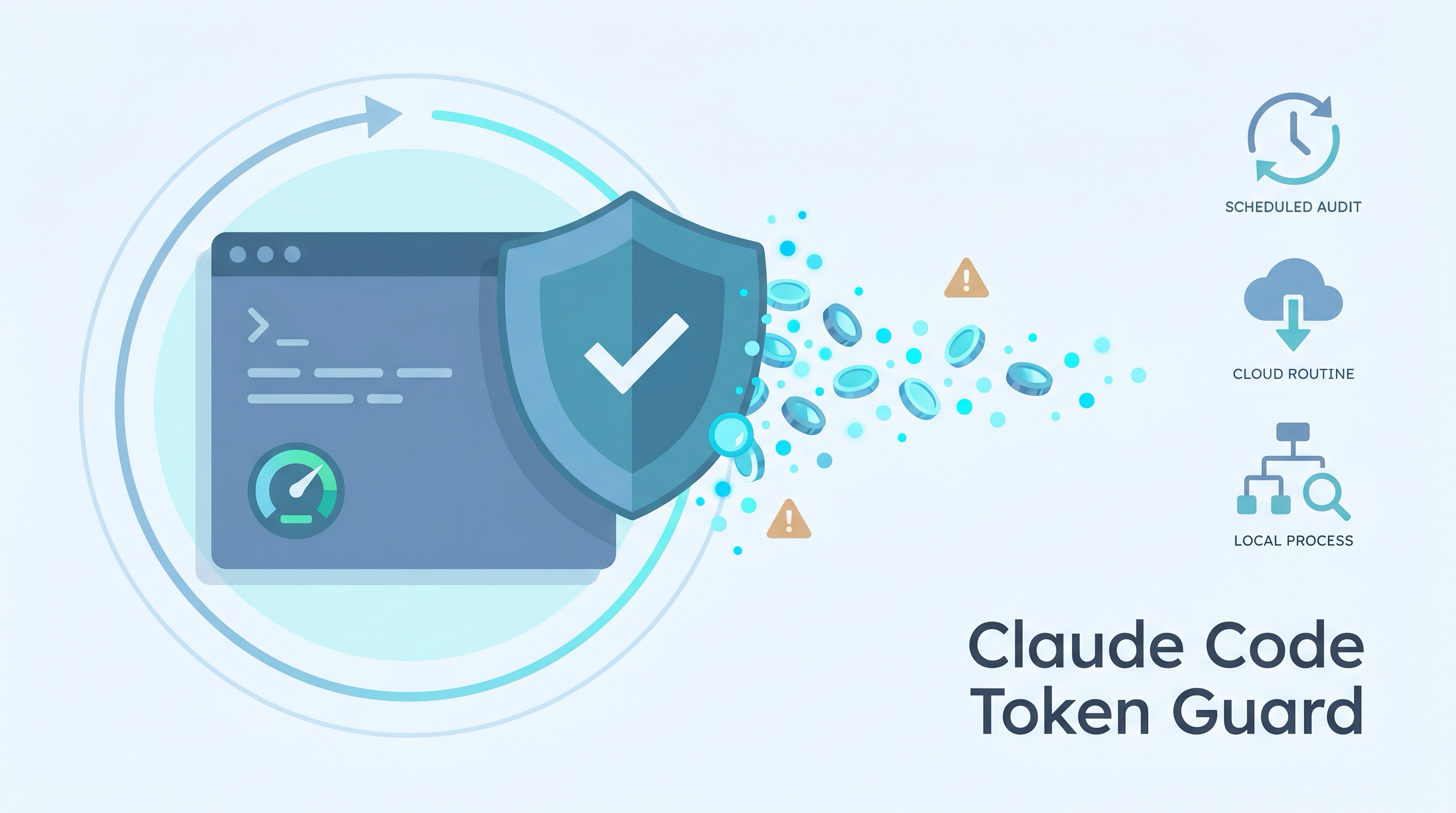
Token Guard is a practical safety pattern for Claude Code users who run long sessions, remote-control channels, scheduled tasks, or permission-bypass modes. The goal is simple: when your usage meter jumps, you should be able to answer one question quickly: did something on this machine keep spending tokens while I was away?
The lesson is not “never automate Claude Code.” The lesson is that automation needs an audit path. A local process can keep a session alive, a launchd job can start or respawn local work, and cloud routines can spend usage without any local process on your machine.
| *Source: Claude Code permissions | Claude Code costs | Claude Code permission modes | Claude Code scheduled tasks | Claude Code routines | Apple launchd jobs* |
Scope
This guide audits local persistence and obvious automation paths. It is not a billing forensic tool. It cannot see Anthropic cloud-side execution except through the product dashboards, and it cannot identify every possible account-wide source such as another device or API-credit usage.
A usage jump is not evidence of runaway execution by itself. Large retained context can make normal turns expensive, and Claude Code’s cost guidance explicitly recommends /usage, status lines, /clear, and /compact as routine hygiene.
One Failure Mode
The dangerous case is not just “Claude used a lot of tokens.” That happens during legitimate deep work. The dangerous case is unattended token burn:
You kill the visible Claude process
        ↓
launchd job is loaded, scheduled, or supervising a process
        ↓
RunAtLoad / StartInterval starts it, or KeepAlive respawns it
        ↓
a local session is back
        ↓
if it is reachable through channels or broad permissions, it can continue work
On macOS, launchd is the system that starts and supervises LaunchAgents and LaunchDaemons. A plist with KeepAlive, RunAtLoad, StartInterval, or StartCalendarInterval is not just a file on disk; it can be an instruction to start or restart work automatically. Apple documents KeepAlive as the key that makes a job stay running, and RunAtLoad as the key that launches a job when loaded.
That is why the first rule is:
If a supervisor is respawning the process, killing the process is cleanup theater. Disable the supervisor first.
Three Buckets To Separate
When usage jumps, split the investigation into three buckets. Mixing them together creates false confidence.
| Bucket | What it means | Local evidence |
|---|---|---|
| Account usage | What Claude reports against your Pro, Max, Team, Enterprise, or API limits | claude.ai usage page, Claude Code /usage, account warnings |
| Local execution | Processes on your Mac that can keep talking to Claude | ps, launchctl, session transcripts, local logs |
| Cloud automation | Routines or web tasks running on Anthropic-managed infrastructure | Claude routines dashboard, not local ps |
The important asymmetry: local evidence can provide strong evidence about whether your Mac ran a session during a time window, but it cannot prove that your account did nothing. Claude Code routines run on Anthropic-managed cloud infrastructure and keep working when the laptop is closed. A clean local audit therefore narrows the suspect list; it does not replace checking cloud routines, Desktop scheduled tasks, /loop state in running sessions, API usage, or other devices.
The Token Guard Checklist
A useful audit script should be read-only. It should report evidence and print remediation commands, but it should not kill processes, disable agents, or mutate state unless you explicitly authorize a separate cleanup step.
Here is the checklist I use.
| Check | Why it matters | Evidence to inspect | Evidence strength |
|---|---|---|---|
launchd persistence |
A visible process may be supervised and respawn automatically | ~/Library/LaunchAgents, /Library/LaunchAgents, /Library/LaunchDaemons, launchctl print, launchctl print-disabled |
Current launchd state plus plist intent |
| Remote-control / channels | Your phone or another client may be able to drive an already-running local session | Claude Code channel / remote-control processes and logs | Local-session only; not a cloud worker by itself |
| Permission bypass | bypassPermissions or --dangerously-skip-permissions removes routine prompts |
process command lines, Claude settings, shell history if needed | Current configuration/process evidence |
| Background daemons | A daemon or pty host can hold a session open after the UI is gone | ps process tree and elapsed time |
Current process evidence |
| Local schedulers | cron or timer LaunchAgents can restart work on a timer |
crontab -l, timer plists |
Local scheduler configuration |
Running-session /loop |
/loop tasks are session-scoped and can fire while the session remains open |
current session state, transcript/log evidence | Requires the session to remain available |
| Desktop scheduled tasks | Desktop tasks can run locally outside the current terminal session | Claude scheduled-task UI and local process evidence | Local machine surface |
| Cloud routines | Routines can run without your Mac being on | Claude routines dashboard | Cloud-side; invisible to local ps |
| Quiet-hour transcript activity | Strong local evidence of actual model interaction | Claude Code transcript timestamps, converted from UTC to local time | Historical local evidence, if the relevant paths/users are covered |
| Long-running sessions | Old sessions are easy to forget and expensive to keep feeding | process elapsed time | Current process evidence |
This is a process audit, not a billing decoder. A usage spike can still come from legitimate evening work, a cloud routine, another device, API credits, retries, or a large context window.
A Read-Only Guard Script
The safest implementation shape is a local skill or shell script that only reads state:
bash ~/.claude/skills/token-guard/check.sh
Running the audit is still Bash execution. Claude Code may ask for approval depending on your permission settings, even though the script itself should only run read-only commands and print remediation steps.
Optional quiet-hours window:
bash ~/.claude/skills/token-guard/check.sh 23 08
The script should print [CRIT], [WARN], and [OK] findings. The distinction matters:
| Severity | Meaning | Example |
|---|---|---|
[CRIT] |
A standing unattended channel is active now | loaded KeepAlive agent launching Claude, remote-control session with permission bypass |
[WARN] |
Human review needed | stale bypass session, long-running Claude process, quiet-hour transcript messages |
[OK] |
That specific channel was not found | no timer LaunchAgents, no remote-control process, no quiet-hour messages |
The script should also separate Claude from Codex/OpenAI processes. Seeing Codex sessions in ps does not mean your Claude usage meter moved. In a mixed Claude+Codex workflow, this distinction prevents the audit from blaming the wrong budget.
Safe Daily Operating Routine
Once the guard is clean, turn it into a startup habit rather than an emergency-only tool.
Default routine:
bash ~/.claude/skills/token-guard/check.sh
You want the audit to end with:
CLEAN: CRIT=0 WARN=0
That means the guard found no known local unattended-token surfaces in the categories it checks. It does not prove the account is globally safe: cloud routines, browser sessions, other devices, API usage, and future runtime behavior still require separate review.
For sensitive repos, unknown repos, or any session after a suspicious usage spike, start with a guarded launcher:
claude-guarded
In my setup, this launcher uses an empty MCP config, avoids global user settings, disables Claude Code’s Chrome integration, and keeps normal permission prompts. For maximum isolation in my setup, use:
claude-safe
This uses Claude Code’s --safe-mode, which currently disables or bypasses customizations such as hooks, MCP servers, plugins, custom commands, agents, statusline, workflows, themes, and similar session extras. It reduces risk; it is not an OS sandbox.
Use normal claude only when you intentionally want the configured plugins, MCP servers, hooks, or project customizations. “Intentionally” means you know which settings sources are active and why they are needed.
Avoid these defaults:
--dangerously-skip-permissions--remote-controlunless you explicitly need it- global hooks that run on broad lifecycle events
- statusline commands that spawn background renderers
- floating
npx/npmMCP servers - huge repos without
.claudeignore claude -p/--printin untrusted directories, because batch mode is easier to script unattended and may run with directory-local context or config assumptions
If you add automation back, add one thing at a time:
- Add one MCP server, plugin, hook, or statusline.
- Prefer a local audited command or pinned version over floating package execution.
- Avoid catch-all hooks.
-
Re-run:
bash ~/.claude/skills/token-guard/check.sh - Keep a timestamped config backup until you trust the change.
If usage spikes again, switch into incident mode:
bash ~/.claude/skills/token-guard/check.sh
claude-safe
Then check Claude web Settings / Usage and cloud scheduled agents. Local tools cannot see account-wide, browser-side, other-device, API, or cloud-routine usage.
After changing Claude settings, restart old Claude sessions. Already-running sessions may not pick up the new configuration.
Disable First, Boot Out Second
For a respawning LaunchAgent, cleanup order matters. First confirm whether the job is a user LaunchAgent, a /Library/LaunchAgents GUI agent for the current user, or a system LaunchDaemon. Also confirm the exact label from the plist; it may not match the filename.
Wrong order:
kill <pid>
# launchd respawns it
Right order:
launchctl disable gui/$(id -u)/<label>
launchctl bootout gui/$(id -u) <plist>
For a system LaunchDaemon:
sudo launchctl disable system/<label>
sudo launchctl bootout system <plist>
The disable step prevents future reloads. The bootout step unloads the current job. Afterward, wait longer than the job’s throttle interval and re-run the audit. If the process comes back, you missed another supervisor.
Do not run these commands just because a script prints them. Read the plist path, label, and command first, and test the target with launchctl print when in doubt. Some jobs require sudo; some LaunchAgents are legitimate.
Reading Transcript Evidence
When available, Claude Code session transcripts are commonly JSONL-like records with timestamps. Confirm the current transcript path and format for your installation. For an overnight question, convert the window into UTC or convert transcript timestamps back to local time.
Example:
00:00-08:00 EDT == 04:00-12:00 UTC
The audit should inspect message timestamps, not just file modification time. File mtime can tell you that a transcript file changed, but it cannot tell you whether the activity happened at 3:00 AM or 11:59 PM. Internal timestamps are better evidence.
Example output:
[WARN] session MESSAGE timestamps in quiet hours:
       count=180 first=2026-06-10 23:18 EDT last=2026-06-10 23:59 EDT
That does not automatically mean “bad.” It means there was transcript activity inside the window you asked about. If the window included your own late-night work, the warning is expected.
What The Local Audit Cannot Prove
The cleanest local audit still has hard limits.
| Claim | Can local audit establish it? | Why |
|---|---|---|
| “This Mac shows no Claude session messages overnight” | Strong evidence, not absolute proof | Depends on covering the relevant transcript/log locations and user accounts |
| “No local process was running Claude overnight” | Limited historical confidence | ps is live evidence; logs/transcripts cover historical activity better |
| “My Claude account spent zero usage overnight” | No | Account usage is shared across Claude surfaces and devices |
| “No cloud routine ran” | No | Routines run on Anthropic-managed infrastructure |
| “The usage jump came from this exact session” | Only with correlation | Need timestamps, transcript volume, and account-meter timing |
This is the practical mental model:
Local audit clean?
        │
        ├── yes → check cloud routines, other devices, account/API settings
        │
        └── no  → identify persistence first, then kill sessions
Safer Defaults
The guard is a detector, not a substitute for safer operating habits.
| Risk | Safer default |
|---|---|
| Approval fatigue | Use Claude Code auto mode, a prompting/approval mode, or a narrow allowlist instead of bypassing every permission |
| Long session drift | Use /clear, /compact, and /rename to keep context intentional |
| Unbounded background work | Prefer explicit goals, time limits, and reviewed logs |
| Remote control | Require allowlists and disable channels when not needed |
| LaunchAgents | Treat KeepAlive and RunAtLoad as persistence, not convenience |
| Cloud routines | Review the routines dashboard when usage moves while the laptop is closed |
| Hooks | Keep hooks deterministic and auditable; remember they execute real shell commands |
Claude Code’s own docs are blunt about the permission tradeoff: bypassPermissions skips prompts and should be limited to isolated environments like containers or VMs. For most long work, auto mode, a normal prompting mode, or a narrow allowlist is a better default than full bypass.
The Takeaway
When a usage meter jumps, do not start by guessing. Separate account usage from local execution from cloud automation, then collect timestamped evidence.
The Token Guard pattern is deliberately boring:
- Find persistence before killing processes.
- Distinguish Claude from Codex/OpenAI processes.
- Use transcript timestamps for quiet-hour claims.
- Treat cloud routines as a separate surface.
- Print remediation commands, but keep the final action human-approved.
That discipline turns “something ran overnight” from a panic into an audit.