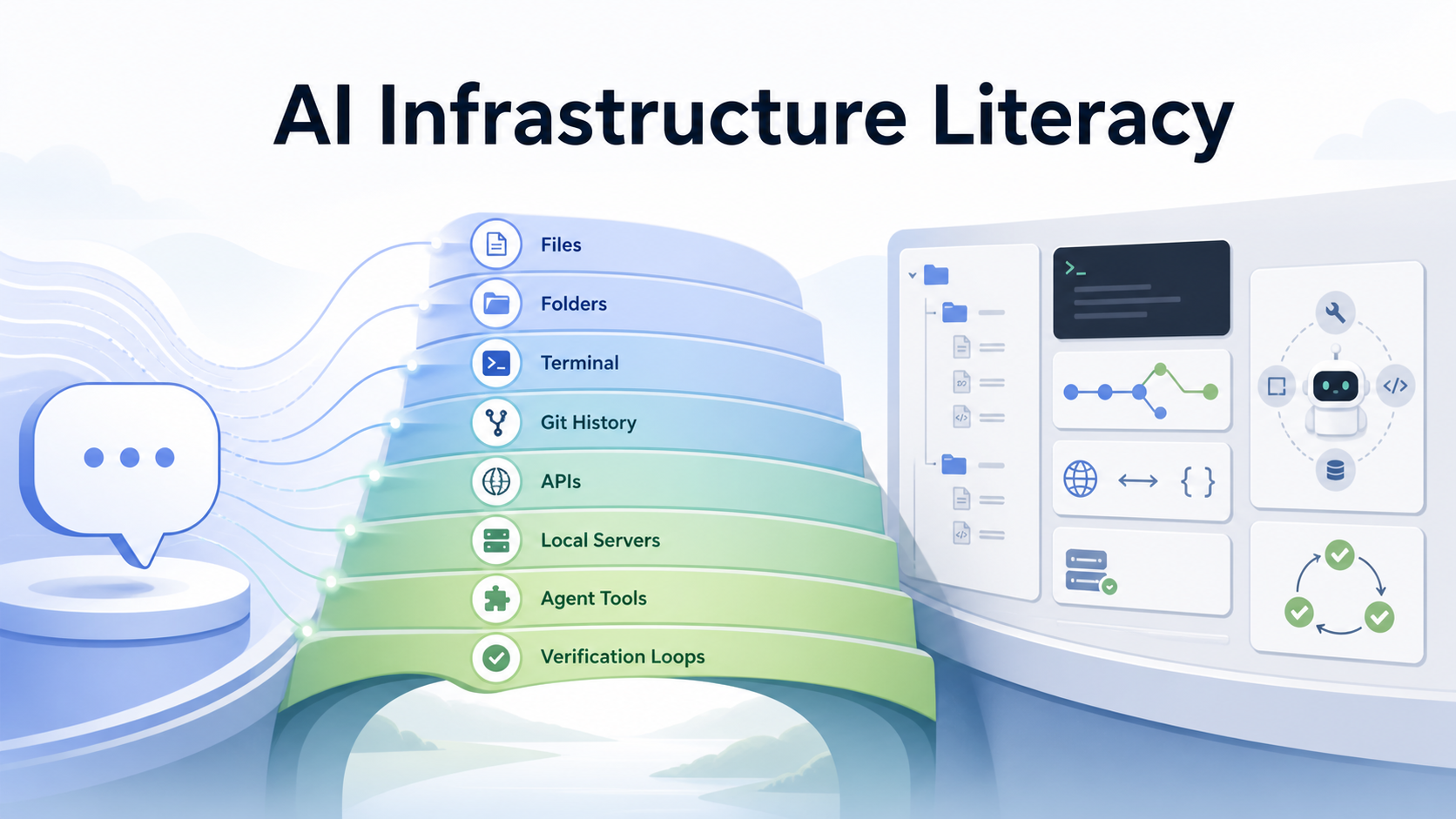
The next layer of AI education is not better prompt wording. It is infrastructure literacy: enough understanding of files, folders, paths, terminals, Git, APIs, local servers, agent tools, and verification loops that students can see where an AI agent is operating. This matters most when students use tool-using agents, local projects, notebooks, multi-document workflows, or code-adjacent environments. Without that layer, “AI literacy” stays trapped in chat. With it, students can move from asking for answers to designing workflows.
| *Course source: zero2claude.dev and about.zero2claude.dev | Claude Code background: Claude Code docs and Claude Code product page* |
The Gap Is Not Prompting
Much introductory AI education still starts from the chat box:
question -> prompt -> answer
That is useful, but it teaches the narrowest surface of AI work. A student can become fluent at asking questions and still have no idea what the model did, what files it touched, what context it used, what command failed, or how to verify the result.
Agentic tools change the educational problem. Claude Code, for example, is described by Anthropic as an agentic coding tool that can read codebases, edit files, and run commands inside a developer environment. When AI can act in a file system, call tools, use MCP servers, or participate in project workflows, the student needs a different literacy layer:
prompt literacy       = say what you want
infrastructure literacy = understand where the AI is acting
workflow literacy     = decide how the work should be checked
The missing bridge is not “everyone must become a software engineer.” The bridge is that students need enough operational knowledge to avoid treating AI as a magic answer machine.
Why zero2claude Is a Useful Signal
As checked on August 9, 2026, zero2claude.dev describes itself as a free interactive course for non-technical learners, with 151 lessons from first commands to AI pair programming. The companion about.zero2claude.dev page describes the curriculum as 151 bite-sized interactive lessons across 17 levels, with no coding background assumed.
That positioning is interesting because the course does not begin with “write better prompts.” It begins lower in the stack:
| Layer | What students learn to see |
|---|---|
| Files and folders | Work lives somewhere; paths matter; AI edits concrete artifacts |
| Terminal commands | Tools are invoked through an environment, not only through chat |
| Git and GitHub | Changes have history, review, rollback, and collaboration |
| APIs and local servers | AI workflows connect to systems with inputs, outputs, and failure modes |
| Claude Code, skills, MCP, subagents | Agents are tool-using systems with boundaries, context, and delegation |
This is a different angle on AI education. It treats command-line and project literacy as an access ramp to agentic work, especially for students who are curious but not yet technical.
The important claim is not that this single course solves AI education. It does not. The useful signal is the curriculum shape:
not:
  prompt tips -> polished output

but:
  computer basics -> terminal -> project structure -> tools -> agents -> workflows
That shape is closer to how many tool-using AI systems are actually used.
The Student Ladder
For students, the practical ladder looks like this:
              ┌────────────────────────────────────┐
Level 5       │ Workflow literacy                  │
              │ verify, rollback, compare, publish │
              └─────────────────▲──────────────────┘
                                │
              ┌─────────────────┴──────────────────┐
Level 4       │ Agent literacy                     │
              │ context, tools, MCP, skills        │
              └─────────────────▲──────────────────┘
                                │
              ┌─────────────────┴──────────────────┐
Level 3       │ System literacy                    │
              │ APIs, servers, packages, env vars  │
              └─────────────────▲──────────────────┘
                                │
              ┌─────────────────┴──────────────────┐
Level 2       │ Infrastructure literacy            │
              │ files, folders, paths, terminal    │
              └─────────────────▲──────────────────┘
                                │
              ┌─────────────────┴──────────────────┐
Level 1       │ Chat literacy                      │
              │ ask, clarify, critique, summarize  │
              └────────────────────────────────────┘
Many introductory AI literacy efforts still emphasize Level 1. Tool-using AI environments often reward Level 2 or Level 3 knowledge. The gap between those layers is where students get stuck.
They are not stuck because they are unintelligent. They are stuck because the interface quietly changed from conversation to environment.
Use Cases for Students
Infrastructure literacy has several concrete classroom uses.
| Use case | Student task | Why it matters |
|---|---|---|
| Research project setup | Create a folder structure, notes file, source list, and reproducible workflow | Students learn that research has artifacts, not only ideas |
| AI-assisted writing | Ask an agent to inspect drafts, source notes, and citation gaps across files | Students see context as something they manage |
| Data assignment | Use AI to explain a CSV, run simple checks, and generate a notebook outline | Students learn to verify outputs against real files |
| Humanities archive project | Organize scans, transcripts, metadata, and summaries into a local project | AI becomes a collaborator inside a corpus, not a free-floating oracle |
| Programming-adjacent course | Use Claude Code or Codex to modify a tiny app, then inspect the diff | Students learn that AI actions must be reviewed |
The pattern is the same in each case:
student defines the workspace
AI proposes or edits artifacts
student inspects the change
student verifies the result
This is the education move. Do not only teach students to prompt. Teach them to design the workspace in which prompting becomes accountable.
A 90-Minute Classroom Module
A lightweight module can work even for non-CS students.
| Time | Activity | Output |
|---|---|---|
| 15 min | Files, folders, paths, and “where work lives” | Students can locate and name project artifacts |
| 20 min | Terminal basics: pwd, ls, cd, cat, simple commands |
Students can ask an AI agent to operate in the right place |
| 20 min | One AI-assisted edit to a local document or tiny project | Students see the difference between suggestion and file change |
| 20 min | Diff and verification | Students inspect what changed and decide whether to keep it |
| 15 min | Reflection: what did the AI know, touch, and assume? | Students articulate the boundary between model, tools, and evidence |
The goal is not to turn every student into a command-line expert. The goal is to remove the fog around where AI actions happen.
The Graph Engineering Connection
This connects directly to search-space design. A chat-only assignment is a line:
ask -> answer -> submit
An infrastructure-aware assignment is a graph:
                ┌─> source notes ──┐
project folder ─┼─> draft file ─────┼─> diff review ─> final synthesis
                ├─> data/checks ───┤
                └─> prompts log ────┘
Each node is visible. Each artifact can be inspected. Each edge can be questioned. That is why infrastructure literacy matters for students: it makes AI work auditable.
Graph engineering is not only for building agent platforms. In education, it is the habit of turning “AI helped me” into a traceable learning workflow.
Caveats
Three caveats matter.
First, zero2claude.dev should not be described as an official Anthropic course unless the site or Anthropic explicitly says so. The stronger claim is simpler: it is a public, free, interactive curriculum that shows demand for a bridge between non-technical learners and agentic coding tools.
Second, infrastructure literacy is not a replacement for disciplinary knowledge. A student still needs statistics to critique a model’s data analysis, history to judge a source, biology to evaluate a claim, and writing judgment to decide whether a paragraph works.
Third, the lesson count and course structure can change. The 151-lesson / 17-level description is a point-in-time observation from August 9, 2026, not a timeless property.
Teaching Principle
The principle is straightforward:
AI education should teach students not only how to talk to models,
but how to see the environment in which models act.
Prompting is still useful. But for students entering a world of coding agents, research agents, document agents, and tool-using systems, the deeper literacy is operational:
Where is the work?
What did the AI touch?
What evidence did it use?
What changed?
How do I know it worked?
That is the bridge from AI as a chatbot to AI as a collaborator.