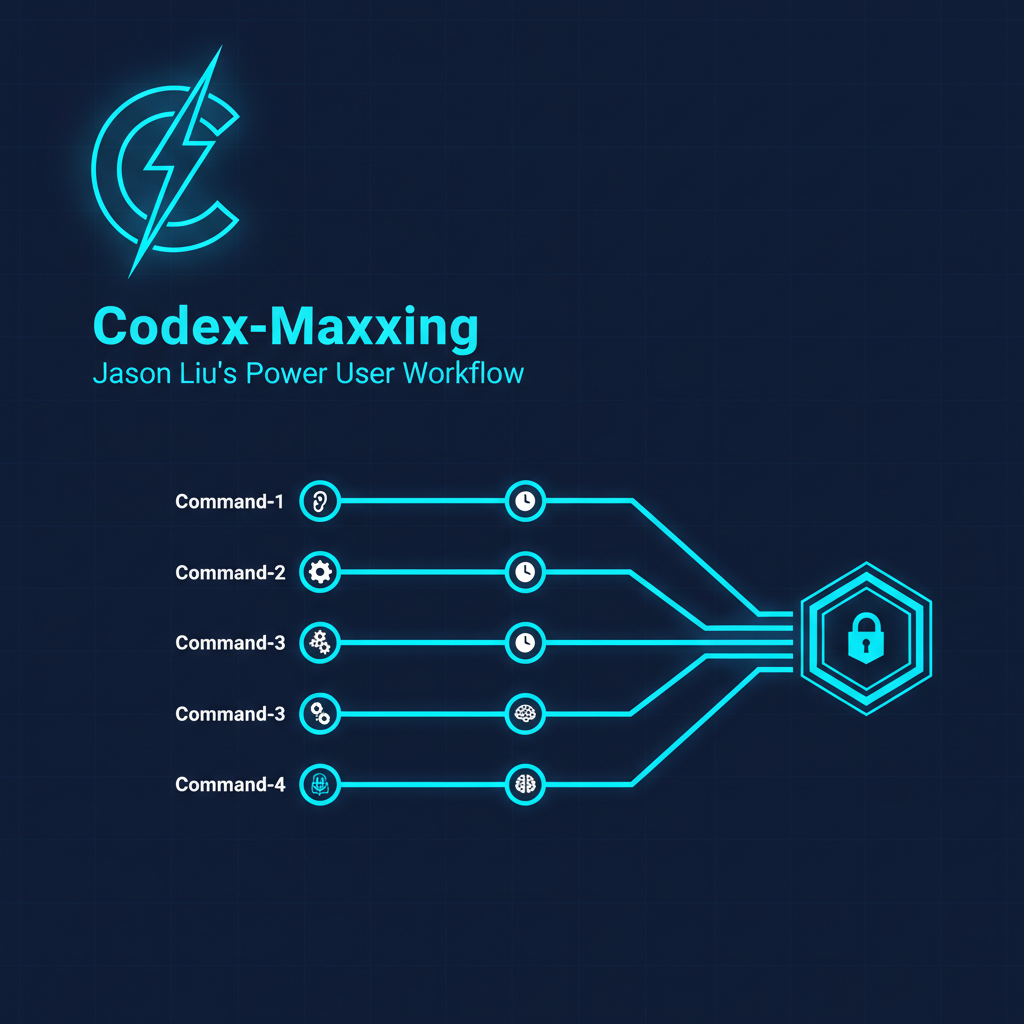
Jason Liu (@jxnl) — ML engineer behind instructor and a prolific writer on agentic workflows — published a practical guide to getting the most out of OpenAI’s Codex desktop agent: durable threads, voice steering, skills as reusable workflow packages, heartbeats for background automation, and Obsidian-based memory that survives thread resets. This entry documents his techniques and extends them with setup details, skill creation patterns, and integration with the Claude Code + Codex CLI dual-model workflow.
| *Source: jxnl.co/writing/2026/05/10/codex-maxxing | Creator: Jason Liu (@jxnl) — author of instructor, ML educator* |
Two flavors of Codex:
- Codex desktop agent (this entry): the macOS app / ChatGPT agent experience — computer use, browser control, skills, heartbeats
- Codex CLI (
npm install -g @openai/codex): the terminal tool used in Claude Code sessions for cross-model code reviewBoth are worth using. They compose well — see the integration section at the bottom.
The Core Philosophy
Liu’s throughline: work should leave behind structured memory, not just a longer chat transcript.
Every session should produce something durable — a file, a vault entry, a committed change. When the thread resets, the memory survives. When you pick up tomorrow, you’re not starting from scratch.
The failure mode he’s avoiding: “I’ve been talking to this AI for hours and now I have… a transcript.” The goal: “I’ve been working with this agent for hours and now I have committed changes, updated memory files, and a running heartbeat monitoring my inbox.”
Setup
Install + Launch
Download the Codex desktop app (macOS) or use ChatGPT with Operators enabled. The experience Liu describes is the macOS app with full computer use access.
Pinned threads (durable workstreams):
Use Command-1 through Command-9 to pin your most important ongoing threads. These are not one-off conversations — they’re persistent workstreams for recurring work: research, writing, code review, ops.
Example thread lineup:
⌘1— Research (paper reading, literature synthesis)⌘2— Writing (drafts, editing, outlines)⌘3— Code (current project)⌘4— Operations (Slack/Gmail triage, calendar)⌘5— Learning (course notes, concept exploration)
Message compaction handles the context window — long-running conversations don’t blow up even across weeks.
Memory Configuration
Navigate to Settings > Personalization > Memories to see and edit what Codex has retained. Memories persist across all threads. Liu uses this for stable preferences and recurring workflow rules — the equivalent of your CLAUDE.md, but built automatically from your behavior.
Chronicle (research preview, opt-in): Uses screen context to build memories passively. Privacy tradeoff: it reads your screen. Rate limits apply. Useful for building a personal knowledge graph without manual input.
The Six Core Techniques
1. Durable Threads
Pin workstreams to ⌘1-⌘9. Treat each thread as an ongoing relationship with a specialist, not a one-off query. The thread accumulates context; you inject direction; compaction keeps it from overflowing.
What this changes: Instead of re-explaining “I’m working on a paper about X” every session, you have a Research thread that already knows your paper, your citation style, and your current open questions.
2. Voice Input (Wispr Flow or equivalent)
Capture thinking while it’s vague, messy, and fast — before you’ve had to compress it into typed words. Liu uses Wispr Flow to dictate exploratory thinking directly into threads.
Why this matters: typing creates selection pressure toward clear, finished thoughts. Voice captures the thinking-out-loud state, which is often more useful for an agent that’s going to interpret and execute anyway.
Practical use: Open a thread, switch to voice, and narrate what you’re seeing in a codebase, paper, or doc. The agent handles the structure.
3. Steering (inject direction mid-task)
Don’t wait for a task to complete before giving new direction. While tools are executing, add direction to the thread. Liu: “add more direction while Codex is already working instead of waiting for the current step to finish.”
This is agentic time-management: your attention compounds across parallel work streams instead of waiting serially for each one.
Example: You start a literature search, then immediately inject: “Also check for papers by Smith on this topic” and “Prioritize anything from 2024” — without waiting for the first search to complete.
4. Heartbeats (recurring background automation)
Heartbeats are thread-local scheduled checks — Codex wakes up, runs a check, and acts on what it finds. You set the cadence; it runs without your presence.
Patterns from the article:
| Heartbeat | Cadence | What it does |
|---|---|---|
| Chief of Staff | Every 30 min | Monitor Slack + Gmail, draft priority responses without sending |
| Feedback monitor | Variable | Track comments on docs/code, trigger re-renders or updates |
| Customer support | Every 5 min | “Check if the support agent has joined this thread” |
| Research alert | Daily | Scan for new papers on a topic, summarize to vault |
Multi-tool loops: Heartbeats can span tool boundaries — Slack feedback → render tool → file upload → notification back to Slack. Seamless feedback cycles with no manual glue.
5. Skills (reusable workflow packages)
Skills are reusable workflow packages that Codex can invoke for repeated tasks without re-prompting from scratch. Install via Skill Creator/Installer within the Codex app.
What skills solve: You have a 10-step literature review workflow you do every week. Without skills, you re-explain it every session. With a skill, you invoke it and it runs.
Creating a skill:
- Do the task manually once in Codex
- Use Skill Creator to capture the workflow as a reusable pattern
- Name and install it — now invocable by name in any thread
Integration with Claude Code skills: The skill concept translates across tools. Q’s ~/.claude/skills/ contains .md skill files for Claude Code; Codex has its own parallel skill system. The design pattern is the same — reusable, named, invocable — the implementation is tool-specific.
6. Goals (verification-driven execution)
A strong goal is one that contains an objective success criterion — not “improve the code” but “migrate to Rust such that all original Python unit tests pass.”
The oracle matters: vague goals produce vague completions. Goals with mechanical done conditions let the agent self-verify without asking you.
Liu’s example: Migrate Python Rich library to Rust. Done when all original unit tests pass. The agent has a real binary check; you know exactly when it’s done.
Pattern:
Goal: [task description]
Done when: [mechanical check — command output, file exists, test passes, count matches]
Scope: [exactly which files/systems to touch]
Out of scope: [what not to touch]
This is the same spec-driven pattern as project-spec-interviewer-skill + /goal in Claude Code — the underlying principle is model-agnostic.
Tool Integration Patterns
Liu uses Codex connectors to reach into existing work surfaces:
| Connector | What it does |
|---|---|
$browser |
Local web surface inspection (no auth) |
@chrome |
Multi-tab authenticated browsing (your logged-in sessions) |
@computer |
GUI-only tasks (apps without APIs) |
$slack |
Read/write Slack messages and channels |
$gmail |
Read email, draft replies |
$calendar |
Schedule and read calendar events |
Browser vs computer: Use $browser for public web; @chrome when you need to be logged in (GitHub, Notion, internal tools); @computer for apps with no web interface.
Memory Architecture
Liu’s recommended vault layout for Obsidian-backed memory:
vault/
├── TODO.md              ← current tasks, updated by agent
├── AGENTS.md            ← standing instructions (your equivalent of CLAUDE.md)
├── people/              ← contacts, context on collaborators
├── projects/            ← one file per project, live status
├── agent/               ← agent's own working notes
└── notes/               ← fleeting captures, processed later
Key principle: “files force the agent to compress experience into a form that can survive the thread.”
GitHub integration makes memory reviewable: agent commits vault changes → you review the diff → you accept or revert. This is memory-as-code: version-controlled, auditable, diffable.
Why this beats chat history: A 10,000-message transcript is unsearchable, can’t be diffed, and dies when the thread resets. A vault with structured files is searchable, diffable, and survives indefinitely.
Artifacts: Web-First Outputs
Liu prefers web-based artifacts over document-based ones for iterative work:
| Artifact type | When to use |
|---|---|
| Markdown | Commentable, good for documents that need human review |
Single index.html (embedded JS/CSS) |
Default for interactive artifacts — no server, just a file |
| Storybook | Component review and iteration |
| Remotion Studio | Animation and video iteration |
| Slidev | Presentations (vs. static slides) |
| Streamlit | Data applications |
The key shift: “once the output is a small application instead of just a document, the relationship changes.” A running app can be inspected, iterated on, and shared without a build pipeline. An index.html with embedded JS/CSS is the most portable form.
Integration with Claude Code + Codex CLI
Liu’s Codex agent workflow and Q’s Claude Code + Codex CLI workflow compose into a full-stack agentic environment:
Claude Code (terminal) + Codex CLI
    ↓
spec.md → /goal → agent executes → Codex CLI reviews
          ↓
          Cross-model review gate catches blind spots

Codex desktop agent
    ↓
Pinned threads → voice input → heartbeats → memory vault
          ↓
          Background monitoring + recurring ops
How they divide labor:
- Claude Code — primary coding environment, spec-driven tasks, file editing, git operations
- Codex CLI — adversarial code review (
codex exec), second-opinion gate, background research passes - Codex desktop — long-running monitoring, voice-driven exploration, Slack/Gmail ops, recurring automation
The memory vaults complement each other: Claude Code’s ~/.claude/projects/ stores session state; Obsidian vault stores structured knowledge; both survive tool resets.
How LearnAI Team Could Use This
- Q’s own research ops — Heartbeat pattern directly applicable: daily paper scan on type systems/program analysis, draft summaries to Obsidian, flag anything that intersects with current CS-336 curriculum. Replaces manual RSS triage.
- CS-310 / CS-336 student workflow — Assign students to set up a minimal vault (TODO.md + AGENTS.md + notes/) and use it with one pinned Codex thread for a week. Reflect: what did the agent capture? What did it miss? Teaches memory architecture as a skill.
- Teaching goal engineering — Liu’s “goals with objective success criteria” maps directly to the spec.md +
/goalpattern we teach. Use both articles together to show the principle is model-agnostic — it’s about defining done, not about which AI you’re using. - Lab productivity — Chief of Staff heartbeat (30-min Slack/Gmail triage) is directly applicable to Q’s inbox. Set it up once, let it draft responses, review + send manually. Net effect: inbox becomes async without requiring constant attention.
- Voice-to-vault workflow — After a paper reading session, dictate a 3-minute “what I learned and what I’m not sure about” into Codex. It structures the notes, appends to the Obsidian vault, and tags open questions. Replaces the blank-page friction of note-taking.
Real-World Use Cases
| Scenario | Technique | Outcome |
|---|---|---|
| Weekly paper monitoring | Heartbeat (daily) | New papers on target topics → summarized → vaulted |
| Inbox triage at scale | Chief of Staff (30 min) | Drafts ready to review; nothing sent without approval |
| Iterative artifact review | Side panel + index.html |
No deployment needed; share a file, iterate in place |
| Cross-session research continuity | Obsidian vault + GitHub | Memory survives thread resets; diffs show what changed |
| Parallel task streams | Steering while tools run | 3x throughput vs. waiting serially |
| Reproducible weekly workflow | Skills | “Run my weekly review” invokes the full 10-step process |
| Voice-first ideation | Wispr Flow + thread | Raw thinking → structured output without typing overhead |
Important Things to Know
- This is the Codex desktop agent, not the Codex CLI. The CLI (
codex exec) is a different tool — see Cross-Model Code Review and Codex + Claude Code for Research for CLI usage. Both are worth having. - Heartbeats require opt-in and have rate limits. Check the current Codex app docs for cadence limits and which connectors support background execution.
$slackand$gmailheartbeats may require OAuth setup. - Memory is automatic but needs curation. The agent’s Memories can accumulate contradictions or stale facts. Review
Settings > Personalization > Memoriesperiodically and remove outdated entries. - Chronicle is opt-in for a reason. Screen context reading is powerful but privacy-sensitive. Don’t enable it on shared machines or during sensitive work.
- Skills reduce re-prompting but need maintenance. As your workflow evolves, update the skills. A skill that captures last year’s workflow is worse than no skill — it anchors you to a stale pattern.
- The vault is the real product. At the end of a session, the question isn’t “did the AI do a good job?” — it’s “does the vault reflect what we learned?” If yes, the session was productive.