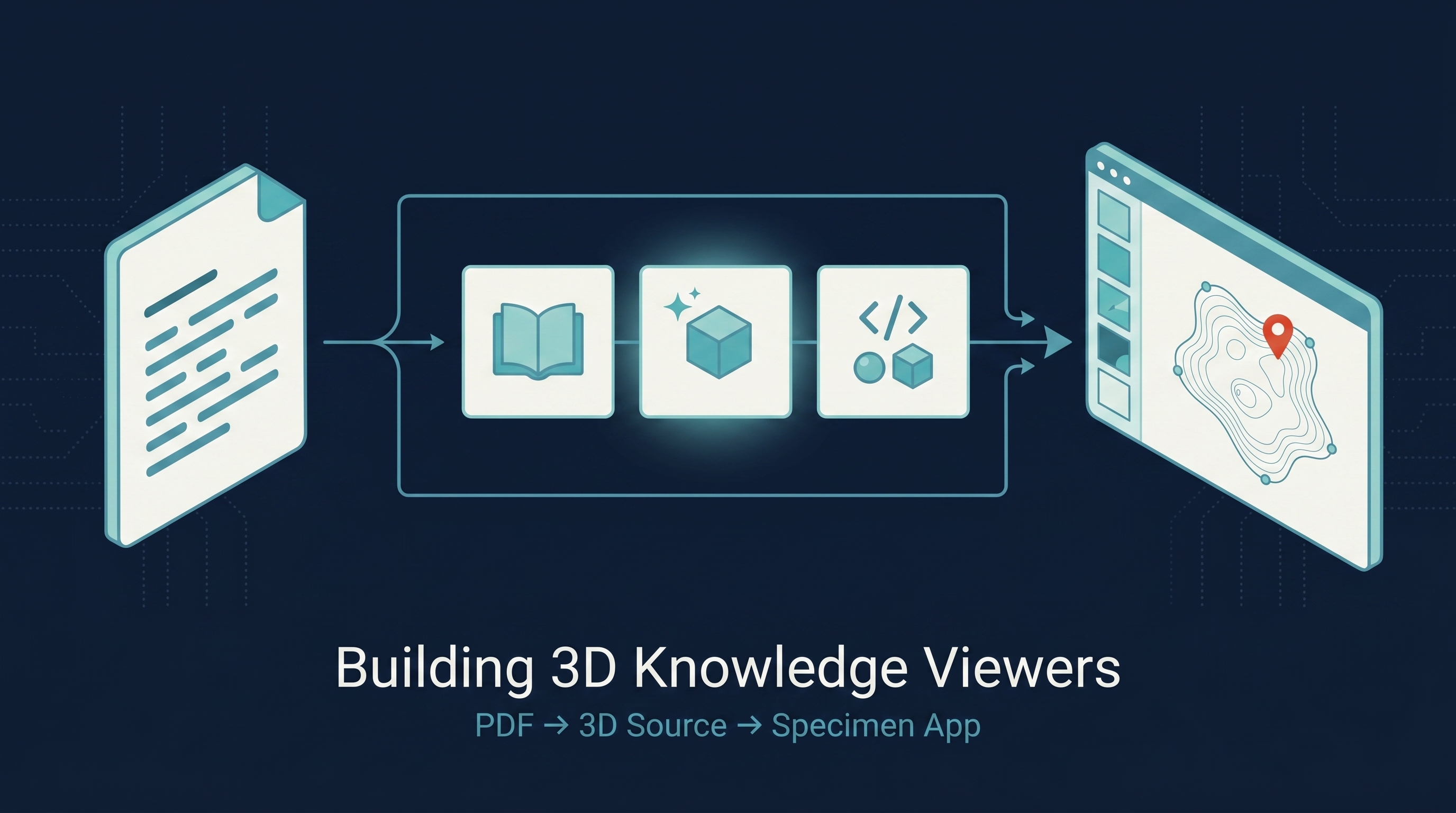
Cell Architecture Studio (CAS) is a ~500-star React + Three.js app that turns cell biology into an interactive 3D specimen viewer — pick a cell from a sidebar, highlight organelles, read prose notes, stage AI-tutor prompts. The visual quality is striking; the source is 3 files and ~2,366 lines. The interesting question is how it was actually built — and whether a faculty member in physics, chemistry, or any other STEM domain can reproduce the pattern for their own curriculum without learning Three.js. This entry answers that question with a reverse-engineered workflow, a tool stack, a decision rule for the hardest step (AI 3D models vs. procedural geometry), and a worked physics example (Simple Machines) built end-to-end while writing this post.
| *Source: github.com/cclank/cell-architecture-studio (MIT) | cell-architecture-studio-inky.vercel.app — live demo | This entry’s reference implementation: learnai-3d-studio | Full tutorial: ~/Desktop/learnai-3d-studio/TUTORIAL.md* |
CAS in 60 Seconds
What it is, structurally:
| File | Lines | What |
|---|---|---|
src/App.tsx |
728 | UI shell: header, sidebar, 3D stage, right panel with AI Tutor + mastery meter |
src/components/CellScene.tsx |
1,019 | The R3F <Canvas>, 7 procedural cell models, GLB loader, lighting setup |
src/data/cells.ts |
619 | The 7 cells as a typed data array — each cell has organelles with attributes + notes + facts |
public/models/*.glb |
5 files | Plant, white-blood, neuron, bacteria, animal cells use GLBs (3 from NIH 3D, 2 user-uploaded). Epithelial + muscle fall back to procedural. |
public/cell-renders-transparent/*.png |
7 files | AI-generated thumbnails for the sidebar |
No backend. No real LLM call. The “AI Tutor” panel stages prompt strings in React state — the buttons set a string, they don’t call a model. This is a critical realization: CAS as published is a prompt-staging UI, not a working tutor. (Adding a real LLM call is a one-day add-on.)
The Reverse-Engineered Build Pipeline
docs/ASSETS.md in the repo says, almost in plain text:
“The app also includes single-subject generated reference images for thumbnails, model previews, and downstream 3D asset experiments.”
Combined with GLB filenames like plant-cell-first001.glb (sourced from /Users/lank/Downloads/first001.glb — these names are auto-export defaults from image-to-3D tools like Meshy and Tripo), the inferred pipeline is:
PDF or domain knowledge  →  AI text extraction (Gemini long-context)
                                          │
                                          ▼
                          AI 2D reference renders
                          (Nano Banana Pro / GPT Image 2)
                                          │
                                          ▼
                          AI image-to-3D  →  GLB models
                          (Meshy / Tripo / Hunyuan3D)
                                          │
                                          ▼
                          Free libraries fallback
                          (NIH 3D, NASA, Smithsonian)
                                          │
                                          ▼
                          Procedural fallback
                          (R3F primitives in code)
                                          │
                                          ▼
                          Claude Code / Cursor scaffolds
                          React + R3F app from spec
                                          │
                                          ▼
                          Deploy → Vercel / EC2
The leftmost branch (PDF extraction) is where AI text models shine. The middle branches (AI 3D) are where consistency is hard and procedural often wins. The rightmost branch (code) is where Claude Code / Cursor are now reliable enough that a non-Three.js-expert can ship.
The Stack (Picks)
| Step | Recommendation | Why |
|---|---|---|
| PDF / slides → structured specimens | Gemini 3.1 Pro (1M context, native PDF) | Free tier covers a textbook chapter |
| 2D reference images | Gemini 3 Pro Image (Nano Banana Pro) | Best multi-image style consistency in 2026 |
| Background removal | nano-banana-2-bg-remove or remove.bg |
Nano Banana Pro doesn’t natively output transparent BG |
| AI image-to-3D (optional) | Tripo v3 or Hunyuan3D 2.1 | Tripo for general use, Hunyuan for free OSS |
| Code generation | Claude Code | Best at React + R3F scaffolding |
| Local dev | Vite 7 + React 19 + TypeScript | Standard, fast HMR |
| 3D | Three.js 0.181 + @react-three/fiber 9 + @react-three/drei 10 | What CAS uses; mature ecosystem |
| Deploy | Vercel (or your own EC2 + Caddy) | ~5 minutes to public URL on hobby tier |
The Hardest Decision: AI 3D vs. Procedural
This is the single decision that determines whether your project finishes in a weekend or stalls for a month.
| You want… | Pick | Why |
|---|---|---|
| Highest visual realism, willing to debug AI artifacts | AI text-to-3D / image-to-3D | High ceiling, inconsistent floor |
| Specimens that look like a matched set + clear labeled parts | Procedural geometry | Total control over scale, materials, labels |
| Scientific accuracy (cells, planets, molecules) | Free 3D libraries first | NIH/NASA/Smithsonian assets are vetted |
| Mechanical / engineering / abstract topics | Procedural | These are made of simple shapes anyway |
Rule of thumb: the more your specimens are about internal structure with labeled parts, the more procedural wins. The more they’re about naturalistic appearance, the more AI/library wins.
For Simple Machines (lever, pulley, inclined plane, screw, wedge, wheel-axle), procedural was the obvious choice — every machine is built from boxes, cylinders, tubes, and a single helical curve (the screw). A faculty member can write all six in an afternoon with Claude Code’s help.
The Pack-Architecture Pattern
The reference implementation (learnai-3d-studio) takes CAS’s pattern and generalizes it into domain packs. Faculty contributors add a new domain by writing 4 files — never touching the shell.
src/
├── shell/                 ← domain-agnostic (Header, Sidebar, Stage, Right Panel, Tutor)
│   ├── App.tsx
│   ├── Scene.tsx          ← R3F canvas + lights + controls
│   └── types.ts           ← DomainPack<TMeta>, Specimen<TMeta>, Part, RendererProps
└── packs/
    ├── atoms/             ← Chemistry pack (9 elements)
    │   ├── data.ts
    │   ├── Renderer.tsx
    │   ├── prompts.ts
    │   └── index.ts
    └── simple-machines/   ← Physics pack (6 specimens)
        ├── data.ts
        ├── Renderer.tsx
        ├── prompts.ts
        └── index.ts
The DomainPack<TMeta> interface (key bits):
export type DomainPack<TMeta> = {
  schemaVersion: 1;
  id: string;
  name: string;
  specimens: Specimen<TMeta>[];
  Renderer: ComponentType<RendererProps<TMeta>>;
  buildTutorPrompts: (specimen, part) => string[];
  partsLabel?: string;          // "Organelles" → "Electron Shells" → "Parts"
  notesLabel?: string;          // "Biological Notes" → "Physics Notes"
};
A pack switcher in the top-right of the UI lets the same app host packs across physics, chemistry, math, CS — all from one URL.
Worked Example: Simple Machines
The reference implementation includes a complete Simple Machines pack — 6 specimens (lever, pulley, inclined plane, screw, wedge, wheel-axle), all procedural geometry, all with active-part highlighting, all rendered with the same lighting setup as CAS uses for cells. Total: 1,229 lines across the four pack files (data.ts 416, Renderer.tsx 779, index.ts + prompts.ts 34), built in ~3 hours including the iteration loop.
Highlights:
- Lever: wooden beam (boxGeometry with wood-grain stripes) + triangular fulcrum (3-sided cylinder) + red rounded-box load + blue arrow indicator for effort
- Pulley: overhead frame + grooved wheel (concentric cylinders) + Catmull-Rom rope tube draped over the wheel + hanging weight
- Screw: cylindrical shaft + helical thread (parametric Catmull-Rom tube spiraling around the shaft) + hex head
- Wedge: square-pyramid stretched into wedge silhouette + steel blade strip + spine cap + split log halves
- Wheel-axle: large wooden wheel with spokes + small steel axle + rope wrapped on axle + hanging weight + crank handle
The pattern generalizes: pick a topic, list specimens, list parts, write each Renderer as composed R3F primitives.
Live Examples
- CAS reproduction (cells, original 7 specimens): monmouthaiteaching.com/cell-architecture/
- learnai-3d-studio (atoms pack live; simple-machines pack built locally and not yet deployed): monmouthaiteaching.com/learnai-3d-studio/
- Tutorial (the full step-by-step):
~/Desktop/learnai-3d-studio/TUTORIAL.md(open-source, MIT)
What to Delegate to AI vs. Keep Human
| Task | Who | Why |
|---|---|---|
| Extract specimens + parts from PDF | AI (Gemini long-context) | Boring, structured |
| Choose 3D path (procedural / library / AI 3D) | Human | Judgment about specimen nature |
| Write each Renderer function | AI (Claude Code from your data.ts) | Mechanical translation |
| Tune scale / position / lighting | Human | Visual iteration in browser |
| Write prose notes + fun facts | AI, then human review | AI will hallucinate; cross-check against source |
| Choose pedagogical comparisons | Human | What teaches the most? |
| Build / deploy plumbing | AI (or copy the tutorial) | Boilerplate |
The single most important rule: AI does the writing, humans do the editing. Never paste AI output into production without reading every line.
Cost Sketch & The Cost-Conscious Recipe
| Item | Cost |
|---|---|
| Gemini PDF extraction (free tier) | ~$0 |
| 6 Nano Banana Pro thumbnail images | ~$0.30–$0.60 |
| AI image-to-3D (optional) | $5–$30 |
| Claude Code time | Subscription |
| Vercel hosting | $0 (free hobby tier) |
| Per-topic procedural total | under $1 |
| Per-topic with AI image-to-3D | ~$10–$30 |
For most faculty: procedural-first is the right call. A 5-pack curriculum (5 domains × 6 specimens each) lands at under $5 total if you stick to procedural geometry + AI thumbnails only. Reserve AI image-to-3D for hero specimens where naturalistic appearance carries the educational weight (a hemoglobin molecule, a galaxy) — and only if a department budget absorbs the $5-$30 per model.
The honest verdict after building both example packs: AI image-to-3D rarely earns its keep for mechanical, abstract, or diagrammatic topics. Procedural R3F primitives give complete control over labels, scale, and active-part highlighting at zero API cost. Use the budget for thumbnails (which are hard to fake procedurally) and skip AI 3D until you have a specific hero specimen that needs it.
Pitfalls (Pre-Empts From Building the Reference)
- Vite
base+ raw URL strings — string literals like"/models/foo.glb"in your data file are not auto-prefixed when you setbase: "/my-app/". Use template literals:`${import.meta.env.BASE_URL}models/foo.glb`. Add"types": ["vite/client"]to tsconfig.app.json. - TypeScript variance on a multi-pack registry —
DomainPack<TMeta>with differentTMetaper pack won’t compile cleanly. Erase toDomainPack<any>at the registry boundary; keep typed exports at each pack. - Canvas overflow — CSS
flex: 1on.canvas-wrapmakes the canvas grow unbounded vertically (1100+px tall). Constrain with a fixedheight: 460px(or aspect-ratio CSS). Cost: 30 minutes of debugging the first time. <Center>+<Float>interactions — Drei’s<Center>and<Float>can fight over the same group’s transform. If your specimen is invisible, try removing one or moving<Center>inside<Float>.- AI prose hallucinates — every “fun fact” needs a cross-check. The shell makes this easy by exposing the source in
data.ts— every claim is locatable, editable, and reviewable in one file per pack.
How LearnAI Team Could Use This
- Course module on knowledge visualization — assign the tutorial. Students build one specimen from start to deploy. Measurable artifact at end.
- Faculty workshop, half-day — bring 3 faculty from physics / chem / bio. They each ship a 3-specimen pack by end of day using Claude Code + the tutorial.
- Capstone project — students pick a chapter of their major’s textbook and ship a domain pack. Grading rubric: schema-correctness, 3D fidelity, prose accuracy, deploy.
- Cross-major collaboration — math student writes the Renderer for chem student’s pack (transferable skill: parametric curves). Or vice-versa.
- Replacement for static slides — give one pack per lecture instead of one slide deck. Students click around between class sessions.
- Open source the LearnAI shell —
learnai-3d-studiois fork-friendly. Other universities could contribute packs back.
Real-World Use Cases
- Tenure-track faculty with no 3D experience — ship a course-specific interactive resource in a weekend, not a semester.
- High-school teachers — Simple Machines pack is directly classroom-usable for physics 101. Students click each machine, identify parts, answer “what’s the mechanical advantage of this lever?”
- Online course platforms — embed a specific specimen via iframe in a Coursera / edX module. The static HTML deploys anywhere.
- Open educational resources (OER) — CC BY-licensed packs that other instructors can fork and re-skin.
- Museum / interpretive center installations — touchscreen kiosks running these packs locally; the no-backend architecture means they work offline.
- Conference posters with QR code — link to a live interactive specimen instead of a static figure on the poster.
Links
- Original Cell Architecture Studio: github.com/cclank/cell-architecture-studio (~500 stars, MIT)
- Reference rebuild: monmouthaiteaching.com/learnai-3d-studio — atoms pack live; simple-machines pack built locally, deploy pending Q’s approval
- CAS reproduction: monmouthaiteaching.com/cell-architecture — the 7-cell viewer running on our EC2
- Tool stack: Three.js, React Three Fiber, Drei helpers, Nano Banana Pro / Gemini 3 Pro Image
- Free 3D model libraries: NIH 3D, NASA 3D, Smithsonian 3D, Sketchfab CC0
- AI text-to-3D tools (2026): Tripo, Meshy, Hunyuan3D, TRELLIS 2, Rodin
- Tutorial:
~/Desktop/learnai-3d-studio/TUTORIAL.md— the full step-by-step recipe used for this entry’s reference build