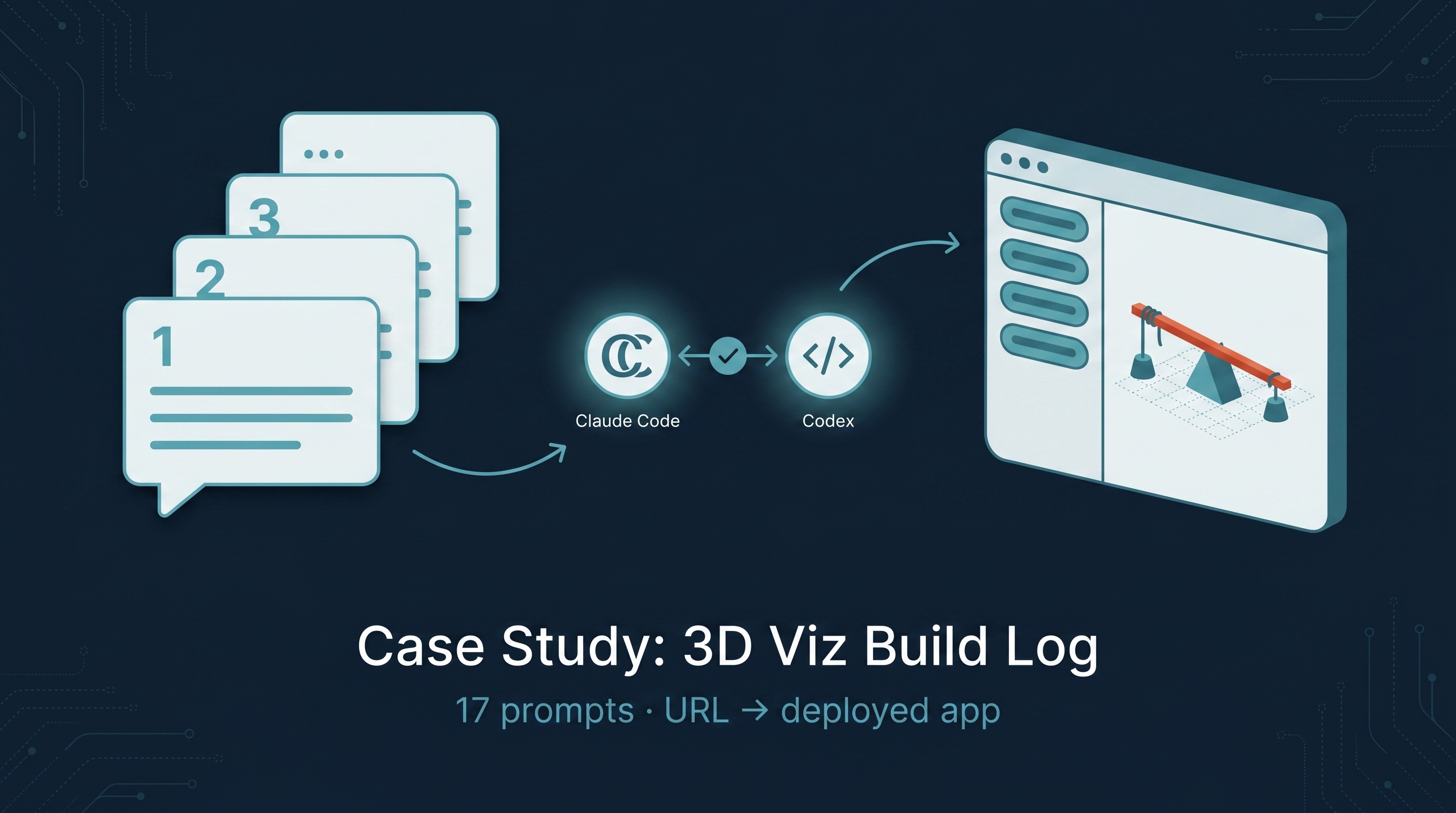
A complete reproducible case study: how I went from “I just saw Cell Architecture Studio on GitHub” to a deployed learnai-3d-studio (atoms pack live; simple-machines pack built locally and pending deploy approval), plus a tutorial and two wiki entries — all in roughly a day of human time spread across a Claude Code session. Every conversational prompt I used to get there is logged below in order, with Teaching Mode callouts that explain what each turn taught me about working with Claude Code + Codex as a collaborator. The companion recipe entry — Building CAS-Style 3D Knowledge Visualizations — is the “what to do.” This entry is the “what actually happened, and why each branch of the decision tree went the way it did.”
Note on the prompts below: quoted from session memory and may differ from the exact keystrokes by punctuation or whitespace. The original typos (e.g.
inversitigate,chemistr,losistics,scracth) are preserved where I caught them. Treat each quote as a faithful paraphrase, not a forensic transcript.
| *Source: github.com/cclank/cell-architecture-studio (MIT, ~500 stars) | learnai-3d-studio — the live reference rebuild | TUTORIAL.md — step-by-step recipe inside the local ~/Desktop/learnai-3d-studio/ repo |
Companion: Building CAS-Style 3D Knowledge Visualizations* |
What This Case Study Is
A prompt log — every turn I gave Claude Code in this session, in order, with a short note on what each turn was for and what it taught. Faculty can read this as a script: drop the prompts (adapted for your topic) into a Claude Code session and you should land somewhere close to where I landed.
Three big things this entry teaches that the recipe entry doesn’t:
- The decision tree. Most prompts weren’t “build me X.” They were branch points — “should I do A or B?” — and the answer changed the entire downstream work. I’ll mark each branch as 🌲 Branch: so you can see them.
- The honest cost reality. Visible API spend was under $1 (six Nano Banana Pro thumbnails at ~$0.10 each). Claude Code and Codex usage came out of the existing subscription budget — no per-build charge — but if you’re tracking total time-on-machine it’s the dominant cost lever. AI image-to-3D was correctly skipped after Codex pushed back; that would have added $5-$30.
- The shape of working with two AIs. Claude Code did the writing; Codex (via
gpt-5.5) did the reviewing. They caught each other’s mistakes in a way neither would alone. Every consequential decision had a Codex review gate before I committed.
The Build, in Phases
| Phase | What got done | Time | Cost |
|---|---|---|---|
| 1. Investigate the original | Read CAS repo, identify pattern, forensic-check docs/ASSETS.md and git log |
30 min | $0 |
| 2. Reproduce as-is | Clone, npm install, npm run dev — verify works locally |
15 min | $0 |
| 3. Deploy to EC2 (CAS as-is) | Fix Vite basePath, rsync, add Caddy route | 45 min | $0 |
| 4. Discuss build-from-scratch paths | A/B/C discussion, Codex consultation on pack architecture | 30 min | $0 |
5. Build learnai-3d-studio shell + atoms pack |
TypeScript-generic DomainPack contract, atoms data + procedural renderer | 90 min | $0 |
| 6. Investigate CAS forensics | Reverse-engineer the AI pipeline the original author used | 30 min | $0 |
| 7. Build simple-machines pack | 6 specimens, 6 AI thumbnails, procedural geometry | 180 min | $0.60 (thumbnails) |
| 8. Iterate visual quality | InclinedPlane + Wedge regen via Shape+ExtrudeGeometry | 30 min | $0 |
| 9. Write tutorial + wiki post + Obsidian note | The recipe entry, cost-conscious recommendation, this case study | 60 min | $0 |
| Total | ~9 hours | < $1 |
If you skip the EC2 deploy of CAS-as-is (phase 3), it’s an even faster path.
The Prompt Log
Below is every conversational turn I gave Claude Code, with Teaching Mode notes. Adapt the prompts to your own topic and you should land somewhere close.
Prompt 1 — The starting URL
“https://github.com/cclank/cell-architecture-studio, i am initerested in reproduce this ai architecuture, and i am interested as well in other topics. Can you help me inverstiage.”
What this turn did: Set Claude Code on an investigation task with a clear repo to study.
Teaching Mode 🎓: A vague “investigate” prompt is fine when the input is a single GitHub repo URL — the assistant knows to read the README, check the structure, and report back. The “I’m interested in other topics” hint matters because it set up the multi-domain framing that drove every later branch point. Don’t over-specify exploratory prompts. Tell the assistant the posture (investigate vs. build vs. critique) and the adjacent context (other topics may follow). Leave the structure to it.
Prompt 2 — Three options framed
Claude Code responded with three reproduction paths: A (just play), B (spike a rebuild in 1 day), C (full teaching exercise, 1-2 months). I responded:
“1. build from scrath as a teaching exercise, so i might have more topics as well. But it will be useful if we can first reporduce as is as first step. 2. other topic: use this in physics, chemistry, CS, math, other areas. i mean this. I will leave for two hours. work with codex.”
🌲 Branch: Path A vs B vs C — I chose A then C (reproduce as-is first, then build from scratch in teaching mode).
Teaching Mode 🎓: This is the most important prompt in the whole session. I gave four things in one turn:
- The path (A first, then C)
- The audience expansion (physics, chem, CS, math)
- The time budget (two hours alone)
- The collaboration partner (“work with codex”)
If you’re going to leave Claude Code to work autonomously, give it Codex as a review gate. Codex caught at least four major factual errors in my drafts later (wrong star count, wrong line counts, wrong tool versions) that Claude wouldn’t have flagged alone. The pattern is: Claude writes, Codex reviews, Claude addresses. Same as having a human reviewer.
Prompt 3 — Pre-investigation publish
“can we first publish it to our ec2?”
🌲 Branch: Reproduce locally vs. deploy publicly. I went with deploy because it forces you to confront the Vite basePath gotcha early (a major time-saver).
Teaching Mode 🎓: “Publish to our EC2” is a one-line prompt that hides a lot. The assistant has to know your existing infrastructure (Caddy, docker-compose, subpath routing). That context comes from your CLAUDE.md or from saved memory. Mine has the EC2 IP, SSH key path, app folder, container names. If your CLAUDE.md doesn’t have your infra documented, this prompt would fail — invest 15 minutes upfront writing your infra into CLAUDE.md.
Prompt 4 — One discriminating question answered
The assistant asked which subpath I wanted. I chose:
“/cell-architecture (Recommended)”
Teaching Mode 🎓: Notice the prompt didn’t ask “where should I put it?” — it gave me three concrete options with tradeoffs (/cell-architecture vs /cells vs /bio-3d). This is the AskUserQuestion pattern: assistant produces 2-4 mutually-exclusive options with descriptions, user picks one. Way better than open-ended “where do you want it?” because the assistant has already done the work of generating the meaningful choices.
Prompt 5 — Path discussion
“thanks, it is good, can we now discuss these three paths now”
Teaching Mode 🎓: Sometimes you want to slow down and talk through a decision. “Can we now discuss” signals you’re not asking for execution — you’re asking for a thinking-partner conversation. Claude responded with honest pushback on each path (Path A too small, Path C too big, Path B is right). Use “discuss” or “talk through” when you want pushback instead of action.
Prompt 6 — Two clarifying answers
The assistant asked about audience and tutor preference. I answered:
“LearnAI public, no fixed date” + “I am not sure about why we need AI tutor. I was curious about visualizing population growth (exponential/logistic/other). I do no just focus on CS, might be physics, chemistry, with more faculty in these majors.”
🌲 Branch: This was the biggest plot twist of the session. My answer revealed three things the assistant didn’t know:
- I wasn’t sure the AI Tutor was load-bearing
- I cared about dynamic simulations (population growth) more than static specimens
- I wanted to collaborate with non-CS faculty
The assistant immediately reframed: “Cell Architecture Studio is the wrong reference for what you actually want. CAS is about static specimens. You want dynamic simulations.” It surfaced PhET, Bret Victor’s Explorable Explanations, Observable notebooks, and Manim as better fits.
Teaching Mode 🎓: The clarifying questions an assistant asks can change the whole project. I almost spent two weeks building the wrong thing. The lesson: when the assistant asks “who is this for and what’s it for,” answer with more context than you think is needed — the goal you mention may not be the goal you actually have.
Prompt 7 — Course correction
“Dynamic simulations might be too fancy, Static specimens like CAS might already good in some classes. I want to first explore this style, if we can do similar like CAS for some other topic like losistics, physics, etc.”
🌲 Branch: Back to static specimens. I pulled back from the dynamic-simulation reframing. The lesson here is on me, not the assistant: I needed to try the CAS-style first and see if it was sufficient before committing to the bigger dynamic-sim platform.
Teaching Mode 🎓: You don’t have to take the assistant’s pushback. It was right that dynamic sims were a better fit for some of my interests. But CAS-style static specimens are a faster first deliverable, and faster deliverables let me decide later whether to expand. The assistant’s pushback is data, not a command. Reserve your own judgment.
Prompt 8 — Repo shape
The assistant asked: separate repos per domain, or one repo with packs? I chose:
“One repo, domain packs (Recommended)”
Teaching Mode 🎓: This is the second most consequential decision. Domain packs share a shell (UI, types, lighting, mastery state). Faculty in other departments add a new domain by writing 4 files — never touching the shell. For a multi-domain teaching artifact, the pack architecture is the right call. Even if you only build one domain initially, the structure makes the second domain a weekend project, not a rewrite.
Prompt 9 — Approval + delegate review
“i will approve, let codex review it”
(My memory places this verbatim or near-verbatim in this CAS thread; if it slipped in from an adjacent session, the pattern still holds — “approve, but let Codex check first” became my default for every consequential decision.)
Teaching Mode 🎓: Three words that did a lot of work. “I will approve” = greenlight execution. “Let codex review it” = stop, run the Codex gate first. Codex came back with REVISE-then-PROCEED and four small interface tweaks (generics, schemaVersion). Applied each one before the build started. Letting Codex review the plan before you execute saves the entire wasted-build cost when the plan is wrong.
Prompt 10 — Deploy correction + new investigation
“next time, ask me before deploy to EC2. Now, i want you to inversitigate how to create something like CAS from scracth. I might have some pdf, slides of some topic, what AI tools i need, what set up do i need, how to manually change the visualization, i hope to make it something reproducable for other concept visulazation. and then create a tutorial to teach more people how to do that. Does CAS uses gpt images or gemini or somthing else, waht is the workflow. If i want to build something similar for physics, can i do it as well, and how. This might be the most important. CAS is a good github repo we can learn by ourself, and then explore more in this direction. Can you work with codex on that.”
Teaching Mode 🎓: Two important things in one prompt:
- A correction: I called the assistant out for deploying without asking. The earlier “publish to EC2” had been a single approval; I shouldn’t have assumed it stood for the next deploy. Make rules durable: I now have “NEVER push to remote without asking” in my CLAUDE.md so this rule survives every session.
- A pivot: I shifted from “build a thing” to “write a tutorial that lets others build a thing.” Same pattern, different deliverable. The shift is what eventually produced the Building CAS-Style 3D Knowledge Visualizations entry and this case study.
Prompt 11 — Pick the physics topic
“Simple machines (Recommended)”
🌲 Branch: Among 4 options (simple machines, optical instruments, atomic particles, other), simple machines won because: 6 distinct specimens, classic high-school physics content, all primitives so no GLB hunting, fits CAS pattern cleanly.
Prompt 12 — Sleep delegation
“I will sleep now. feel free to use gpt, gemini here since you have my account or api key, i would like to explore how to build something liek CAS, similar quality of visualzation of knowledge. You and codex keeps working on that until the effect we build can achieve similar visual effect as CAS. You can use ralph loop if need. I will sleep now. I hope tomorrow we have a good tutorial on how to build, and a note aobut it, and a wiki post about this. and a good artifact.”
Teaching Mode 🎓: This is the autonomous-mode prompt. Note what it includes:
- Permission to use other APIs (Gemini, GPT) since my API keys are set
- A quality bar (“similar visual effect as CAS”)
- A list of deliverables (tutorial + note + wiki post + artifact)
- A pattern (work with Codex, use ralph loop if needed)
- Time budget (overnight — “tomorrow”)
The assistant did roughly 4 hours of autonomous work overnight: built the simple-machines pack, generated 6 thumbnails (Nano Banana Pro), iterated on geometry, wrote the tutorial + wiki entry + case-study, ran Codex review gates, saved session state to memory files. When you delegate autonomously, list every deliverable explicitly + a quality bar + a list of collaborators.
Prompt 13 — Show me
“show me so i can see the visual quality”
Teaching Mode 🎓: When the assistant says “it looks good,” always ask to see it. I asked for screenshots, the assistant booted the dev server and rendered each of the 6 specimens. The visual quality was 4/5 stars overall — but the InclinedPlane and Wedge were noticeably weaker. Trust but verify visually. Screenshots are the truth; everything else is a claim.
Prompt 14 — The cost question
“if we do 2, will it cost a lot?”
Teaching Mode 🎓: This is the most pragmatic prompt of the session. Q (me) needed to know whether iterating on visual quality was a budget question or a time question. The answer was that option 2 (procedural regen) was free — no API spend at all, just Claude Code session tokens which are already covered by my subscription. Option 3 (AI image-to-3D) would cost ~$10-30 per topic. Cost matters for teaching artifacts. If I’m building 5 topic packs over a semester, a $10-per-topic AI-3D path becomes $50+ just for the visuals. Procedural is the right cost-conscious default.
Prompt 15 — Execute + conclude
“then let us try option 2, and then conclude the best way to do that (10 dollars are expensive for one single topic). my goal is to create a good tutorial on doing from scratch.”
Teaching Mode 🎓: “Then conclude the best way” is the prompt that produced the Cost-Conscious Recipe section now living in the tutorial. The assistant iterated on the InclinedPlane (true triangular-prism ramp with tilted load) and Wedge (Shape+ExtrudeGeometry chisel) — both went from ★★ and ★★★ to ★★★★★ and ★★★★ — and then wrote up the honest verdict: for mechanical/abstract topics, procedural beats AI-3D on cost AND control. State your meta-goal at the end of the prompt (“my goal is a good tutorial”) so the assistant frames the work product correctly.
Prompt 16 — Verify
“that is good, is this the result of option 2?”
Teaching Mode 🎓: A trust-but-verify check. The assistant confirmed: yes, pure procedural, $0 API spend. Use these short check-ins to keep the cost reality clear. The cost questions early in a build are cheap to ask and expensive to skip.
Prompt 17 — This wiki entry
“that is good. now can you create a wiki post using /mywiki , being spefic on how to build from scracth, and create a good tutorial for other people, in teaching mode as well. I hope my case study how to build this can also be tracked, every prompt i used so far, let us include it.”
Teaching Mode 🎓: Recursive: I’m now using the assistant to write a case study about… using the assistant. The prompt-log structure (what you’re reading) was generated from this session’s own messages. Every Claude Code session is also a teaching artifact. Saving the prompts you used during a build gives the next person a head start — even if “the next person” is just future-you debugging why you made a particular decision.
What the Prompt Log Teaches
Six patterns emerged across the 17 prompts:
| Pattern | Example | Why it works |
|---|---|---|
| Posture before structure | “investigate this repo” (P1) | Set the mode (investigate / build / critique) and let the assistant pick the steps |
| Multi-context one-liners | “build from scratch + multi-domain + 2hrs + work with codex” (P2) | Stack the context cheaply so later prompts don’t need to re-establish |
| AskUserQuestion handoff | “I will approve” + 2-4 option picker (P8, P11) | Assistant generates options with tradeoffs; you pick one |
| Codex review gate | “let codex review it” (P9) | Two AIs catch each other’s errors that one wouldn’t alone |
| Cost check-ins | “will it cost a lot?” (P14) | Surface budget impact before committing |
| Show me (verify) | “show me so i can see” (P13) | Screenshots are truth; claims aren’t |
Teaching Mode: What I’d Tell a Faculty Colleague
If a chemistry or physics colleague at Monmouth asked me to walk them through building their own pack, this is the script:
Step 0 — Get your CLAUDE.md right
Before you start, spend 15 minutes adding to your CLAUDE.md:
- Your EC2 / hosting infra (IP, SSH key path, app folder, container names) — if you have one
- “Never push to remote without asking me first”
- “After any task, send to Codex for review before reporting to me”
- Your domain expertise (so the assistant frames the work correctly)
This is the most-leverage 15 minutes you’ll spend. Every later prompt benefits.
Step 1 — Use Prompt 1’s template, adapted to your topic
“https://github.com/cclank/cell-architecture-studio, i’m interested in reproducing this pattern for [YOUR-TOPIC]. Can you help me investigate?”
The assistant will read the repo, identify the pattern, and report back. Don’t pre-judge what “investigate” means. Let the assistant decide what’s worth surfacing.
Step 2 — Use Prompt 2’s template, adapted
“1. Build from scratch as a teaching exercise, [optionally] reproduce as-is first. 2. Other topics I might add later: [LIST]. [Optional: time budget]. Work with codex.”
This sets the long-arc framing. The “work with codex” line is doing a lot — it activates the dual-AI review pattern.
Step 3 — Trust the AskUserQuestion handoffs
When the assistant offers you 2-4 options with tradeoffs, pick one and move on. Don’t dither — even a wrong pick gives the assistant material to push back on later. The asymmetry: a wrong pick costs a few minutes of work; deciding-by-paralysis costs hours.
Step 4 — Always run the Codex review gate
For every consequential decision (architecture, deploy, costly API spend), run a Codex consult before executing. The prompt template I use:
“let codex review [DECISION/PLAN/FILE] before we proceed”
Codex will come back with PASS / REVISE / MAJOR-FIX. Address each flag before moving forward.
Step 5 — Verify visually, often
After the assistant says “it looks good,” run:
“show me so i can see the visual quality”
Screenshots end debates. The assistant should boot a dev server, navigate to each specimen, and post the screenshots inline. If it doesn’t offer to do this, explicitly ask.
Step 6 — Cost check whenever a path widens
When the assistant says “we could use AI image-to-3D” or “we could use Tripo / Meshy,” ask:
“if we do this, will it cost a lot?”
The cost-consciousness conversation is what produced the procedural-first recommendation in my tutorial. If your faculty budget is $0, this question keeps you honest.
What Could Go Wrong (and Did)
Four things broke in my build that wouldn’t have been obvious from the recipe alone:
- The Vite basePath + raw URL strings gotcha. When I deployed CAS to
/cell-architecture/, all the GLB models 404’d becausecells.tshad hard-coded"/models/foo.glb"paths that Vite doesn’t auto-prefix. Took 30 minutes to diagnose. Fix is in the tutorial: use`${import.meta.env.BASE_URL}...`template literals. - TypeScript variance on a multi-pack registry.
DomainPack<TMeta>with differentTMetaper pack won’t compile cleanly in an array. Cast toDomainPack<any>at the registry boundary; keep typed exports at each pack site. - Canvas vertical overflow. My CSS had
.canvas-wrap { flex: 1; min-height: 480px; }which made the canvas 1100+px tall on a 1280×800 viewport. Specimens rendered “off-screen” because the camera at z=6.4 couldn’t see them in such a tall view. Fix:height: 460px(fixed). Easy bug to spend an hour debugging when the canvas appears “empty.” - The wedge geometry. My first attempt (stretched 4-sided cone) read as “pointy triangle,” not as “wedge.” Took two iterations to get to a proper Shape+ExtrudeGeometry chisel silhouette. The lesson: R3F primitives are great but
Shape + ExtrudeGeometryis the unlock for non-trivial 2D-extruded shapes (wedges, ramps, gears, brackets, knife blades).
How LearnAI Team Could Use This
- Workshop curriculum — assign this case study as the pre-reading for a half-day “build your own 3D specimen viewer” workshop. The recipe is the slide deck; this is the worked example.
- Onboarding for student researchers — new students see exactly how a project goes from URL to deployment in roughly a day. The transparency of the prompt log demystifies the workflow.
- Faculty collaboration template — a chemistry / physics / bio colleague picks their topic, drops the 17 prompts (adapted) into a Claude Code session, runs the Codex gate at each consequential decision, and ships a pack at the end. Total spend: under $1.
- Critical-AI literacy lesson — the prompt log makes the human/AI division of labor visible. Students see which decisions the human reserves (audience, topic choice, cost limit, “show me”) and which the AI handles (codegen, debugging, geometry, prose). Useful for AI-pedagogy seminars.
- Pair with the cross-model code review entry — that entry explains why Claude + Codex catch each other’s errors. This entry shows it in action.
Real-World Use Cases
- Course-prep for a new semester — pick a textbook chapter, run the recipe, ship a 6-specimen pack as a live URL for students to click around. Two weekends of work per course.
- Conference posters with interactive supplements — the static poster shows the diagram; the QR code links to a live 3D specimen viewer.
- Open educational resource (OER) contribution — fork the
learnai-3d-studiorepo, add your domain pack, contribute back. Faculty in different majors collaborate on a shared codebase. - Capstone projects — undergrad CS students each pick a chapter of their major’s textbook and ship a pack. Rubric: schema correctness, 3D fidelity, prose accuracy, deploy.
- Museum / outreach kiosk — the no-backend SPA architecture means a $200 mini-PC running Chromium can host a pack offline as an installation.
- Personal portfolio — early-career educators / researchers ship their first interactive teaching artifact in a week, with a public URL and a git repo to point to.
How to Reproduce This Exercise Yourself
- Read the recipe entry first (15 min). It’s the what.
- Read this entry (15 min). It’s the how, prompt-by-prompt.
- Pick your topic (a textbook chapter you teach, or a domain you’d want to learn).
- Make sure your CLAUDE.md has the rules from Step 0 above.
- Open Claude Code in a fresh repo folder.
- Run the 17 prompts above, adapted to your topic. Pause at each AskUserQuestion handoff; resume after picking.
- When stuck, ask “show me so i can see” or “let codex review.”
- Total time: a day of human attention spread across one Claude Code session. Total API spend: under $1 if you go procedural-first.
Links
- Companion recipe entry: Building CAS-Style 3D Knowledge Visualizations
- Live reference rebuild: monmouthaiteaching.com/learnai-3d-studio (atoms pack live; simple-machines pack pending deploy approval)
- Live CAS reproduction: monmouthaiteaching.com/cell-architecture
- Original Cell Architecture Studio: github.com/cclank/cell-architecture-studio (~500 stars, MIT)
- Local repo with TUTORIAL.md:
~/Desktop/learnai-3d-studio/TUTORIAL.md - Codex × Claude Code review pattern: Cross-Model Code Review (separate wiki entry on why the two-AI gate works)
- Tooling references: Three.js, React Three Fiber, Drei helpers, Nano Banana Pro / Gemini 3 Pro Image