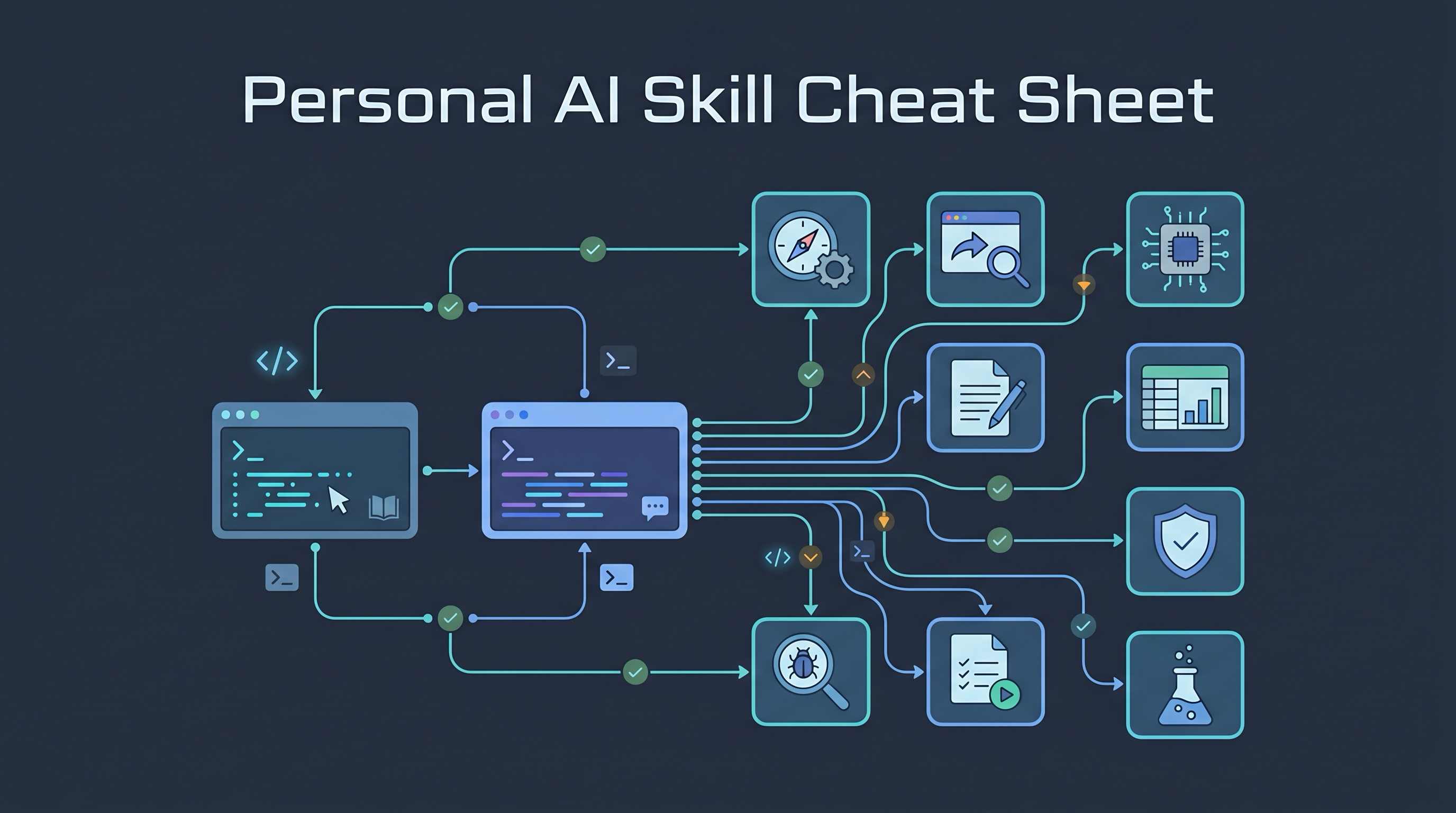
A good Codex setup is not just the CLI binary. It is a portable working environment: global AGENTS.md, curated skills, selected plugins, hooks, review-gate safety rules, memories, and project-level handoff conventions. Copying it to a new machine should preserve the useful behavior while avoiding secrets, stale sessions, local caches, and machine-specific process state.
*Source: A local Codex setup inspected on 2026-05-25 and spot-checked against codex-cli 0.134.0 on 2026-05-27 (~200 user-level Codex skills, calibrated global AGENTS.md). Specific version and skill counts drift as Codex publishes new CLI releases and as you install/remove skills, so treat them as rough markers, not exact targets. |
Personal AI Skill Cheat Sheet | Claude Code + Codex Handoff Workflow* |
The Mental Model
Treat Codex setup as three layers:
Machine layer       Secrets, auth, logs, sessions, caches
      ↑             (do not blindly copy)

User layer          ~/.codex/AGENTS.md, skills, memories,
      ↑             hooks, selected plugin config

Project layer       AGENTS.md, CLAUDE.md, handoff docs,
                    project-specific rules and workflows
The user layer is what makes Codex feel like “your Codex.” The machine layer is what makes Codex work on one laptop. Copy the user layer deliberately; recreate or re-login the machine layer.
What To Copy
The useful portable files are:
| Path | Copy? | Why |
|---|---|---|
~/.codex/AGENTS.md |
Yes | Global behavior rules: preferred naming, collaboration conventions, review-gate policy, git safety, workflow memory |
~/.codex/RTK.md |
Selectively | Local command/tooling conventions used by Codex; review for machine-local paths and assumptions |
~/.codex/config.toml |
Selectively | Model defaults, trusted projects, enabled plugins, MCP config; review/redact before copying |
~/.codex/hooks.json |
Selectively | PreToolUse/PreCompact automation; only restore if hook scripts are inspected |
~/.codex/hooks/ |
Selectively | Executable automation; inspect every script before restoring |
~/.codex/skills/ |
Personal transfer: yes; sharing: review/quarantine | User-level skill library; third-party skills can include scripts, cached assets, local assumptions, or embedded credentials |
~/.codex/memories/*.md |
Yes, after review | Durable lessons and portable process memory; may include private project details |
~/.codex/plugins/ |
Usually no wholesale copy | Prefer reinstalling plugins/connectors; copied plugin files may include executable hooks, MCP connector config, or provider credentials |
~/.codex/vendor_imports/skills/ |
Optional | Imported/curated skill source cache |
Project AGENTS.md files |
Yes | Project-specific operating rules |
Project CLAUDE.md files |
Yes, if shared with Claude Code | Cross-agent handoff state and project conventions |
On the inspected 2026-05-25 setup, the important portable signal is:
~/.codex/AGENTS.mdnow contains the calibrated review-gate rule.- In that snapshot,
~/.codex/skills/contained around 200 skill directories (exact count drifts as you install or remove skills — do not treat as a fixed target). - A dated memory entry records the Codex review-gate process-leak lesson; review memories before copying because they can contain private project details and stale or superseded process rules.
~/.claude/skills/and~/.agents/skills/also matter when skills are installed for both Codex and Claude Code.
What Not To Copy Blindly
Do not put these in a portable setup archive:
| Path | Why not |
|---|---|
~/.codex/auth.json |
Contains authentication material; login again on the new machine |
~/.codex/logs_*.sqlite* |
Large local logs; not portable knowledge |
~/.codex/state_*.sqlite* |
Local app/session state |
~/.codex/goals_*.sqlite* |
Local goal state; may confuse a fresh machine |
~/.codex/sessions/ |
Historical session transcripts; useful as archive, risky as active state |
~/.codex/tmp/, ~/.codex/.tmp/, ~/.codex/cache/ |
Rebuildable caches |
~/.codex/shell_snapshots/ |
Machine-specific shell state |
~/.codex/computer-use/ |
Machine/app specific |
~/.codex/node_repl/, ~/.codex/sqlite/ |
Runtime scratch/state |
~/.codex/rules/ |
Default Codex CLI permission rules; regenerated automatically on first run, not user-authored knowledge |
| Any copied file with API keys or tokens | Move secrets through the provider’s login flow or password manager |
The key principle: copy instructions and reusable skills, not live state.
Copying Config Without Leaking Secrets
Create a portable bundle from the source machine:
mkdir -p ~/codex-portable-backup

mkdir -p \
  ~/codex-portable-backup/codex/hooks.review-me \
  ~/codex-portable-backup/codex/skills \
  ~/codex-portable-backup/codex/memories.review-me \
  ~/codex-portable-backup/codex/plugins.review-me \
  ~/codex-portable-backup/claude-skills \
  ~/codex-portable-backup/agent-skills

[ -f ~/.codex/AGENTS.md ] && rsync -a ~/.codex/AGENTS.md ~/codex-portable-backup/codex/
[ -f ~/.codex/RTK.md ] && rsync -a ~/.codex/RTK.md ~/codex-portable-backup/codex/RTK.md.review-me

# Review before restoring on the target machine; these may contain local paths.
[ -f ~/.codex/config.toml ] && rsync -a ~/.codex/config.toml ~/codex-portable-backup/codex/config.toml.review-me
[ -f ~/.codex/hooks.json ] && rsync -a ~/.codex/hooks.json ~/codex-portable-backup/codex/hooks.json.review-me

[ -d ~/.codex/hooks ] && rsync -a ~/.codex/hooks/ ~/codex-portable-backup/codex/hooks.review-me/
[ -d ~/.codex/skills ] && rsync -a ~/.codex/skills/ ~/codex-portable-backup/codex/skills/
[ -d ~/.codex/memories ] && rsync -a ~/.codex/memories/ ~/codex-portable-backup/codex/memories.review-me/

# Prefer reinstalling plugins. If you still copy plugin files, inspect them first.
[ -d ~/.codex/plugins ] && rsync -a ~/.codex/plugins/ ~/codex-portable-backup/codex/plugins.review-me/

[ -d ~/.claude/skills ] && rsync -a ~/.claude/skills/ ~/codex-portable-backup/claude-skills/
[ -d ~/.agents/skills ] && rsync -a ~/.agents/skills/ ~/codex-portable-backup/agent-skills/
Before archiving, scan filenames and contents:
find ~/codex-portable-backup -type f | grep -Ei 'auth|token|secret|logs_|state_|goals_|sessions|session_index|history|tmp|cache' || true
grep -RInEi 'api[_-]?key|token|secret|password|bearer|ANTHROPIC_API_KEY|OPENAI_API_KEY|BEGIN (RSA |OPENSSH |EC )?PRIVATE KEY|sk-[A-Za-z0-9_-]{20,}|gh[pousr]_[A-Za-z0-9_]{20,}' ~/codex-portable-backup || true
The grep scan is only a heuristic. Passing it does not mean the bundle is secret-free; it only catches common patterns. Binary files, images, SQLite files accidentally copied into skills, minified bundles, and encoded secrets may not be caught. Review .toml, .json, .env, and hook scripts especially carefully. config.toml.review-me can contain MCP tokens, connector credentials, local server URLs, trusted project paths, and model/provider settings. If anything sensitive appears, remove or redact the file before archiving. Findings inside .review-me paths still matter if you later choose to archive those paths. Then create the archive:
Treat .review-me directories and files as a private quarantine until they have been inspected. The default archive command below excludes quarantine paths so the bundle can be moved between your own machines more safely:
Run the command exactly as shown; the --exclude paths match the archive member names created by -C ~ codex-portable-backup.
If you intend to share the bundle beyond your own machines, inspect custom skill directories first or quarantine codex/skills/ too by adding --exclude='codex-portable-backup/codex/skills'.
These commands target macOS/BSD tar and GNU tar. If your tar lacks --exclude, use GNU tar (gtar) or adapt the archive step.
tar \
  --exclude='codex-portable-backup/codex/RTK.md.review-me' \
  --exclude='codex-portable-backup/codex/config.toml.review-me' \
  --exclude='codex-portable-backup/codex/hooks.json.review-me' \
  --exclude='codex-portable-backup/codex/hooks.review-me' \
  --exclude='codex-portable-backup/codex/memories.review-me' \
  --exclude='codex-portable-backup/codex/plugins.review-me' \
  -czf codex-portable-backup-$(date +%Y%m%d).tar.gz \
  -C ~ codex-portable-backup
For a private machine-to-machine transfer, inspect and redact the .review-me files first, then archive those reviewed files separately or remove the matching --exclude lines intentionally.
Restore On A New Machine
On the new machine:
mkdir -p ~/.codex ~/.codex/memories ~/.codex/memories.review-me ~/.claude/skills ~/.agents/skills
tar -tzf codex-portable-backup-YYYYMMDD.tar.gz > /tmp/codex-backup-list.txt || exit 1
sed -n '1,40p' /tmp/codex-backup-list.txt

if grep -Eq '(^/|(^|/)\.\.(/|$))' /tmp/codex-backup-list.txt; then
  echo "Unsafe archive paths; stop."
  exit 1
elif tar -tvzf codex-portable-backup-YYYYMMDD.tar.gz | awk '$1 ~ /^l/ { print; found=1 } END { exit found ? 0 : 1 }'; then
  echo "Archive contains symlinks; inspect before extracting."
  exit 1
elif grep -qEv '^codex-portable-backup(/|$)' /tmp/codex-backup-list.txt; then
  echo "Unexpected archive paths; stop."
  exit 1
else
  tar -xzf codex-portable-backup-YYYYMMDD.tar.gz -C ~
fi
Confirm the archive contains only codex-portable-backup/ before extracting. If it contains direct home-directory paths such as .codex/auth.json, stop and rebuild the archive.
Restore archives only from trusted sources. GNU tar users restoring from another machine can consider tar --no-same-owner -xzf ... to avoid owner surprises; macOS/BSD tar behavior differs, so treat this as an optional platform-specific hardening step.
Then copy deliberately:
[ -f ~/codex-portable-backup/codex/AGENTS.md ] && rsync -a ~/codex-portable-backup/codex/AGENTS.md ~/.codex/AGENTS.md
[ -d ~/codex-portable-backup/codex/skills ] && rsync -a ~/codex-portable-backup/codex/skills/ ~/.codex/skills/
[ -d ~/codex-portable-backup/codex/memories.review-me ] && rsync -a ~/codex-portable-backup/codex/memories.review-me/ ~/.codex/memories.review-me/

[ -d ~/codex-portable-backup/claude-skills ] && rsync -a ~/codex-portable-backup/claude-skills/ ~/.claude/skills/
[ -d ~/codex-portable-backup/agent-skills ] && rsync -a ~/codex-portable-backup/agent-skills/ ~/.agents/skills/
Promote only reviewed memory files from ~/.codex/memories.review-me/ into ~/.codex/memories/.
Skip memory files that contain stale or superseded process rules, even if they are not secret.
Restore ~/.agents/skills only if you intentionally want shared agent skills on the target machine; that folder can affect workflows outside Codex and Claude Code.
Merge RTK.md.review-me, config.toml.review-me, and hooks.json.review-me manually instead of overwriting:
[ -f ~/.codex/RTK.md ] && [ -f ~/codex-portable-backup/codex/RTK.md.review-me ] && diff -u ~/.codex/RTK.md ~/codex-portable-backup/codex/RTK.md.review-me || true
[ -f ~/.codex/config.toml ] && [ -f ~/codex-portable-backup/codex/config.toml.review-me ] && diff -u ~/.codex/config.toml ~/codex-portable-backup/codex/config.toml.review-me || true
[ -f ~/.codex/hooks.json ] && [ -f ~/codex-portable-backup/codex/hooks.json.review-me ] && diff -u ~/.codex/hooks.json ~/codex-portable-backup/codex/hooks.json.review-me || true
Only restore hooks after reading the scripts in codex/hooks.review-me/. Hooks can run commands automatically.
Then authenticate normally:
codex --version
codex
Do not copy auth.json as a shortcut. If authentication fails, fix login on the new machine rather than importing stale credentials.
Validate The New Machine
Run these checks:
codex --version
test -f ~/.codex/AGENTS.md && sed -n '1,80p' ~/.codex/AGENTS.md
find ~/.codex/skills -mindepth 1 -maxdepth 1 -type d | wc -l
find ~/.codex/memories -maxdepth 1 -type f -name '*.md' | wc -l
After checking config and hook safety, optionally run a bounded non-recursive smoke test. This may consume model quota:
CODEX_SMOKE_MODEL="${CODEX_SMOKE_MODEL:-gpt-5}"

printf '%s\n' 'Return exactly OK. Do not call tools or invoke Codex.' \
  | /usr/bin/perl -e 'alarm 60; exec @ARGV' codex exec \
      --model "$CODEX_SMOKE_MODEL" \
      -c model_reasoning_effort='"low"' \
      --ephemeral \
      --ignore-user-config \
      --ignore-rules \
      --skip-git-repo-check \
      --color never \
      -o /tmp/codex-smoke.md \
      - >/tmp/codex-smoke.stdout 2>/tmp/codex-smoke.stderr

cat /tmp/codex-smoke.md
Expected:
OK
If this hangs, inspect processes before opening more Codex sessions:
pgrep -afil 'codex exec|agent-handoff|git diff --cached'
ps -o pid,ppid,pgid,tty,etime,stat,command -p <pid1>,<pid2>,...
Project-Level Setup
For each project, copy or recreate:
| File | Purpose |
|---|---|
AGENTS.md |
Codex-specific project instructions |
CLAUDE.md |
Claude Code project memory and handoff state; review for stale/private notes |
.context/, .omc/, or project memory folders |
Only after review; these can contain local state, private notes, or stale task context |
docs/workflows/*.md |
Reusable project workflow docs |
scripts/agent-handoff.sh |
If the project uses Codex/Claude switching |
Do not assume every project should inherit the same strict rules. The global AGENTS.md should define defaults; project AGENTS.md should define local constraints such as:
- use the preferred user name
- do not push without approval
- do not edit legal/IRB/consent text without explicit approval
- run local verification before reporting done
- protect unrelated untracked files
Codex Review Gate: Keep It Calibrated
An earlier setup required Codex review for everything. That created a real failure mode: nested review commands could spawn long-running codex exec child processes, print repeated MallocStackLogging noise, and leave the Codex CLI UI unable to recover with /ps, /stop, Esc, or Ctrl-C.
The portable setup now uses a calibrated rule:
- Review substantial/high-risk work.
- Skip review for low-risk status or obvious one-liners.
- Never let a nested reviewer invoke Codex again.
- Use a bounded low-effort command for reviews.
- Report review failure instead of waiting indefinitely.
The global lesson should be stored as a dated memory entry under:
~/.codex/memories/
Recovery command:
pgrep -afil 'codex exec|agent-handoff|git diff --cached'
ps -o pid,ppid,pgid,tty,etime,stat,command -p <pid1>,<pid2>,...
kill -TERM -<PGID>
Do not run kill -TERM -<PGID> with placeholder values. Use negative PGID only when the PGID comes from ps, the process is clearly a stale non-interactive child review group, the PGID is not shared with your active shell/session, and the PGID is not the interactive parent Codex session group on ttys....
Updating The Portable Bundle
After installing new skills or changing global behavior:
BACKUP_DIR=~/codex-portable-backup-$(date +%Y%m%d-%H%M%S)

mkdir -p \
  "$BACKUP_DIR/codex/hooks.review-me" \
  "$BACKUP_DIR/codex/skills" \
  "$BACKUP_DIR/codex/memories.review-me" \
  "$BACKUP_DIR/codex/plugins.review-me" \
  "$BACKUP_DIR/claude-skills" \
  "$BACKUP_DIR/agent-skills"

[ -f ~/.codex/AGENTS.md ] && rsync -a ~/.codex/AGENTS.md "$BACKUP_DIR/codex/"
[ -f ~/.codex/RTK.md ] && rsync -a ~/.codex/RTK.md "$BACKUP_DIR/codex/RTK.md.review-me"
[ -f ~/.codex/config.toml ] && rsync -a ~/.codex/config.toml "$BACKUP_DIR/codex/config.toml.review-me"
[ -f ~/.codex/hooks.json ] && rsync -a ~/.codex/hooks.json "$BACKUP_DIR/codex/hooks.json.review-me"
[ -d ~/.codex/hooks ] && rsync -a ~/.codex/hooks/ "$BACKUP_DIR/codex/hooks.review-me/"
[ -d ~/.codex/skills ] && rsync -a ~/.codex/skills/ "$BACKUP_DIR/codex/skills/"
[ -d ~/.codex/memories ] && rsync -a ~/.codex/memories/ "$BACKUP_DIR/codex/memories.review-me/"
[ -d ~/.codex/plugins ] && rsync -a ~/.codex/plugins/ "$BACKUP_DIR/codex/plugins.review-me/"
[ -d ~/.claude/skills ] && rsync -a ~/.claude/skills/ "$BACKUP_DIR/claude-skills/"
[ -d ~/.agents/skills ] && rsync -a ~/.agents/skills/ "$BACKUP_DIR/agent-skills/"
Then run these scans in the same shell, or replace $BACKUP_DIR with the dated backup path:
find "$BACKUP_DIR" -type f | grep -Ei 'auth|token|secret|logs_|state_|goals_|sessions|session_index|history|tmp|cache' || true
grep -RInEi 'api[_-]?key|token|secret|password|bearer|ANTHROPIC_API_KEY|OPENAI_API_KEY|BEGIN (RSA |OPENSSH |EC )?PRIVATE KEY|sk-[A-Za-z0-9_-]{20,}|gh[pousr]_[A-Za-z0-9_]{20,}' "$BACKUP_DIR" || true
If anything sensitive appears, remove it before archiving.
Treat this dated update bundle as private until reviewed/redacted. To create a safer archive from it, use the same quarantine-excluding pattern:
tar \
  --exclude='*/codex/RTK.md.review-me' \
  --exclude='*/codex/config.toml.review-me' \
  --exclude='*/codex/hooks.json.review-me' \
  --exclude='*/codex/hooks.review-me' \
  --exclude='*/codex/memories.review-me' \
  --exclude='*/codex/plugins.review-me' \
  -czf "$BACKUP_DIR.tar.gz" \
  -C "$(dirname "$BACKUP_DIR")" "$(basename "$BACKUP_DIR")"
These shell snippets target macOS/Linux bash or zsh environments. Windows PowerShell users should adapt the path, archive, and grep commands.
The Clean Setup Checklist
- Codex installed and
codex --versionworks - Logged in on the new machine without copying
auth.json ~/.codex/AGENTS.mdrestored- Review-gate rule is calibrated, not “review literally everything”
~/.codex/skills/restored- Reviewed memory files promoted into
~/.codex/memories/ ~/.claude/skills/restored if using Claude Code~/.agents/skills/restored if using shared agent skills- Hooks restored only if their scripts exist
- Project-level
AGENTS.md/CLAUDE.mdcopied per project - Smoke test returns
OK - No stale
codex execchildren remain
Bottom Line
The safest way to copy a Codex setup is to copy behavior, skills, and memory, not active state. A portable setup should make the next machine feel like yours while still forcing fresh authentication, fresh caches, and fresh project verification.