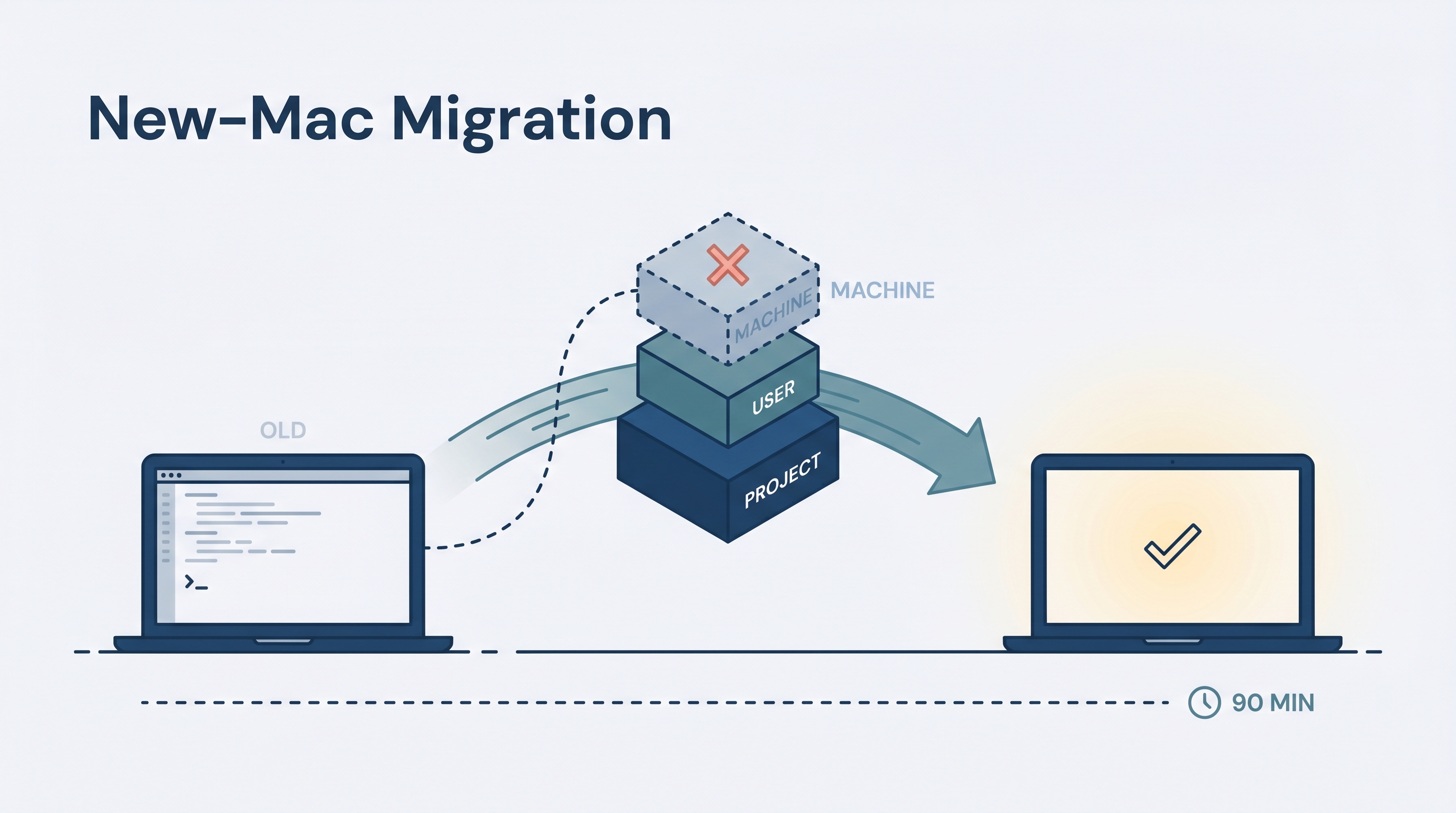
The three separate setup guides — Codex, Claude Code, and the /checkpoint ⇄ /resume handoff workflow — each cover their own layer well, but copying the full agent stack to a brand-new Mac means stitching all three together in the right order. This entry is that stitched walkthrough: a single 90-minute ordered path from a freshly-imaged laptop to a working Codex + Claude Code environment with the cross-agent handoff log wired into every repo you care about.
| *Source: Copy My Claude Code Setup | Copy My Codex Setup | progress.md Handoff — A Scripted Codex ⇄ Claude Code Workflow | AGENTS.md spec (OpenAI Developers)* |
Replicating someone else’s stack (not your own machine)? The mechanics are general — export → bootstrap → re-add MCP/codegraph → per-repo handoff — but a few values are specific to this setup; substitute your own: Dropbox (used here to sync projects/wiki/KB → use your own sync or
git clone), thelearnai-coursecanonical repo (the handoff installer’sPROGRESS_HANDOFF_SRC→ point it at your repo), and the plugin/marketplace list (→ your plugins). Usernames are rewritten automatically only in a couple of config files (Claudesettings.json, Codexconfig.toml/hooks.json); everything else relies on the finalgrep -RIn /Users/oreo ~/.claude ~/.codexcleanup in Pitfalls.
Mental model — three layers, copy only the top two
Machine layer    auth.json, logs_*.sqlite, state_*.sqlite, sessions/, caches
   ↑             ❌ DO NOT copy — login fresh, let caches rebuild
User layer       AGENTS.md, CLAUDE.md, skills/, memories/, hooks (after review)
   ↑             ✅ Copy this — it's what makes the tools feel like "yours"
Project layer    Per-repo: AGENTS.md, CLAUDE.md, scripts/agent-handoff.sh,
                 .claude/commands/, progress.md
                 ✅ Comes with `git clone`; for new repos use install.sh
Copy the user + project layers. Re-authenticate the machine layer. Trying to shortcut the machine layer (copying auth.json, sessions, or local sqlite state) creates stale-credential failures that look like config problems but aren’t — diagnose-by-deletion.
The reading path (deep-dive references)
This entry is the operational synthesis. Each layer has a dedicated wiki entry if you want the full reasoning:
| Layer | Deep-dive entry |
|---|---|
| Claude Code setup (export script, bootstrap, plugins) | copy-my-claude-code-setup |
| Codex setup (portable bundle, secret hygiene, review-gate calibration) | portable-codex-setup |
/checkpoint ⇄ /resume workflow (script, slash commands, AGENTS.md triggers) |
progress-md-codex-handoff |
Read those first if you want the “why.” This entry assumes you’ve already decided to migrate and just need the ordered steps.
Phase 1 — On the OLD machine: build one bundle (10 min)
Goal: a single archive containing only behavior + skills + memory, with secrets quarantined. No live state, no auth, no caches.
mkdir -p ~/Desktop/transfer

# --- 1a. Claude Code export — CLAUDE.md, settings.json, commands, agents, hooks,
#         templates, AND global memory (index + content). ---
bash ~/.claude/claude-code-export.sh ~/Desktop/transfer/claude-export

# --- 1b. Custom Claude skill .md files (top-level *.md only; NOT in 1a's glob).
#         Plugin skills come back via /plugin install; any OTHER directory-style
#         custom skill (~/.claude/skills/<name>/SKILL.md) you wrote must be copied
#         as a whole dir, like checkpoint/resume in 1d. ---
mkdir -p ~/Desktop/transfer/claude-export/skills
cp ~/.claude/skills/*.md ~/Desktop/transfer/claude-export/skills/ 2>/dev/null || true

# --- 1c. Codex user layer (portable bits only) ---
mkdir -p ~/Desktop/transfer/codex-export/{hooks.review-me,skills,memories.review-me}
rsync -a ~/.codex/AGENTS.md      ~/Desktop/transfer/codex-export/
rsync -a ~/.codex/config.toml    ~/Desktop/transfer/codex-export/config.toml.review-me
rsync -a ~/.codex/hooks.json     ~/Desktop/transfer/codex-export/hooks.json.review-me
rsync -a ~/.codex/hooks/         ~/Desktop/transfer/codex-export/hooks.review-me/
rsync -a ~/.codex/skills/        ~/Desktop/transfer/codex-export/skills/
rsync -a ~/.codex/memories/      ~/Desktop/transfer/codex-export/memories.review-me/

# --- 1d. checkpoint+resume skill DIRECTORIES explicitly (both sides) ---
# Step 1b's glob only catches top-level *.md files, not skill subdirectories
mkdir -p ~/Desktop/transfer/handoff-skills/{codex,claude}
cp -R ~/.codex/skills/checkpoint  ~/Desktop/transfer/handoff-skills/codex/
cp -R ~/.codex/skills/resume      ~/Desktop/transfer/handoff-skills/codex/
cp -R ~/.claude/skills/checkpoint ~/Desktop/transfer/handoff-skills/claude/
cp -R ~/.claude/skills/resume     ~/Desktop/transfer/handoff-skills/claude/

# --- 1e. Secret scan BEFORE archiving ---
grep -RInEi 'api[_-]?key|token|secret|password|bearer|sk-[A-Za-z0-9_-]{20,}|gh[pousr]_[A-Za-z0-9_]{20,}|BEGIN.*PRIVATE KEY' \
  ~/Desktop/transfer || echo "no obvious secrets found (still review manually)"

# --- 1f. Archive (quarantine .review-me paths from default extract) ---
tar \
  --exclude='transfer/codex-export/config.toml.review-me' \
  --exclude='transfer/codex-export/hooks.json.review-me' \
  --exclude='transfer/codex-export/hooks.review-me' \
  --exclude='transfer/codex-export/memories.review-me' \
  -czf ~/Desktop/transfer-$(date +%Y%m%d).tar.gz \
  -C ~/Desktop transfer
Not in the bundle (intentionally): ~/.codex/auth.json, ~/.codex/logs_*.sqlite*, ~/.codex/state_*.sqlite*, ~/.codex/sessions/, ~/.codex/cache/, ~/.codex/shell_snapshots/. The grep in 1e is heuristic — passing it doesn’t mean the bundle is secret-free. Review .toml, .json, .env, and hook scripts especially carefully before sending anywhere off your own machines.
Phase 2 — Transfer (5–30 min depending on method)
Pick one — operationally identical, just different speeds:
| Method | Command | When to use |
|---|---|---|
| Dropbox (recommended) | cp ~/Desktop/transfer-*.tar.gz ~/Dropbox/ |
Cross-network, no setup, but check Smart Sync downloaded the file before extracting on the new Mac |
| rsync over SSH | rsync -av ~/Desktop/transfer-*.tar.gz USER@NEW-MAC:~/ |
Same network, fastest |
| AirDrop | Finder right-click → Share → AirDrop | Same room, no network config |
Dropbox Smart Sync trap: the file may appear in Finder on the new Mac as a placeholder before it’s actually downloaded.
tarwill fail with confusing errors. Force-download first: right-click in Finder → “Make Available Offline.”
Phase 3 — On the NEW machine: prereqs + install CLIs (15 min)
# Homebrew (skip if installed)
/bin/bash -c "$(curl -fsSL https://raw.githubusercontent.com/Homebrew/install/HEAD/install.sh)"

# Put brew on PATH in THIS shell — a fresh install won't until you reopen the
# terminal. Check each path explicitly (a failed `eval "$(...)"` returns empty and
# exits 0, so a `||` chain would NOT fall back to Intel):
if   [ -x /opt/homebrew/bin/brew ]; then eval "$(/opt/homebrew/bin/brew shellenv)"
elif [ -x /usr/local/bin/brew    ]; then eval "$(/usr/local/bin/brew shellenv)"
fi

# Core tools. `perl` ships with current macOS but isn't guaranteed forever —
# verify with `command -v perl` after install. Your Codex review timeouts
# depend on it because macOS has no `timeout` binary by default; the alternative
# is `brew install coreutils` and using `gtimeout`.
brew install node git jq gh ffmpeg perl

# The two AI CLIs
npm install -g @anthropic-ai/claude-code
npm install -g @openai/codex

# Orchestration + spec interview (your stack)
npm install -g oh-my-claudecode
omc setup
npm install -g @weihaoqu/project-spec-interviewer-skill
Verify before continuing:
claude --version
codex --version
omc doctor
Phase 4 — Restore user-layer config (15 min)
cd ~
# If the archive landed in Dropbox/elsewhere, copy it to ~ first (and confirm it
# fully downloaded — see the Dropbox Smart Sync trap in Phase 2):
#   cp ~/Dropbox/transfer-YYYYMMDD.tar.gz ~/
tar -tzf ~/transfer-YYYYMMDD.tar.gz | head -5   # sanity check the archive
tar -xzf ~/transfer-YYYYMMDD.tar.gz             # extracts to ~/transfer/

# --- 4a. Claude Code: run your bootstrap script ---
bash ~/transfer/claude-export/claude-code-bootstrap.sh ~/transfer/claude-export
# Rewrites /Users/oreo paths to your new $HOME automatically.
# Prints a list of /plugin install commands — copy/paste those into Claude Code later.

# --- 4b. Custom Claude skill .md files (4a already restored global memory) ---
cp ~/transfer/claude-export/skills/*.md ~/.claude/skills/ 2>/dev/null || true

# --- 4c. Codex user layer ---
mkdir -p ~/.codex
rsync -a ~/transfer/codex-export/AGENTS.md ~/.codex/AGENTS.md
rsync -a ~/transfer/codex-export/skills/   ~/.codex/skills/

# The *.review-me files were excluded from the default archive in Phase 1f (they can
# hold MCP tokens / private notes). If they're not in ~/transfer, either re-run the
# Phase 1f tar WITHOUT the --exclude lines, or copy them over separately (AirDrop /
# encrypted USB), then run the diffs below.
# --- 4d. Codex quarantined files: diff and merge BY HAND, never copy blindly ---
diff -u ~/.codex/config.toml  ~/transfer/codex-export/config.toml.review-me  2>/dev/null || true
diff -u ~/.codex/hooks.json   ~/transfer/codex-export/hooks.json.review-me   2>/dev/null || true
ls    ~/transfer/codex-export/hooks.review-me/     # READ each script before restoring
ls    ~/transfer/codex-export/memories.review-me/  # promote one at a time after review
Why .review-me exists: config.toml can hold MCP tokens or local provider URLs; hook scripts run arbitrary commands on tool use; memories may contain stale process rules or private project notes. Treat these as quarantine until inspected.
Phase 5 — Restore the checkpoint+resume skill directories explicitly (5 min)
The Claude bootstrap script in Phase 4a only copies top-level .md files. Skills like checkpoint and resume are directories with their own SKILL.md + install.sh, so they need explicit handling:
mkdir -p ~/.codex/skills ~/.claude/skills
cp -R ~/transfer/handoff-skills/codex/*  ~/.codex/skills/
cp -R ~/transfer/handoff-skills/claude/* ~/.claude/skills/

# Verify both halves landed
ls ~/.claude/skills/checkpoint/SKILL.md ~/.claude/skills/resume/SKILL.md
ls ~/.codex/skills/checkpoint/SKILL.md  ~/.codex/skills/resume/SKILL.md
Phase 6 — Authenticate (fresh login, never copy auth files) (5 min)
codex login    # opens browser
claude         # triggers Claude Code auth on first invocation
If either fails: fix the login flow on this machine. Do not copy auth.json from the old machine — stale credentials produce error messages that look like config bugs but aren’t.
Phase 6.5 — codegraph + MCP servers (per-machine, NOT in the bundle) (10 min)
The bundle carries settings.json, but MCP server definitions live in ~/.claude.json, which the export does not copy — and codegraph is a local index + binary that can’t be copied at all. Re-establish both here so the new machine matches your daily driver:
# codegraph — local code knowledge graph exposed as an MCP server
npm install -g @colbymchenry/codegraph

# Register it as an MCP server. Verified entry (from ~/.claude.json):
#   "codegraph": { "type": "stdio", "command": "codegraph", "args": ["serve", "--mcp"] }
# Recent Claude Code also supports the CLI form — use -s user (default scope is
# local, which would NOT match the user-wide entry above):
claude mcp add -s user codegraph -- codegraph serve --mcp

# Build the index ONCE PER REPO you work in (sub-millisecond reads after this):
cd /path/to/repo && codegraph init && codegraph index
The auth-based MCP servers — Google Calendar, Gmail, Google Drive, alphaxiv — re-add and re-authenticate on first use (Claude Code prompts you); auth tokens are never copied between machines. Deep dive: codegraph — Pre-Indexed Knowledge Graph.
Phase 7 — Per-repo install of the handoff workflow (5 min per repo)
The user-level checkpoint/resume skills from Phase 5 reach for scripts/agent-handoff.sh inside each repo. Two cases:
Case A — Repo already has it (from git clone)
Nothing to do. These files are tracked: scripts/agent-handoff.sh, .claude/commands/checkpoint.md, .claude/commands/resume.md, AGENTS.md, progress.md. Just cd into the repo and start working.
Case B — New repo (or one you didn’t clone with the workflow)
# Clone the canonical source ONCE — the installer reads from it
git clone <your-learnai-course-remote> ~/Desktop/learnai-course

# Then, for each new project:
cd /path/to/your/repo
bash ~/.claude/skills/checkpoint/install.sh
If learnai-course lives somewhere other than ~/Desktop, set the source path once in your shell rc:
echo 'export PROGRESS_HANDOFF_SRC=/your/path/to/learnai-course' >> ~/.zshrc
The installer drops 4 files (scripts/agent-handoff.sh, .claude/commands/{checkpoint,resume}.md, AGENTS.md if absent) + 2 .gitignore lines (.progress.tmp.*, .progress.lock). Idempotent — safe to re-run. Refuses to overwrite an existing AGENTS.md; if you have one, it tells you what to append manually.
Phase 8 — End-to-end verification (10 min)
Run from any repo that has the per-project workflow installed:
# --- CLIs are alive ---
claude --version
codex --version
omc doctor

# --- User-layer files landed ---
test -f ~/.claude/CLAUDE.md && echo "CLAUDE.md ✓"
test -f ~/.codex/AGENTS.md  && echo "Codex AGENTS.md ✓"
ls ~/.claude/skills/checkpoint/SKILL.md ~/.claude/skills/resume/SKILL.md
ls ~/.codex/skills/checkpoint/SKILL.md  ~/.codex/skills/resume/SKILL.md

# --- Bounded Codex smoke test (uses the CLAUDE.md timeout pattern) ---
perl -e 'alarm shift @ARGV; exec { $ARGV[0] } @ARGV' 60 \
  codex exec --model gpt-5.5 --ephemeral --ignore-user-config --color never \
  -o /tmp/codex-smoke.md - <<< 'Return exactly OK. No tools.'
cat /tmp/codex-smoke.md   # expect: OK

# --- Handoff workflow round-trip ---
cd /path/to/any/repo-with-the-workflow
scripts/agent-handoff.sh status
Then, inside a Claude Code session in that repo: /checkpoint — should prepend a real entry to progress.md.
Then, inside a Codex session in that repo: type checkpoint (no slash) — should also prepend a real entry.
If Codex responds “Unrecognized command ‘/checkpoint’” you typed the slash. Strip it. This is the single most common confusion (see Pitfalls below).
Pitfalls (ranked by how often they bite)
| Pitfall | Symptom | Fix |
|---|---|---|
Typed /checkpoint in Codex |
Unrecognized command '/checkpoint' |
Type checkpoint (no slash). Codex’s TUI doesn’t honor user-defined slash commands — only built-in ones. The skill activates on the bare trigger words listed in its description (checkpoint, save context, wrap up, pick up where we left off). |
install.sh errors “source not found” |
Installer can’t find canonical files | Clone the canonical handoff source repo (learnai-course or wherever you keep it) first, OR export PROGRESS_HANDOFF_SRC=/path/to/source before running |
progress.md exists but isn’t template format |
Script refuses, falls back to manual append | Add the literal line <!-- newest entry below --> to progress.md, OR rename your existing file (e.g. LOGIC_AUDIT.md) and let the script create a fresh progress.md from scratch |
Copied auth.json to skip login |
Auth fails silently or with stale tokens | Delete the copied file; run codex login and claude fresh |
Restored ~/.codex/hooks/ without reading scripts |
Random commands fire on tool use | Open every script in hooks.review-me/ before copying anything into ~/.codex/hooks/ |
Dropbox shows the bundle but tar errors |
Smart Sync placeholder, not actually downloaded | Right-click in Finder → “Make Available Offline” |
| Bootstrap rewrote paths but missed one | Stale /Users/oreo reference somewhere |
grep -RIn "/Users/oreo" ~/.claude/ ~/.codex/ and fix manually |
| Skill works in Claude Code, missing in Codex | Skill .md glob copied wrong place |
Phase 5 must copy whole skill directories, not just top-level *.md files — the SKILL.md lives at ~/.{codex,claude}/skills/<name>/SKILL.md |
| Codex review hangs / fills terminal with noise | Nested codex exec spawned via review gate |
Use the bounded perl -e 'alarm ...' wrapper from your CLAUDE.md; never let a nested reviewer re-invoke Codex; check pgrep -afil 'codex exec' and clean up stale PGIDs if needed |
How LearnAI Team Could Use This
- Onboarding new lab members or collaborators. Hand them this entry instead of scheduling a 2-hour setup call. The 90-minute path produces an environment that matches your daily-driver setup, including the checkpoint+resume workflow that lets you alternate sessions with them on the same repo without losing context.
- Setting up a shared lab machine. When provisioning a shared CS-336 / CS-310 lab machine, run the bundle once, then create per-user
~/.claudeand~/.codexdirectories from a templated subset (strip personal memories, keep just AGENTS.md/CLAUDE.md baseline + the handoff skills). - Switching primary work laptops. Mac in for repair, borrowed loaner, new hardware refresh — anything that takes you off your daily-driver machine for more than a session needs this. Without the bundle approach, “I’ll just install Claude Code and figure the rest out” turns into a 4-hour rebuild.
- Demonstrating reproducible AI workflows to faculty/admin. The bundle + this entry are a single shareable artifact that proves your AI tooling is documentable, reproducible, and not “magic that lives on Q’s laptop.” Useful when explaining to deans or grant program officers why the workflow itself is a research contribution.
- Teaching harness engineering. The three-layer model (machine / user / project) is the same mental model that applies to any agentic engineering setup. Use Phases 1–8 as a CS-310 lecture exercise: students migrate their own Claude Code setup to a fresh VM and have to defend why each file was or wasn’t included.
Real-World Use Cases
| Scenario | Phases | Time |
|---|---|---|
| Fresh Mac, you’re the only user | All 8 | 90 min |
| Add Codex to an existing Claude Code-only setup | 3 (Codex only) + 4c + 5 + 6 + 7 + 8 | 30 min |
| Add checkpoint/resume to an already-working two-tool setup | 5 + 7 (per repo) + 8 | 15 min + 5 min per repo |
| Loaner Mac for a 2-week conference trip | 3 + 4 (skip .review-me review) + 6; skip Phase 7 unless committing from the loaner |
45 min |
| Lab machine shared by 3 students | 3 once; Phases 4–8 per user from a sanitized base bundle | 30 min + 30 min per user |
| Migrating from Linux to Mac (or vice versa) | All 8, but inspect bootstrap script’s path-rewrite rules and any platform-specific paths (Homebrew prefix differs on Apple Silicon vs Intel vs Linux) | 2 hours |
| Disaster recovery (laptop stolen) | If you have a recent bundle in Dropbox: all 8 from the new machine. If not: rebuild from your wiki entries by hand | 90 min with bundle, 4+ hours without |
Important things to know
- The bundle captures behavior, not state. Skills, AGENTS.md, CLAUDE.md, hooks (after review) — yes. Session history, sqlite state, auth — no. The new machine will feel “fresh” at first because conversation history and cached models reset. That’s the point — stale state is the most common source of cross-machine bugs.
- The handoff workflow has TWO halves. User-level skill directories (
~/.{codex,claude}/skills/{checkpoint,resume}/) AND per-project files (scripts/agent-handoff.sh,.claude/commands/*.md,AGENTS.md,progress.md). Both halves are required in every repo where you want the workflow. The user-level half travels in the bundle; the per-project half installs per-repo viainstall.sh. /checkpointis Claude-Code-only as a slash command. Codex0.xhas no mechanism for user-defined slash commands — its TUI rejects unknown slashes at the input layer, before any AGENTS.md or skill can intercept. In Codex, use the bare trigger phrase. This is documented in bothprogress-md-codex-handoffandcopy-my-claude-code-setup.- Dropbox handles the project content. If your repos, wiki, and research KB live in Dropbox, migration is just the
~/.claude/+~/.codex/config transfer covered above. The content is already synced. - Don’t shortcut Phase 1’s secret scan. A leaked API key in a hook script or memory file is hard to fully retract once it’s in a tar archive sitting in a Dropbox folder. Spend the 60 seconds on the grep.
- The canonical handoff-source repo is a single point of dependency. Once your projects rely on
bash ~/.claude/skills/checkpoint/install.sh, the script behind that path needslearnai-course(or whichever repo you set asPROGRESS_HANDOFF_SRC) to exist on disk. Clone it as the first thing you do on the new machine, before any per-repo install. - The 90-minute estimate assumes Dropbox is already synced and you have admin rights on the new machine. Add 30 min if you have to wait for IT to enable Homebrew, an hour if you’re on a locked-down corporate machine that blocks
npm install -g.
Sources
- Copy My Claude Code Setup — The LearnAI Agent Stack From Scratch
- Copy My Codex Setup — Portable AGENTS.md, Skills, Plugins, and Safety Rules
- progress.md Handoff — A Scripted Codex ⇄ Claude Code Workflow
- Claude Code + Codex Handoff Workflow — Switching Models Without Losing Context
- AGENTS.md custom instructions — Codex (OpenAI Developers)
- AGENTS.md Complete Guide 2026 — codersera
- agents.md — the cross-tool AGENTS.md home page
- Claude Code official docs — Anthropic
- Codex CLI on GitHub — openai/codex
- oh-my-claudecode — Multi-AI Orchestration Plugin